FIXONIC
SellSavedMy Fixonic
Official iFixit API visual reference

HP Pavilion G60-630US Power Button Replacement

The power button may not be turning on the...

iFixit Library HP Pavilion G60-630US Easy 5 minutes Guide 100521
Open the authorised source
Licensed iFixit integration

This attributed iFixit guide is displayed through Fixonic's recorded commercial API permission. iFixit remains the independent source and author of the procedure.

Guide overview

Before you begin

The power button may not be turning on the laptop. There may be a disconnect of wires or the power bar chip may be defective. If the power button is not working or broken and it needs to be replaced, the following steps show how to replace the components that make the power button work.

Step 1

Repair step

  • Make sure the laptop is powered off and unplugged first.
  • Turn your laptop over so the bottom is facing up.
  • Locate the battery latch and slide the latch switch all the way to the left.
  • The latch will lock and stay in place.
Step 2

Repair step

  • Carefully lift the battery out and away from the laptop.
Step 3

Repair step

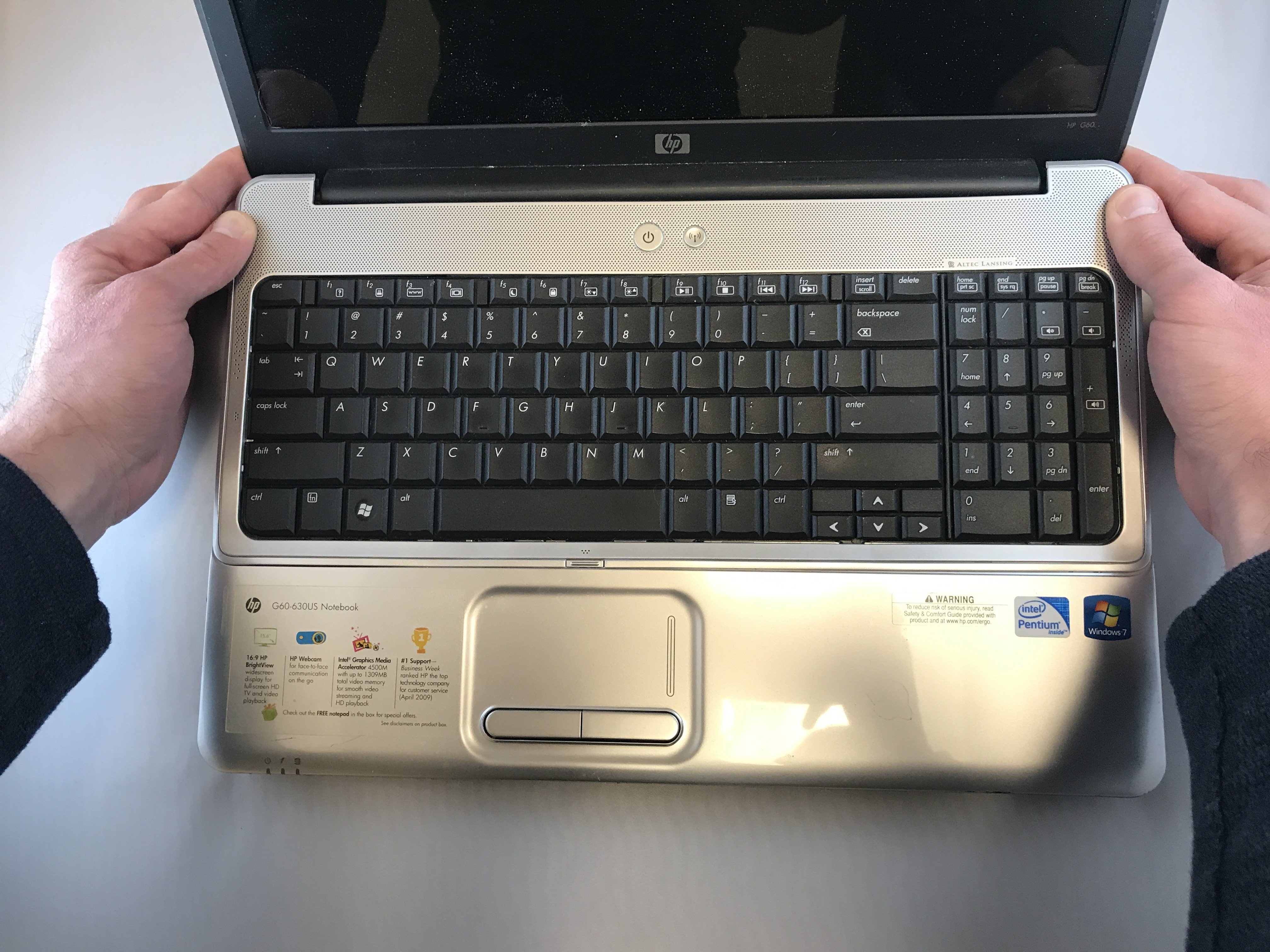
  • Open the laptop normally.
  • Using your fingers (or a spudger if needed), loosen the silver cover surrounding the keyboard.
  • You will not be able to fully remove the keyboard/silver border all the way until the next step.
Step 4

Repair step

  • Carefully place your hands underneath the now loosened keyboard and locate the ribbon keeping the keyboard connected to the laptop.
  • Locate the tabs keeping the ribbon in place.
  • Gently push the tabs inward to release the ribbon and to detach the keyboard.
  • Carefully remove the keyboard and place it off to the side.
  • The silver border and the power button will still be connected by a different ribbon.
Step 5

Repair step

  • Locate the ribbon keeping the power button attached to the laptop.
  • Push the tab attaching the ribbon to the laptop to detach the silver border and the power button.
Step 6

Repair step

  • If you are looking at this in the HP Pavilion G60-630US Screen Replacement Guide, ignore this step
  • Flip the silver border over to expose the underside of the power bar.
  • Unscrew the 4 screws keeping the power bar in place. Place the screws off the the side.
  • Carefully remove the power bar.