 FIXONIC
Official iFixit API visual reference
Open the authorised source
Mitsubishi Diamondpoint NXM76LCD Motherboard Replacement
Attributed iFixit repair guide for Mitsubishi Diamondpoint NXM76LCD.
iFixit Library Mitsubishi Diamondpoint NXM76LCD
Moderate
5 - 25 minutes
Guide 101128
Licensed iFixit integration
This attributed iFixit guide is displayed through Fixonic's recorded commercial API permission. iFixit remains the independent source and author of the procedure.


Remove the 5 screws

Remove the back panel

- Lift the back and pry the back off.
Remove the four screws

Remove the 5 screws

Remove the cables
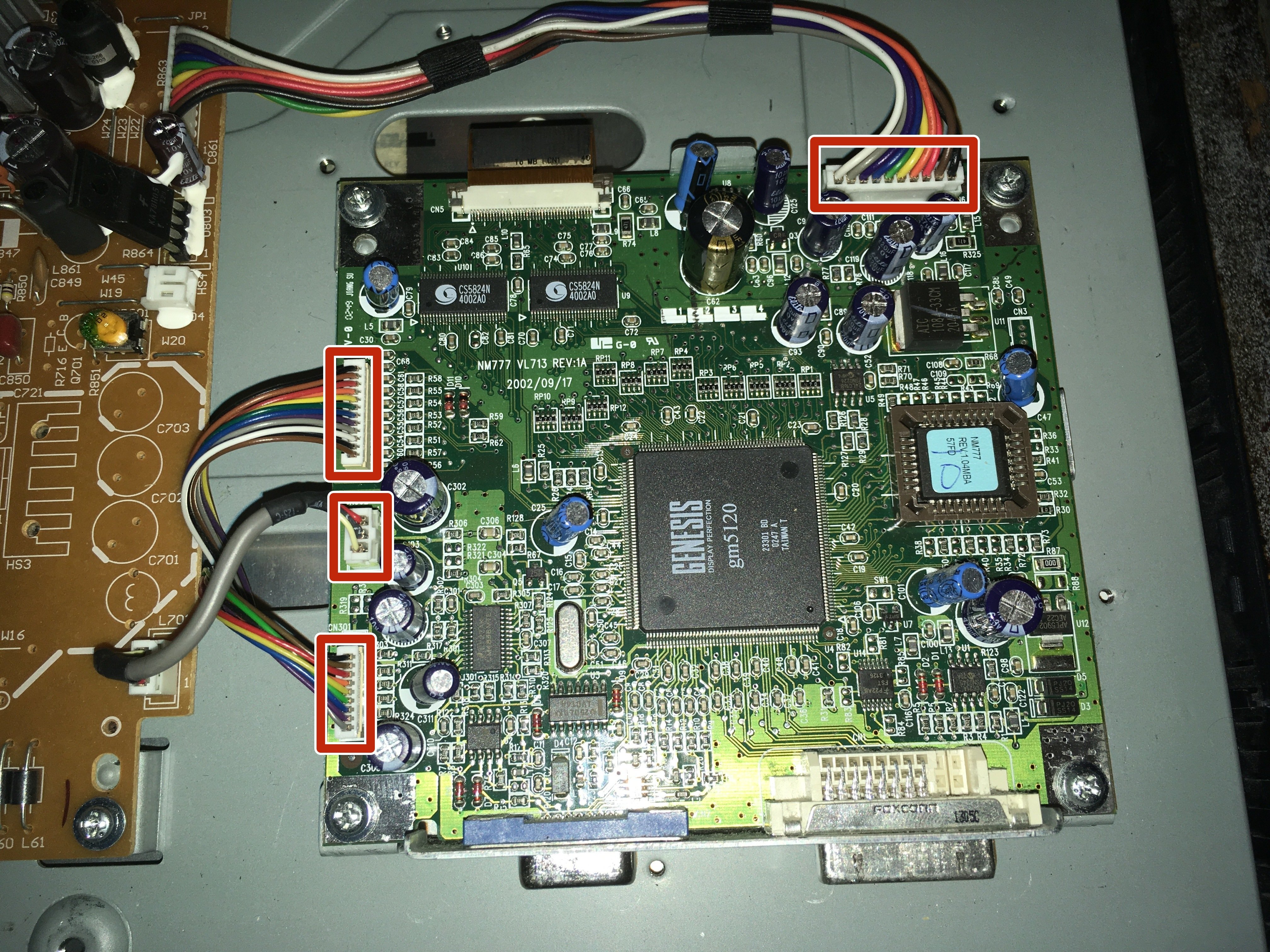
- Remove all the cables.
Remove the motherboard

Repair step

- Now you can replace it with a new one.