FIXONIC
SellSavedMy Fixonic
Official iFixit API visual reference

MacBook Pro 15" Retina Display Mid 2012 I/O Board Cable Replacement

Input, Output, Sideput. Whatever kind of puting...

iFixit Library MacBook Pro 15" Retina Display Mid 2012 Moderate No estimate Guide 10294
Open the authorised source
Licensed iFixit integration

This attributed iFixit guide is displayed through Fixonic's recorded commercial API permission. iFixit remains the independent source and author of the procedure.

Guide overview

Before you begin

Input, Output, Sideput. Whatever kind of puting you will be doing, a faulty I/O board cable is going to severely limit the functionality of your MacBook Pro with Retina display. This guide will show you how to replace it.
Step 1

Repair step

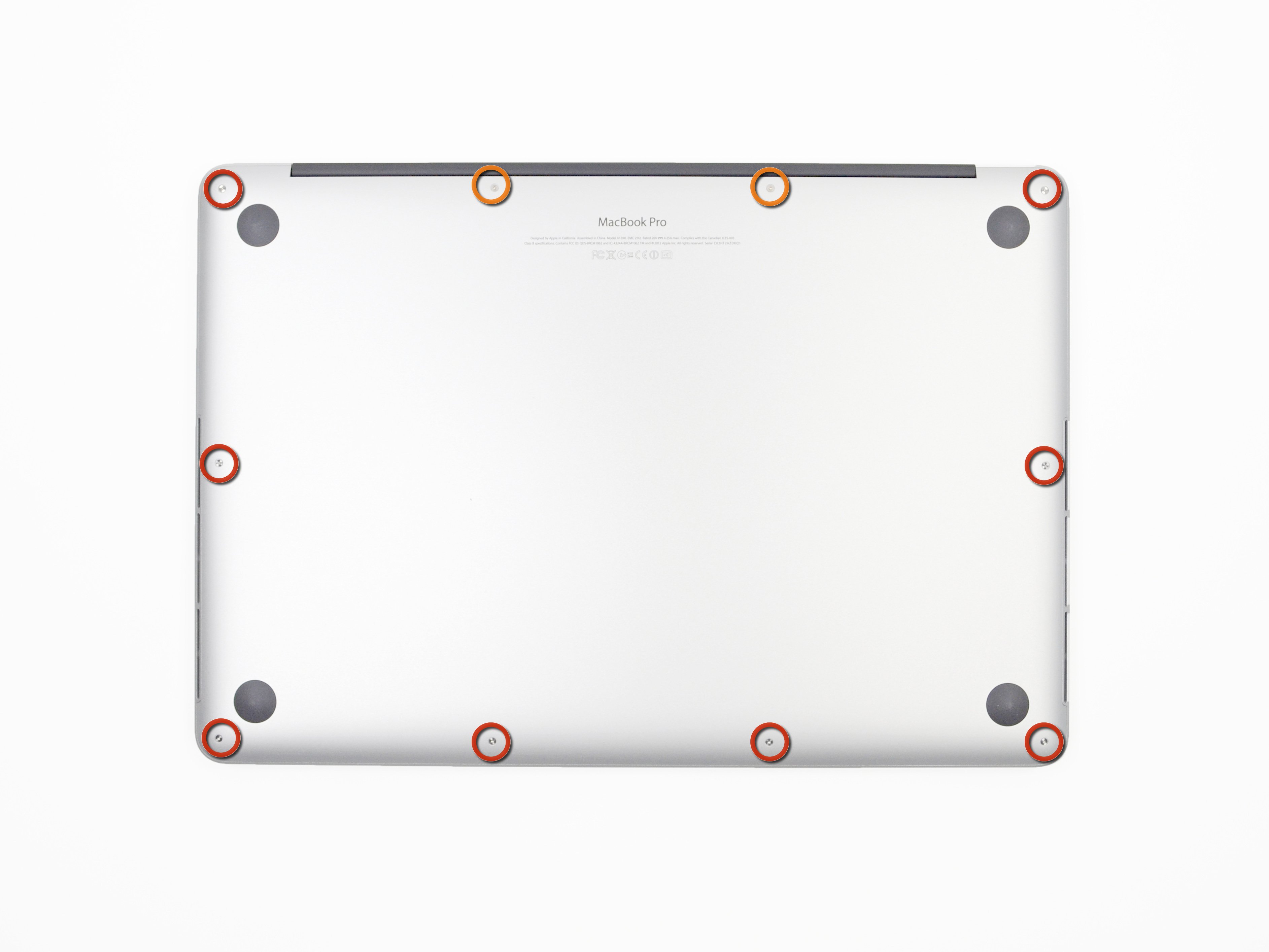
  • Remove the following P5 pentalobe screws securing the lower case to the MacBook Pro:
  • Eight 3.0 mm
  • Two 2.3 mm
Step 2

Repair step

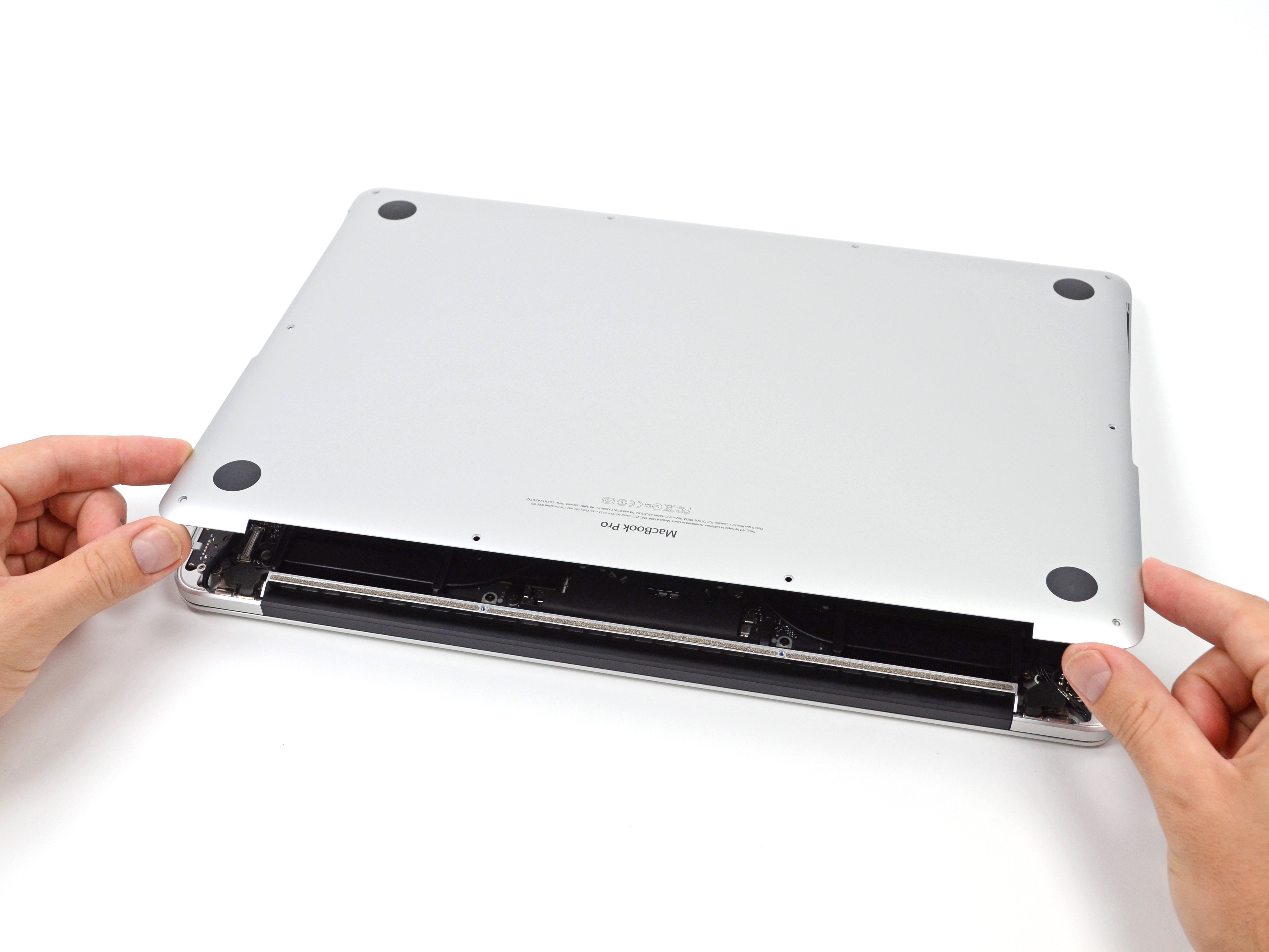
  • Lifting from the edge nearest the clutch cover, lift the lower case off the MacBook Pro.
  • Set the lower case aside.
Step 3

Repair step

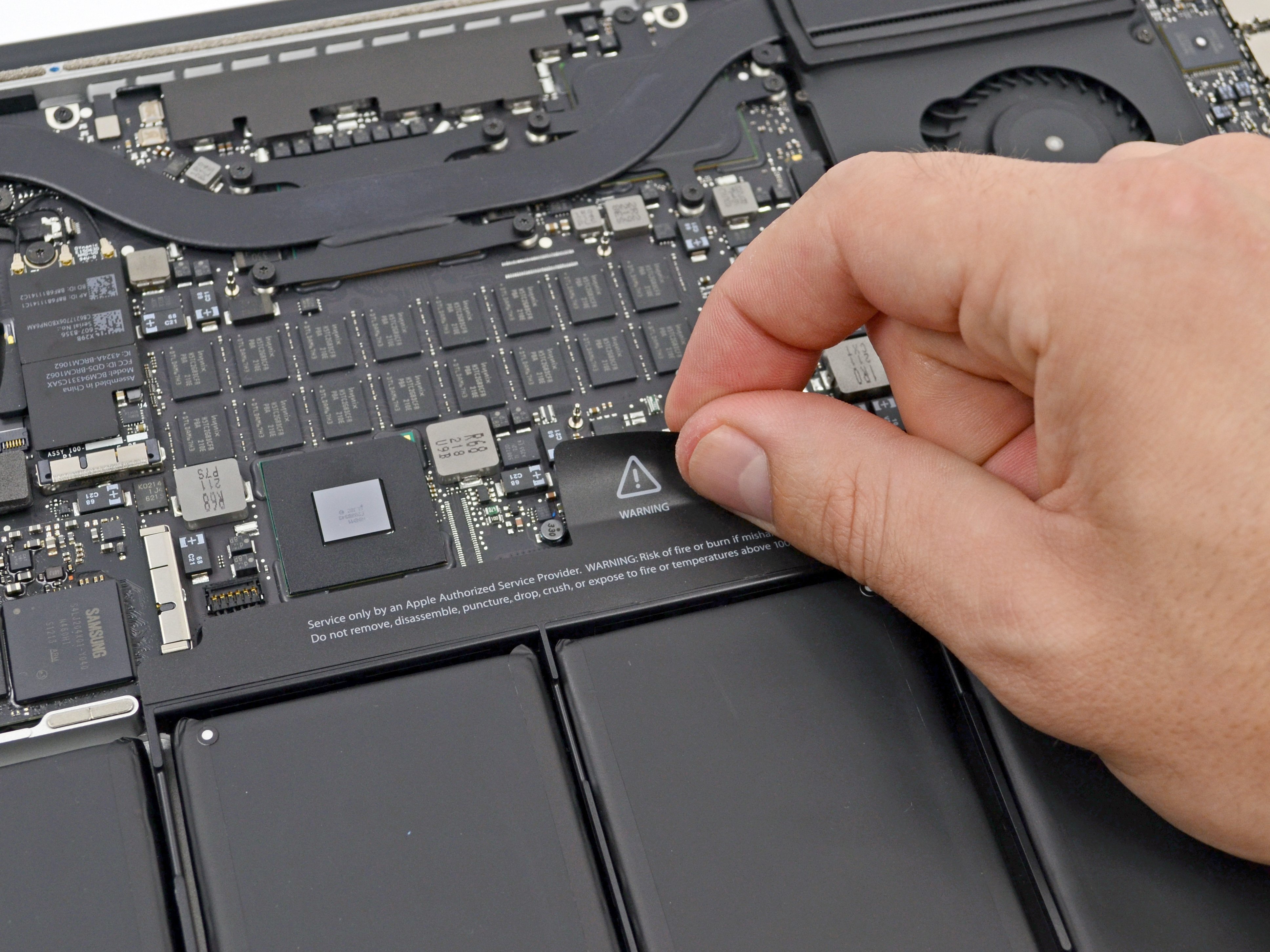
  • Peel back the warning label covering the battery connector.
Step 4

Repair step

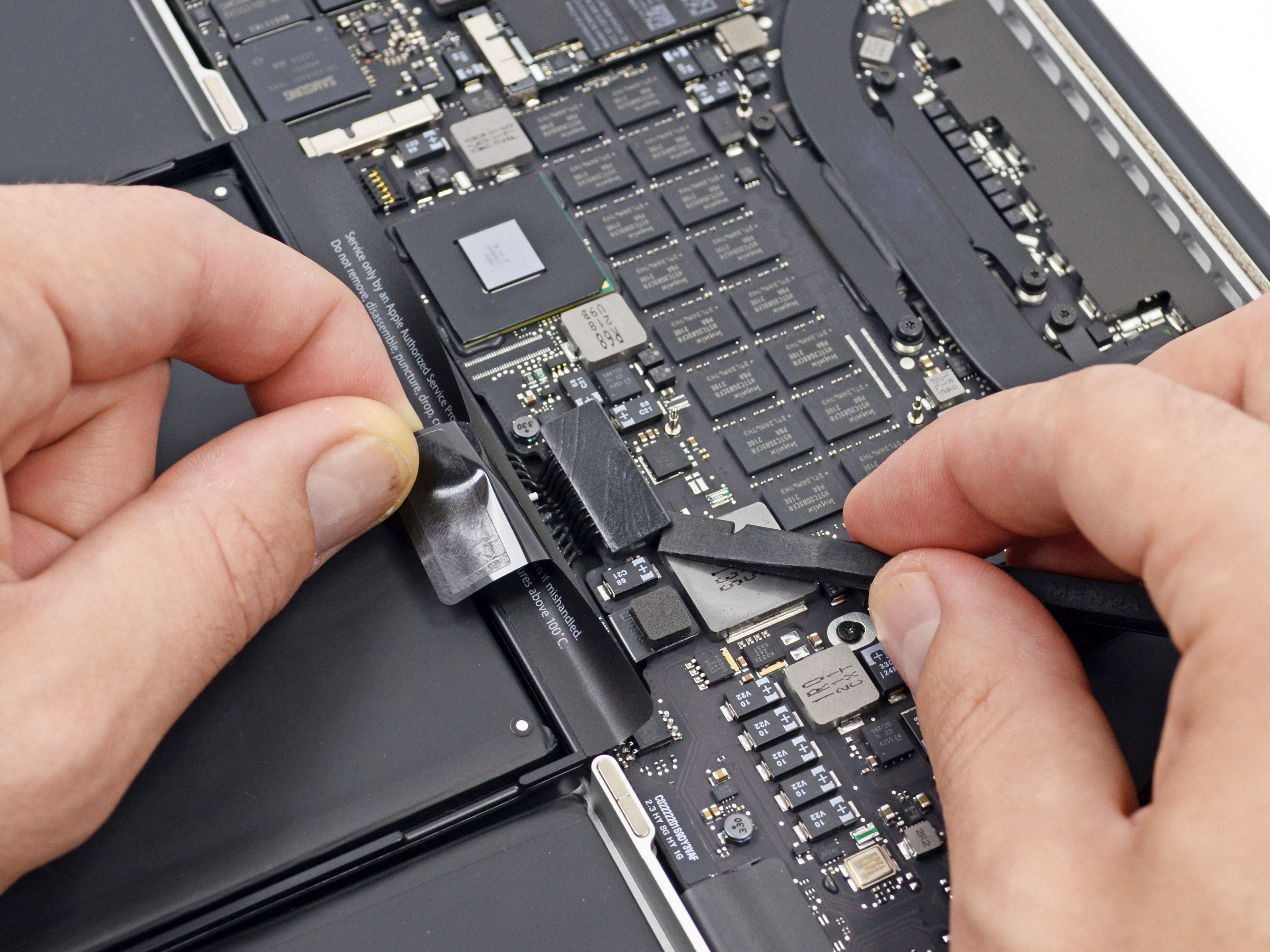
  • Using the flat end of a spudger, gently pry the battery connector straight up out of its socket on the logic board.
  • Bend the battery cables back and out of the way, ensuring that the battery connector doesn't accidentally make contact with the logic board.
Step 5

Repair step

  • Using the flat end of a spudger, pry the I/O board cable straight up out of its socket on the I/O board.
  • In a similar fashion, remove the I/O board cable from its socket on the I/O board.
Step 6

Repair step

  • Remove the I/O board cable from the MacBook Pro.