FIXONIC
SellSavedMy Fixonic
Official iFixit API visual reference

Dell Inspiron 14-3452 Random Access Memory (RAM) Replacement

This step-by-step guide will show how to...

iFixit Library Dell Inspiron 14-3452 Easy 10 - 15 minutes Guide 103718
Open the authorised source
Licensed iFixit integration

This attributed iFixit guide is displayed through Fixonic's recorded commercial API permission. iFixit remains the independent source and author of the procedure.

Guide overview

Before you begin

This step-by-step guide will show how to replace the RAM (Random Access Memory) stick in your Inspiron 14-3452 with a new one. All you need is a spudger and a screwdriver.

Step 1

Repair step

  • Remove the battery by sliding the battery release latch to the left.
  • Pull the entire battery away from the backing.
Step 2

Repair step

  • Ensure that the laptop is completely turned off and the battery is removed.
  • Remove the two Phillips Head 5 mm #0 screws holding the backing in place.
Step 3

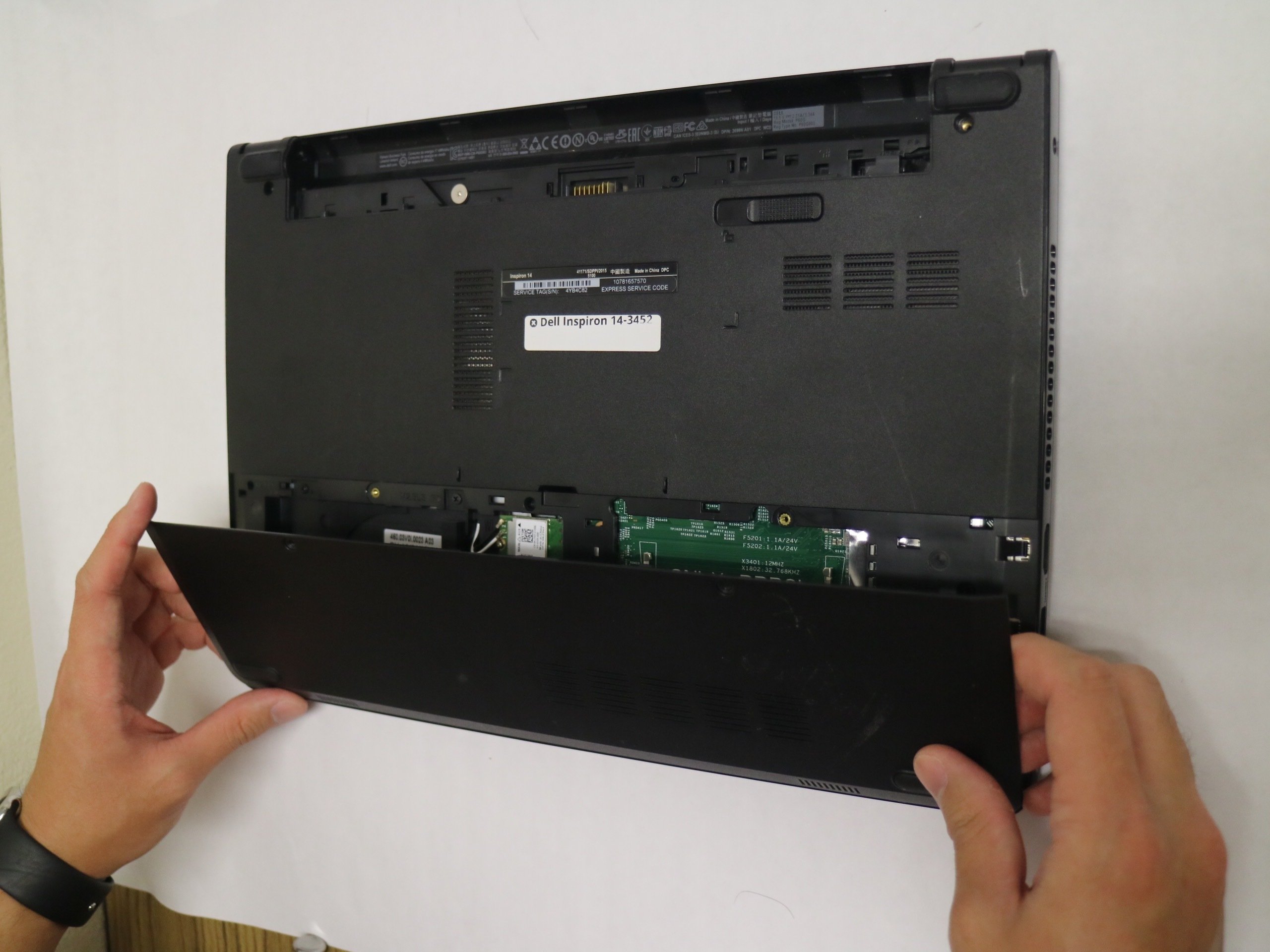
Repair step

  • Pull the backing away from the laptop.
Step 4

Repair step

  • Locate the blue RAM chip sitting in the RAM bay.
  • Use your fingertips to pry apart the white RAM securing-clips on each side of the memory-module slot until the RAM chip pops up.
Step 5

Repair step

  • Pull the RAM chip away from the memory-module slot.
  • The RAM chip is now fully detached and ready to be replaced.