FIXONIC
SellSavedMy Fixonic
Official iFixit API visual reference

Blackberry Bold 9900 Keyboard Replacement

Replacing the keyboard of the BlackBerry Bold...

iFixit Library Blackberry Bold 9900 Easy 5 - 10 minutes Guide 103943
Open the authorised source
Licensed iFixit integration

This attributed iFixit guide is displayed through Fixonic's recorded commercial API permission. iFixit remains the independent source and author of the procedure.

Guide overview

Before you begin

Replacing the keyboard of the BlackBerry Bold 9900 is a simple task that will allow you to become familiar with your device and restore functionality of the keys.

Step 1

Repair step

  • Place phone screen down.
  • Use your finger to life upward on the battery case.
  • Pull the cover away from the battery.
Step 2

Repair step

  • Lift the edge of battery with the green stripe upward to remove battery.
Step 3

MicroSD card

  • The MicroSD card is located where the red rectangle is shown.
  • To remove MicroSD card, push the card inward towards the top of the phone then release. The MicroSD card will be ejected.
Step 4

Repair step

  • Lift the bezel at the bottom of the phone up and peel it away from the phone.
Step 5

Repair step

  • Remove the two exposed screws using the T5 Torx screwdriver.
Step 6

Repair step

  • Now lever the keyboard up using the screwdriver in the indicated hole.
Step 7

Repair step

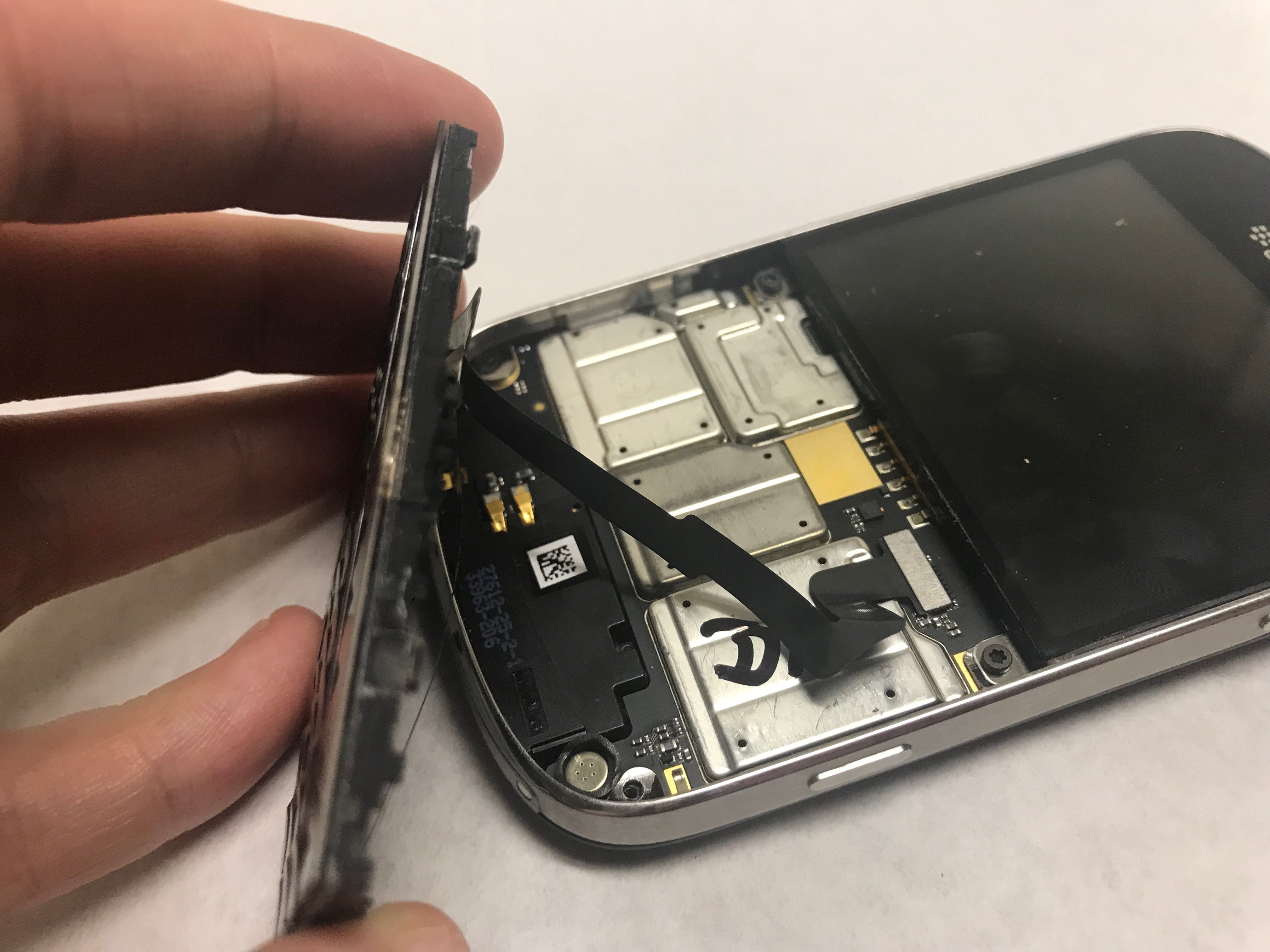
  • The keyboard is attached via a ribbon cable. Pull the cable up to remove the keyboard.