FIXONIC
SellSavedMy Fixonic
Official iFixit API visual reference

Nikon Coolpix S800c Selector Button Replacement Guide

The user will learn how to replace the selector...

iFixit Library Nikon Coolpix S800c Easy 7 - 8 minutes Guide 104571
Open the authorised source
Licensed iFixit integration

This attributed iFixit guide is displayed through Fixonic's recorded commercial API permission. iFixit remains the independent source and author of the procedure.

Guide overview

Before you begin

The user will learn how to replace the selector button set including the menu, home, and back buttons on the Nikon Coolpix S800c. This replacement may be necessary due to damage on the unit.

Step 1

Repair step

  • Remove all 4 screws from the bottom face of the camera using a Phillips #00 head screwdriver (found in iFixit tool kit).
Step 2

Repair step

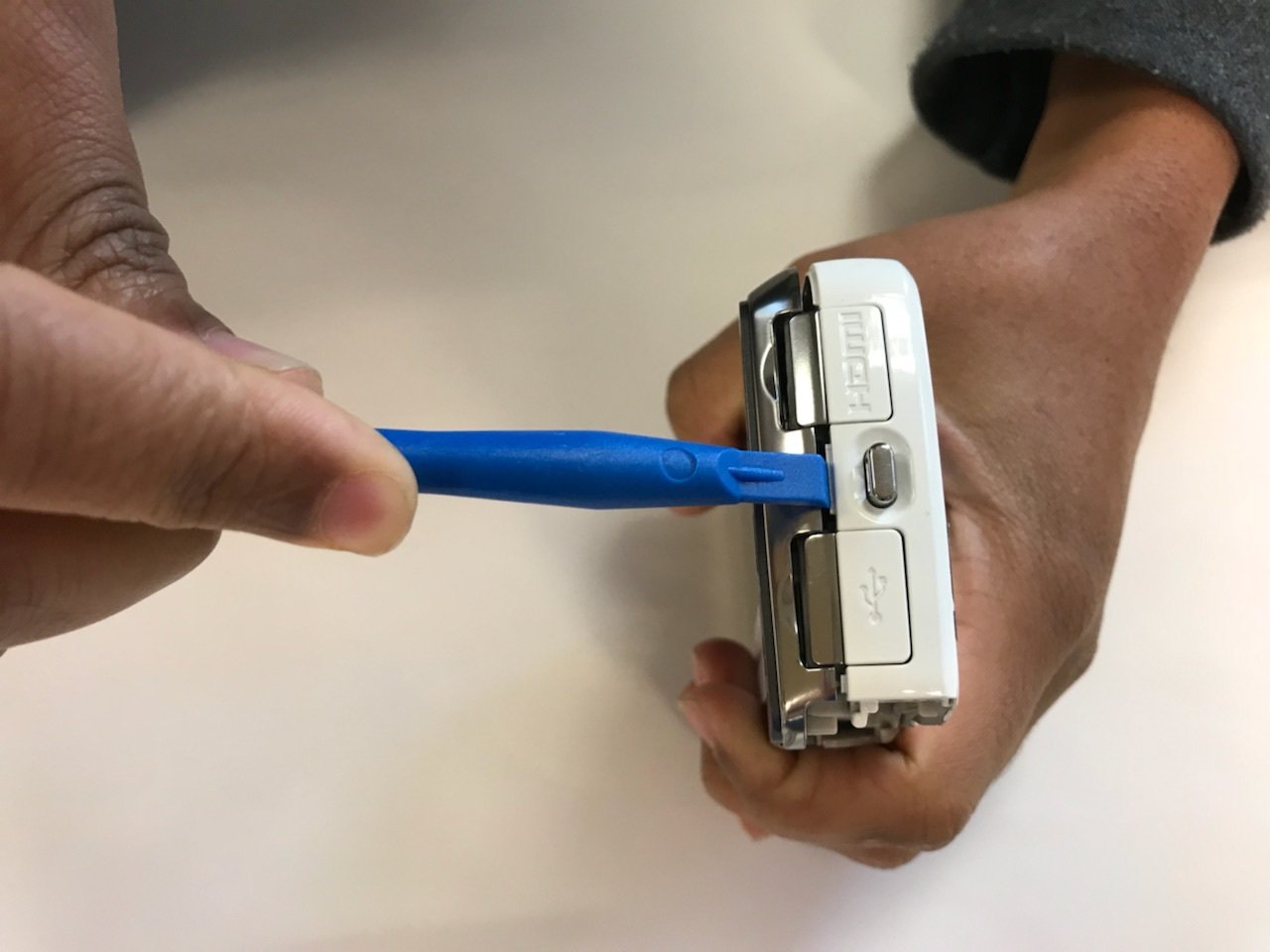
  • Using a plastic tool, pry open the back panel of the camera. Be careful not to apply too much force and damage the camera.
Step 3

Repair step

  • Isolate the back panel/touch screen section.
  • Using a Phillips #00 head screwdriver (found in iFixit tool kit), remove the 2 screws that secure the metal plate protecting the selector buttons.
  • Pry the small metal plate up with a plastic tool of your choice.
Step 4

Repair step

  • Remove the selector button chain by prying it up with plastic tool of your choice.