FIXONIC
SellSavedMy Fixonic
Official iFixit API visual reference

Asus ZenBook UX303U Motherboard Fan Replacement

This guide will show you how to replace the fan...

iFixit Library Asus ZenBook UX303U Moderate 15 - 20 minutes Guide 105758
Open the authorised source
Licensed iFixit integration

This attributed iFixit guide is displayed through Fixonic's recorded commercial API permission. iFixit remains the independent source and author of the procedure.

Guide overview

Before you begin

This guide will show you how to replace the fan in an Asus ZenBook UX303U laptop.

Step 1

Repair step

  • Remove the two round rubber feet at the hinge-edge of the laptop.
Step 2

Repair step

  • Remove the eleven 4 mm Phillips #00 screws from the back panel.
Step 3

Repair step

  • Using a plastic opening tool pry the back panel off of the laptop.
Step 4

Repair step

  • Pull the speaker cable out of its four retaining clips with either your fingers, or a plastic opening tool.
Step 5

Repair step

  • Remove all seven 2 mm Phillips #00 screws from the battery.
Step 6

Repair step

  • Pull the speaker connector toward the edge of the laptop to disconnect it from its socket.
Step 7

Repair step

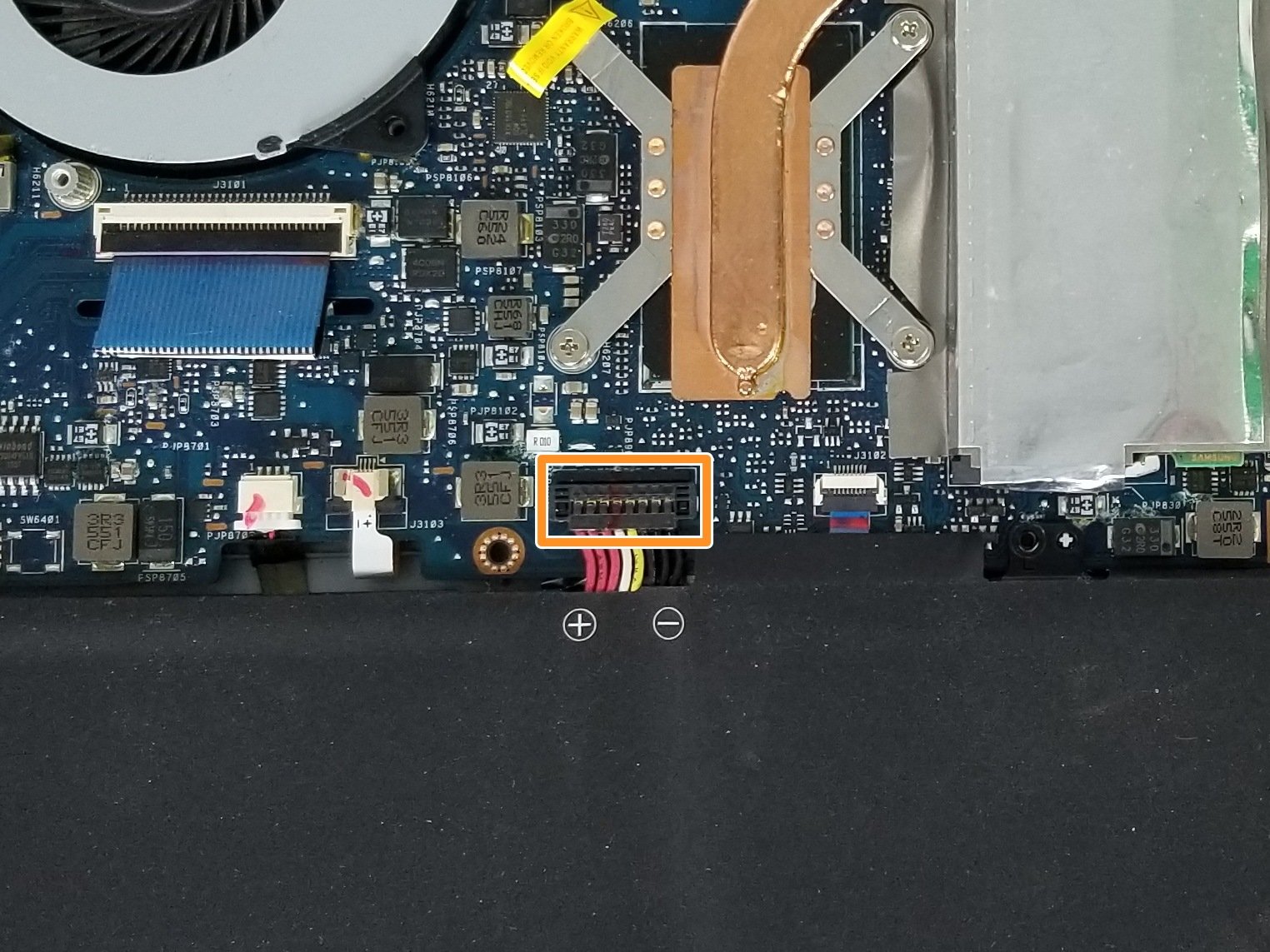
  • Lift the battery connector straight up off its socket to disconnect it from the motherboard.
  • Do not pry on the socket itself or you risk damaging the motherboard.
Step 8

Repair step

  • Lift the battery and speakers up and pull out to remove.
  • Check underneath the battery for the wire assembly connecting the touchpad to the motherboard. This connection may stick to the underside of the battery. Be careful not to damage it when removing the battery.
Step 9

Repair step

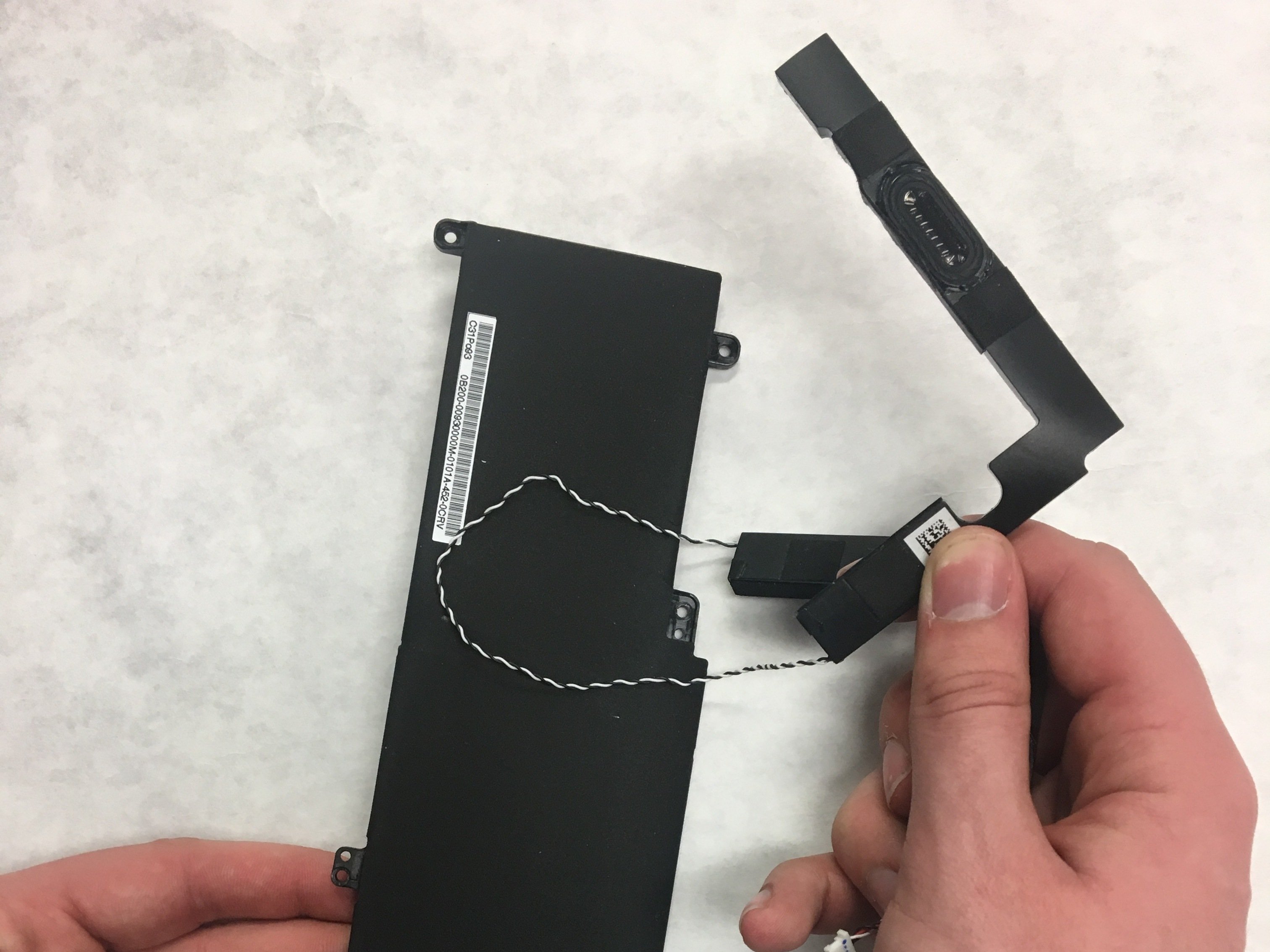
  • Remove the speakers from the old battery.
Step 10

Repair step

  • Disconnect the display cable from the motherboard with a plastic opening tool.
Step 11

Repair step

  • Remove the three 6mm Phillips #00 screws from the hinge.
  • Remove the 2mm Phillips #00 screw from the plastic housing securing the fan into place.
Step 12

Repair step

  • Lift the bottom of the laptop up slightly in order to unhinge the laptop.
  • Lift the screen assembly hinge up and off of the motherboard fan.
Step 13

Repair step

  • Using tweezers, disconnect the cable connector from the motherboard fan.
Step 14

Repair step

  • Lift the fan up and off of the white pegs that secure it into place.