FIXONIC
SellSavedMy Fixonic
Official iFixit API visual reference

Supersonic Matrix SC-91MID Back Cover Replacement

In this replacement guide, we will show you how...

iFixit Library Supersonic Matrix SC-91MID Moderate 20 minutes Guide 106597
Open the authorised source
Licensed iFixit integration

This attributed iFixit guide is displayed through Fixonic's recorded commercial API permission. iFixit remains the independent source and author of the procedure.

Guide overview

Before you begin

In this replacement guide, we will show you how to remove the back cover and all of the inside components of your tablet in order to replace the back cover.
Step 1

Repair step

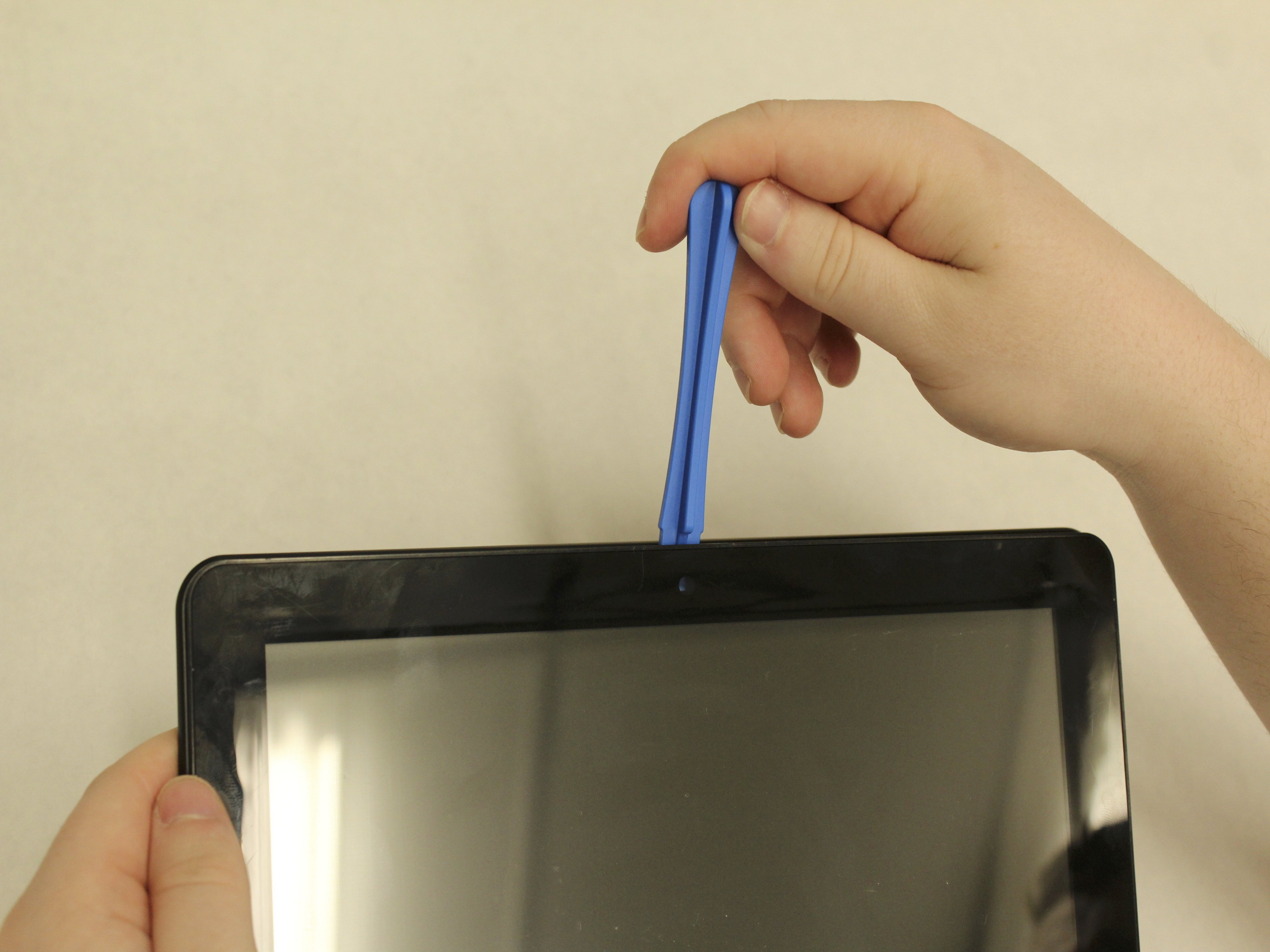
  • To begin, insert the plastic opening tool between the display and back cover and apply force until the back cover comes free from the device.
Step 2

Repair step

  • Carefully remove orange ribbons from the motherboard by opening the small plastic flaps and pulling with tweezers.
  • This will disconnect the front part of the tablet from the back entirely. Set it safely aside and continue
Step 3

Repair step

  • To remove the battery, use the plastic opening tool to pry one corner off of the battery and gently move the opening tool down to pull up one side of the battery.
  • The battery is glued down, so some force may be required to remove it from the back cover.
Step 4

Repair step

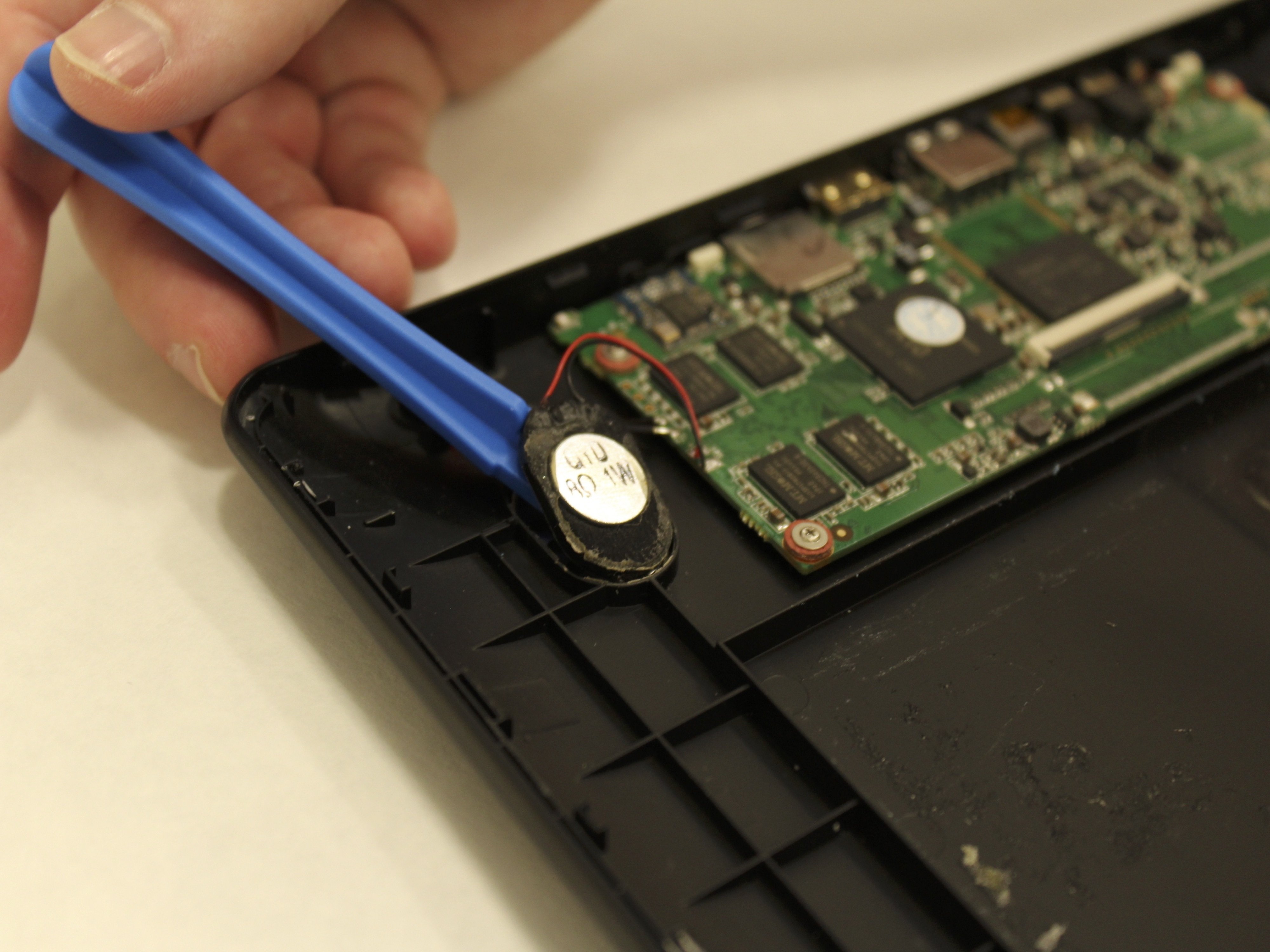
  • To remove the speakers, use the plastic opening tool to gently pry the speaker from the back cover, then use the tweezers to remove them fully.
Step 5

Repair step

  • To remove the motherboard, start by unscrewing the three (3) small Phillips head screws using a 1.5 mm Phillips head (Phillips #000) screwdriver.
  • The small red washers must be kept along with the screws when reassembling the device, make sure you store them safely until reassembling.
  • The motherboard has soldered connections to the battery, speakers, and the charging indicator LED. Be careful when pulling the motherboard from the back cover because these parts will come along with it.