FIXONIC
SellSavedMy Fixonic
Official iFixit API visual reference

DualShock 4 Controller Rumble Motors Replacement

This guide will show the reader how to remove...

iFixit Library DualShock 4 CHU-ZCT2U Difficult 30 minutes Guide 106820
Open the authorised source
Licensed iFixit integration

This attributed iFixit guide is displayed through Fixonic's recorded commercial API permission. iFixit remains the independent source and author of the procedure.

Guide overview

Before you begin

This guide will show the reader how to remove and replace the rumble motors for a DualShock 4 controller.

Step 1

Repair step

  • Remove the four 2mm screws on the rear plate using the #000 Phillips screwdriver.
Step 2

Repair step

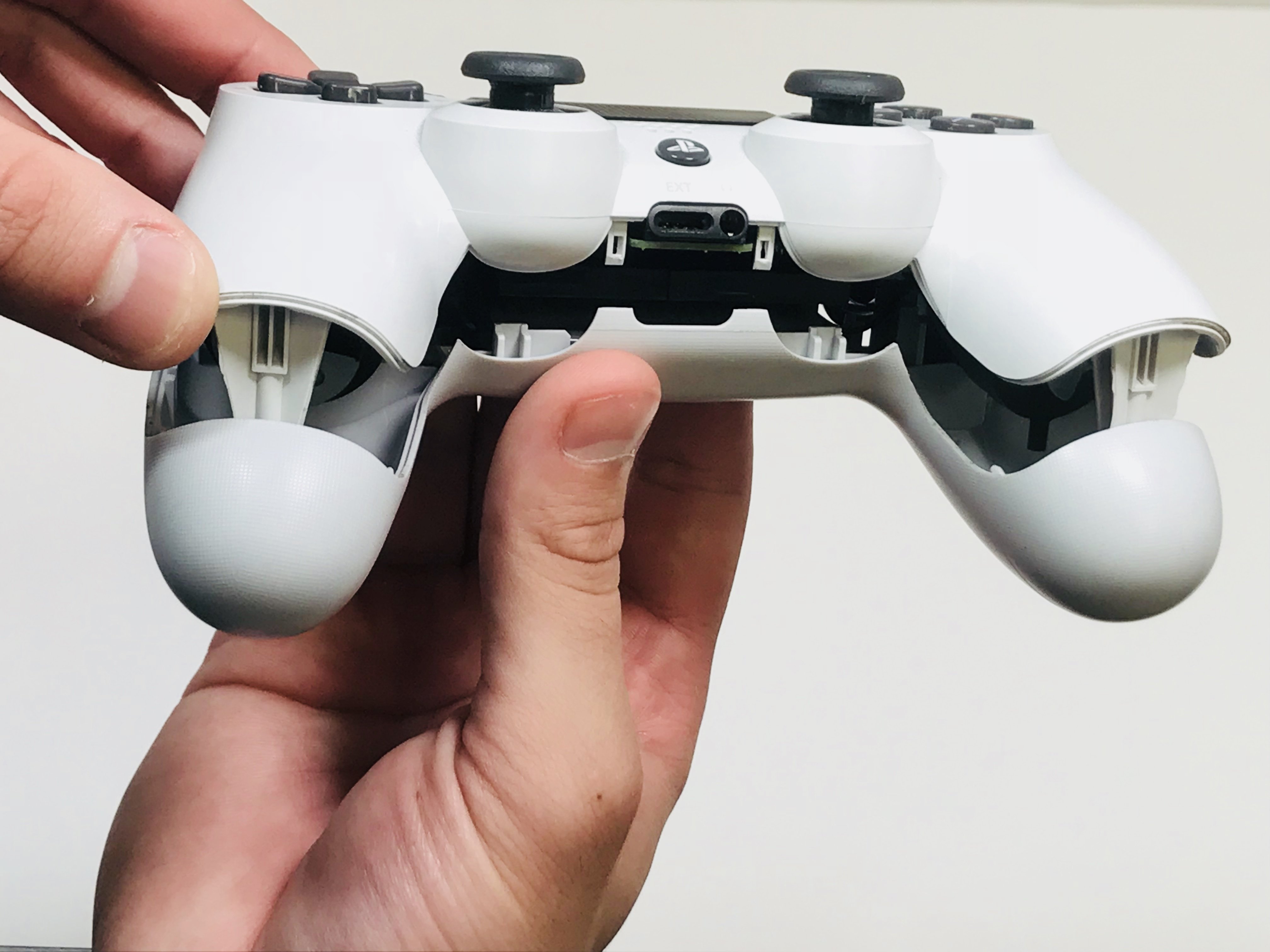
  • Remove the rear plate.
  • We recommend using a metal spudger for this step.
Step 3

Repair step

  • Desolder the joints that attach the rumble motors to the motherboard.
  • For more information on soldering, click here.
Step 4

Repair step

  • There is a hidden screw underneath the battery pack that attaches the faceplate to the motherboard.
  • Lift the pack and remove the 10mm screw using the #000 Phillips screwdriver.
Step 5

Repair step

  • Remove the faceplate from the motherboard.
Step 6

Repair step

  • With some added pressure, push down and outward in order to free and remove the rumble motors from their socket.