
FIXONIC
SellSavedMy Fixonic
Official iFixit API visual reference

IBM ThinkPad A31 Keyboard Replacement

Attributed iFixit repair guide for IBM ThinkPad A31.

iFixit Library IBM ThinkPad A31 Easy 6 minutes Guide 107078
Open the authorised source
Licensed iFixit integration

This attributed iFixit guide is displayed through Fixonic's recorded commercial API permission. iFixit remains the independent source and author of the procedure.

Step 1

Repair step

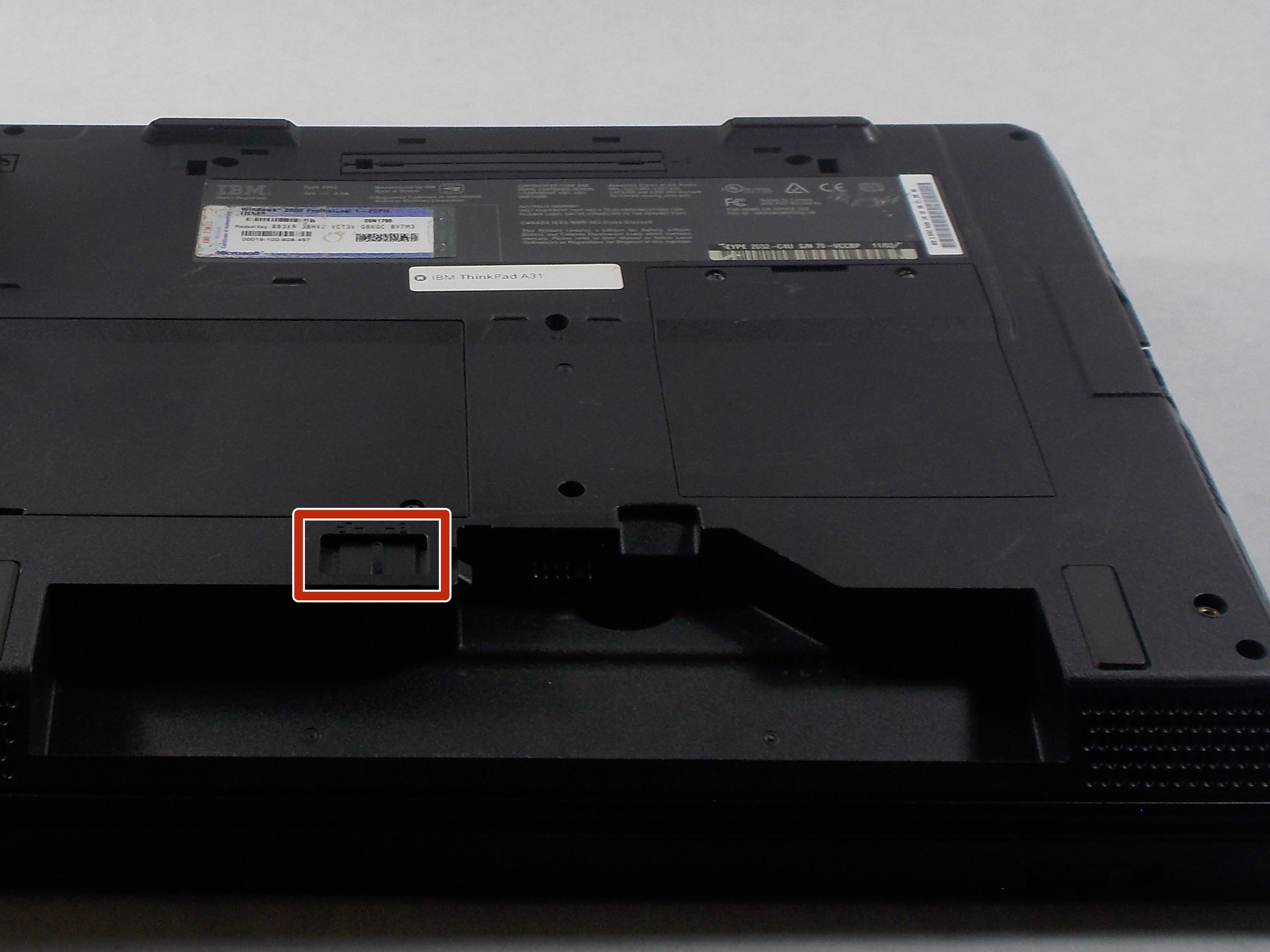
  • Flip the ThinkPad over so that it is upside down.
  • Push latch switch to the left.
  • Gently lift the battery out and away from the ThinkPad
  • You have to hold the latch to the left while you remove the battery. Simply pushing once will not unlock the battery
Step 2

Repair step

  • The sticker is to keep the warranty on the laptop so once removed the warranty is void
  • Peel the sticker and remove the 15mm screw
  • Remove all 6 of the 16mm screws
Step 3

Repair step

  • use a prying tool and insert it on the cracks on the sides of the keyboard and lift gently until you here a click
  • repeat this step on all sides of the keyboard until the keyboard is completely detached from the laptop
Step 4

Repair step

  • Lift the keyboard and remove the keyboard ribbon cable from the laptop