
FIXONIC
SellSavedMy Fixonic
Official iFixit API visual reference

How to fix a Samsung Galaxy S5 that is not charging

If phone is not charging, check the pins in the...

iFixit Library Samsung Galaxy S5 Moderate 10 minutes Guide 108455
Open the authorised source
Licensed iFixit integration

This attributed iFixit guide is displayed through Fixonic's recorded commercial API permission. iFixit remains the independent source and author of the procedure.

Guide overview

Before you begin

If phone is not charging, check the pins in the charging port at the bottom of the phone and make sure that they are not bent.

Step 1

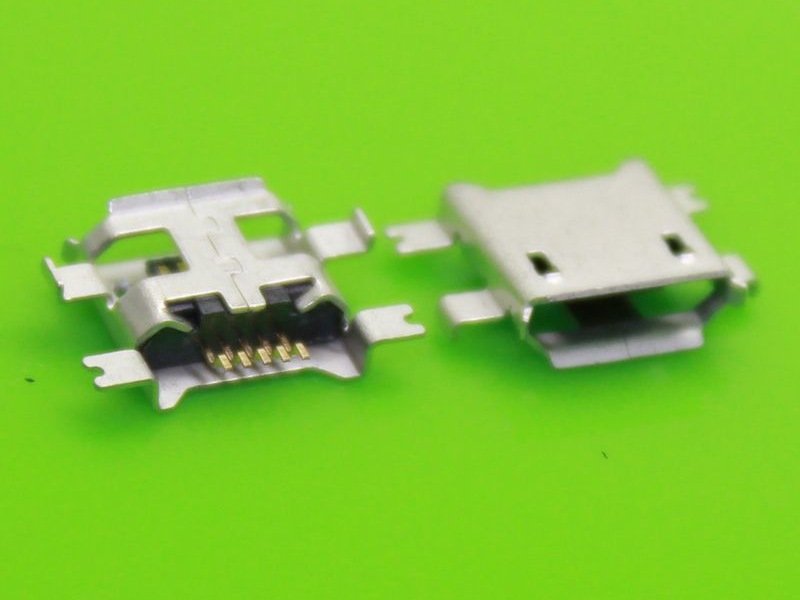
Check Charging Port

  • Note: Images here are from the internet for reference only but not from me
  • Check the charging port at the bottom of the phone. I used a magnifying glass with light to see because these are very small.
Step 2

Check the pins

  • When I checked the pins in my phone, I saw 3. with the one on the rightmost having 2 layers. This was because one of them was bent making it look like there were only 3 instead of 4
  • I used a needle to push the bent pin. After a few pushes, it started charging again!
  • Reminder: be very careful when pushing the pins. I only did this because my phone was not charging at all and I was ready to get a replacement for the charging port if it still didn't work