
FIXONIC
SellSavedMy Fixonic
Official iFixit API visual reference

Samsung Galaxy Amp 2 Battery Replacement

Use this guide to remove or replace the battery...

iFixit Library Samsung Galaxy Amp 2 Very easy 1 - 2 minutes Guide 111905
Open the authorised source
Licensed iFixit integration

This attributed iFixit guide is displayed through Fixonic's recorded commercial API permission. iFixit remains the independent source and author of the procedure.

Guide overview

Before you begin

Use this guide to remove or replace the battery in your Samsung Galaxy Amp 2. If you are having any problems with your battery, you may want to remove it to check for damage or replace it. You will only need your fingernails or a plastic opening tool for this guide.

Step 1

Repair step

  • Insert your fingernail or an opening tool into the divot on the side of the phone. The divot is located to the left of the rear-facing camera.
  • Lift upwards and gently pry the rear panel off of the phone.
Step 2

Repair step

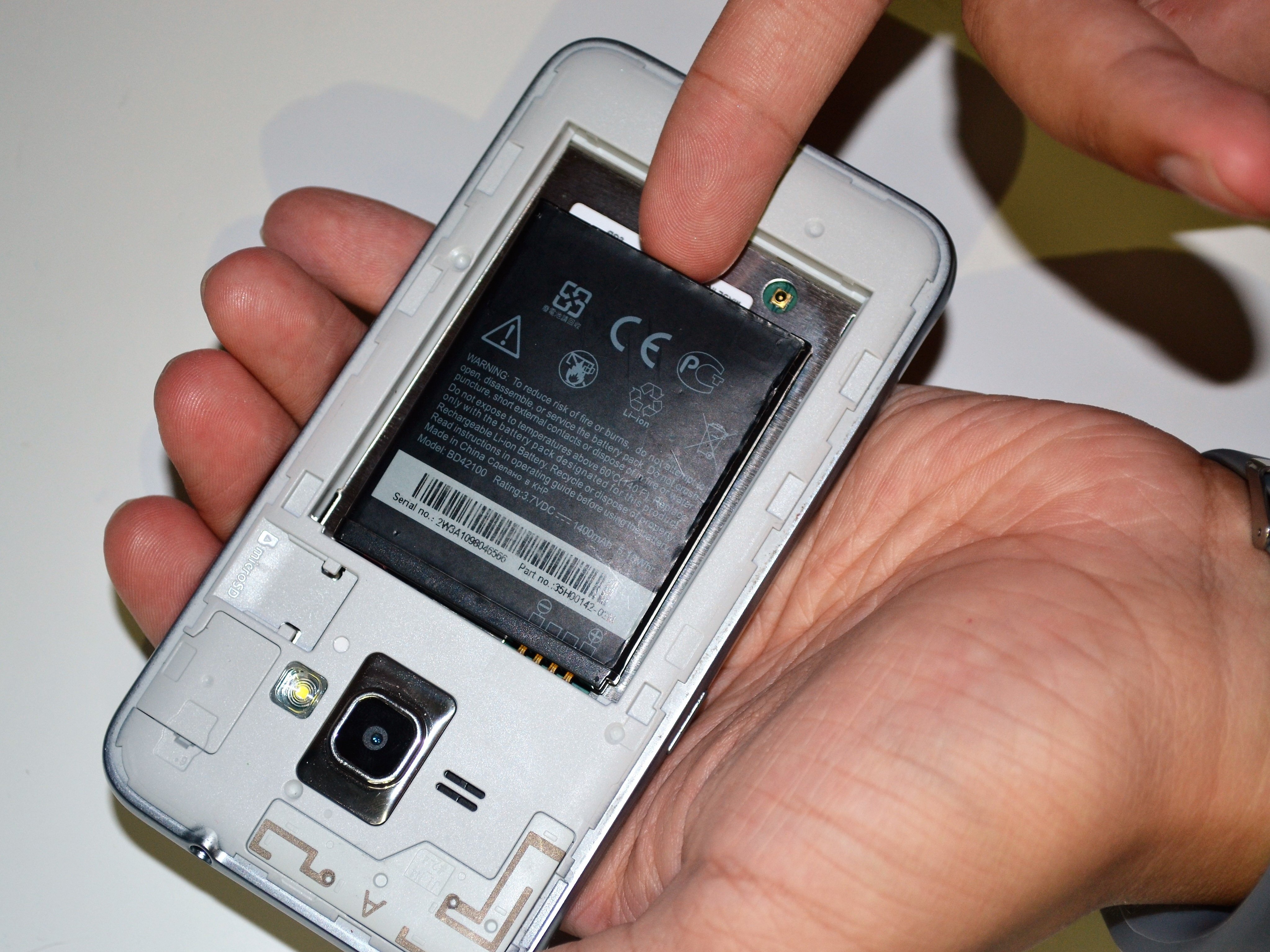
  • Insert a fingernail or plastic opening tool into the gap in the bottom right corner of the battery and lift upward.
  • Grip the battery and safely remove it from the phone.