FIXONIC
SellSavedMy Fixonic
Official iFixit API visual reference

iPad 3 Wi-Fi Power & Volume Button Assembly Replacement

Internal Prereq.

iFixit Library iPad 3 Wi-Fi Moderate No estimate Guide 11570
Open the authorised source
Licensed iFixit integration

This attributed iFixit guide is displayed through Fixonic's recorded commercial API permission. iFixit remains the independent source and author of the procedure.

Guide overview

Before you begin

Internal Prereq.

Step 1

Repair step

  • Remove the following screws securing the power & volume button cable to the aluminum frame:
  • Two 5.5mm Phillips #0
  • One 2.6 mm Phillips #0
  • Two 2.6 mm Phillips #0
  • These screws are angled into the aluminum frame. Be sure to always hold the screwdriver in line with the screw.
Step 2

Repair step

  • Remove the piece of plastic covering the volume buttons.
Step 3

Repair step

  • Remove the single 2.6 mm Phillips #00 screw holding the volume button frame to the aluminum frame.
  • This screw is angled into the aluminum frame. Be sure to always hold the screwdriver in line with the screw.
Step 4

Repair step

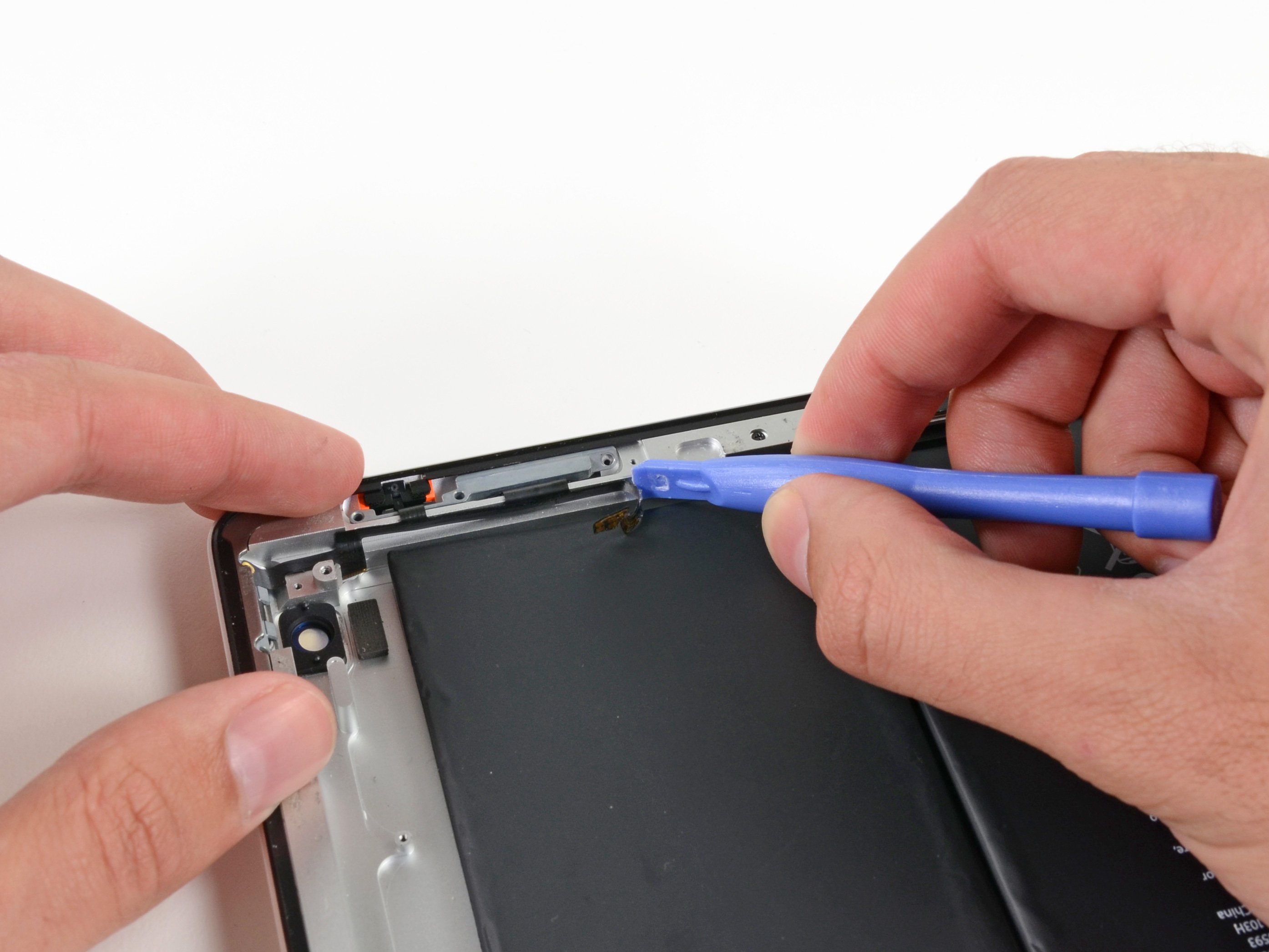
  • Wedge the edge of a plastic opening tool underneath the sleep/wake sensor, being careful to not damage the fragile cable.
  • Move the plastic opening tool around the sensor, releasing the adhesive.
Step 5

Repair step

  • Continue sliding the plastic opening tool underneath the power & volume cables, releasing the adhesive.
Step 6

Repair step

  • Using the tip of a spudger, release the adhesive underneath the volume button branch of the ribbon cable.
Step 7

Repair step

  • Continue sliding the tip of the spudger toward the top of the iPad, releasing the adhesive.
Step 8

Repair step

  • With the tip of the spudger still underneath the ribbon cable, gently lift the power button out of its socket in the aluminum frame.
Step 9

Repair step

  • Holding the power & volume button cable with with both hands, carefully pull the volume buttons and lock switch from their sockets in the aluminum frame.
  • Lift and remove the power & volume button cable out of the rear aluminum case.