FIXONIC
SellSavedMy Fixonic
Official iFixit API visual reference

Casio G'zOne Commando Verizon MIL-SPEC Battery Replacement

In this guide, we will be simply taking out the...

iFixit Library Casio G'zOne Commando Verizon MIL-SPEC Very easy 3 minutes Guide 116134
Open the authorised source
Licensed iFixit integration

This attributed iFixit guide is displayed through Fixonic's recorded commercial API permission. iFixit remains the independent source and author of the procedure.

Guide overview

Before you begin

In this guide, we will be simply taking out the old battery and putting in a new one.

Step 1

Repair step

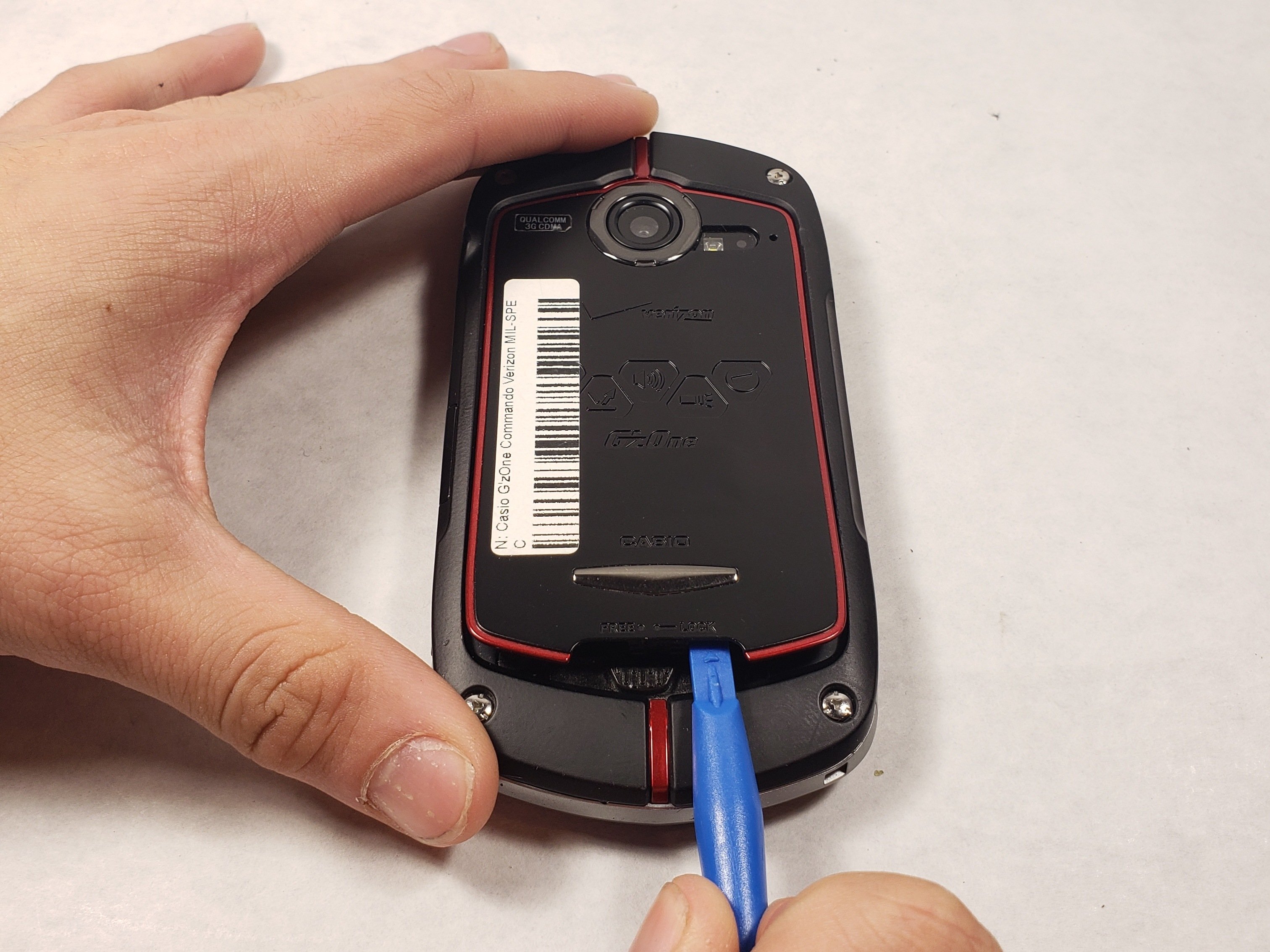
  • Slide the slider on the back of the phone to the free position.
Step 2

Repair step

  • Using a plastic opening tool, gently lift open the back panel from bottom of the panel.
Step 3

Repair step

  • Pull the white battery tab upwards and remove the battery.