FIXONIC
SellSavedMy Fixonic
Official iFixit API visual reference

ZTE Quest n817 Daughterboard Replacement

The ZTE Quest's daughterboard holds the...

iFixit Library ZTE Quest n817 Moderate 3 minutes Guide 116867
Open the authorised source
Licensed iFixit integration

This attributed iFixit guide is displayed through Fixonic's recorded commercial API permission. iFixit remains the independent source and author of the procedure.

Guide overview

Before you begin

The ZTE Quest's daughterboard holds the charging port and the phone's vibration motor. If either of these need to be replaced then this guide will run through the process of removing the daughterboard.

Step 1

Repair step

  • Ensure that the phone is turned off before starting.
  • Orient the device so that the inset on the right side of the device is facing you.
  • Insert the spudger into the inset and carefully remove the back panel.
Step 2

Repair step

  • Use the ribbon to remove the exposed battery.
Step 3

Repair step

  • Carefully pry open the back panel with the plastic opening tool.
Step 4

Repair step

  • Unplug the flat-top connector by lifting each side of the connector up before fully removing it from its socket.
Step 5

Repair step

  • Remove the two 2.0mm screws on either side of the daughterboard.
Step 6

Repair step

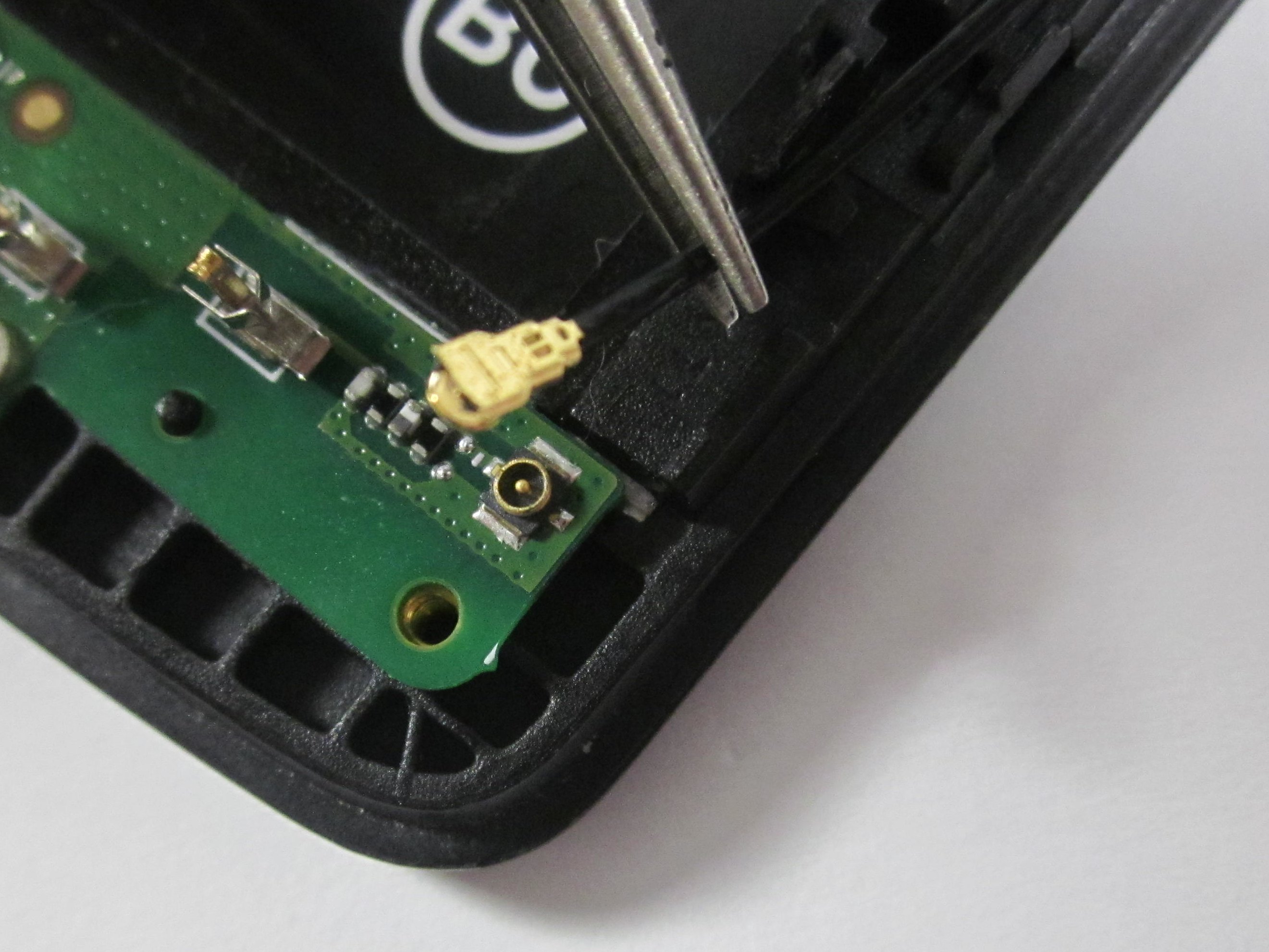
  • Remove the coaxial connector that links the daughterboard to the motherboard.