
FIXONIC
SellSavedMy Fixonic
Official iFixit API visual reference

Apple Watch Series 3 Battery Disconnection - prereq

Attributed iFixit repair guide for Apple Watch Series 3.

iFixit Library Apple Watch Series 3 Moderate No estimate Guide 116977
Open the authorised source
Licensed iFixit integration

This attributed iFixit guide is displayed through Fixonic's recorded commercial API permission. iFixit remains the independent source and author of the procedure.

Step 1

Repair step

  • Use a Y000 driver to remove the tri-point screw securing the metal cover plate.
  • Use a pair of tweezers to remove the cover plate.
  • First open the plate all the way to unhinge the two flaps.
  • Then close it halfway to remove it completely by lifting it out.
Step 2

Repair step

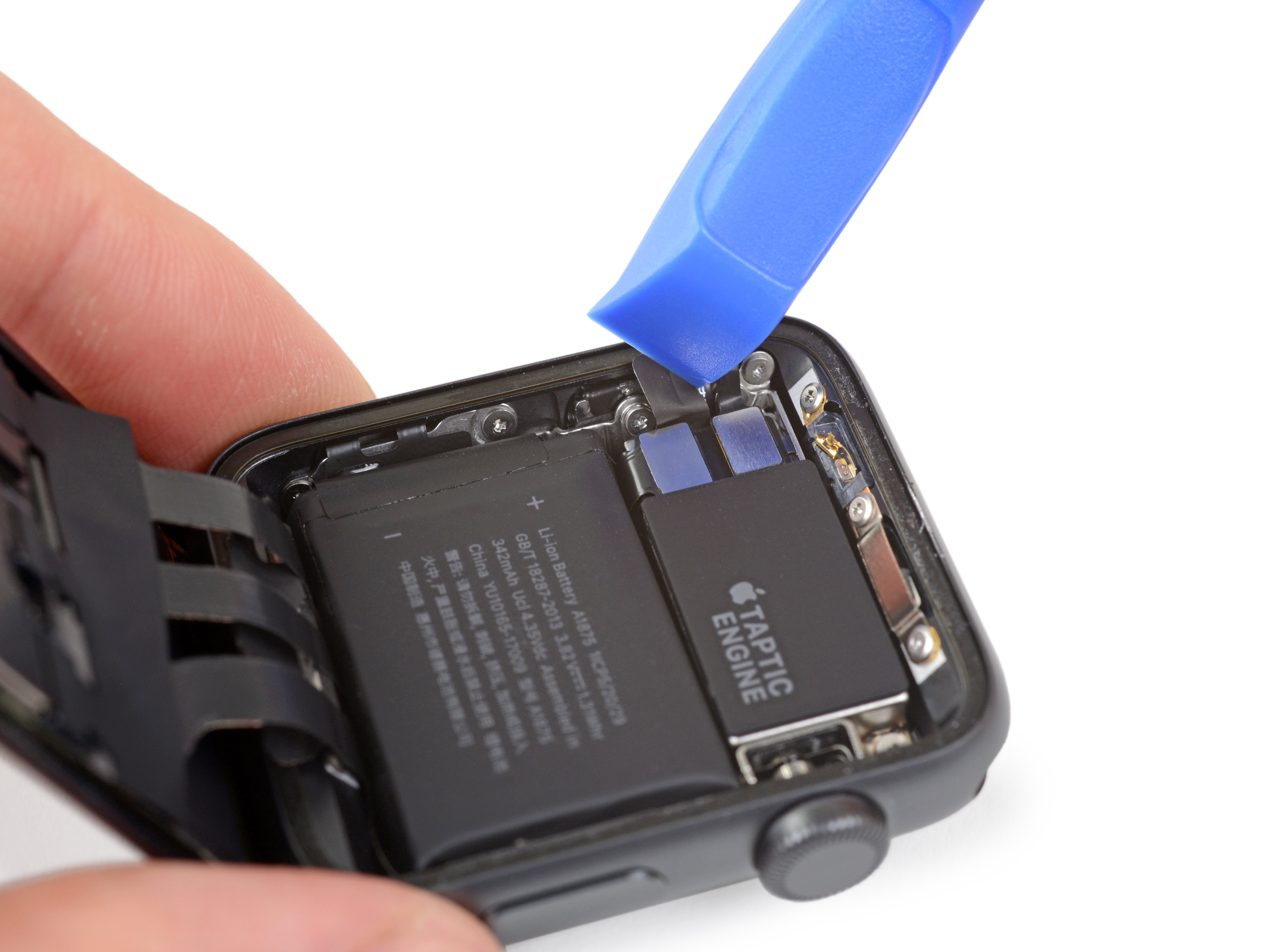
  • On the GPS-only version it is possible to disconnect the battery immediately. For the cellular/LTE version, you need to disconnect the Force Touch gasket and fold it out of the way first, in order to disconnect the battery.
  • Disconnect the battery by prying its connector straight up.
  • Bend the connector up slightly to make sure it does not make contact by accident.