FIXONIC
SellSavedMy Fixonic
Official iFixit API visual reference

HP Pavilion x360 m3-u103dx Battery Replacement

In this guide you will be required to remove...

iFixit Library HP Pavilion x360 m3-u103dx Easy 15 minutes Guide 119789
Open the authorised source
Licensed iFixit integration

This attributed iFixit guide is displayed through Fixonic's recorded commercial API permission. iFixit remains the independent source and author of the procedure.

Guide overview

Before you begin

In this guide you will be required to remove the keyboard from the device in order to remove the battery. You will need to use a iFixit Pro Tech Toolkit. This task requires patience and attention to detail.

Step 1

Repair step

  • Power off device.
  • Flip the laptop over.
  • Working on your device while its powered on may cause damage to your device.
Step 2

Repair step

  • Remove rubber foot closest to computer hinge with a Metal Spudger.
Step 3

Repair step

  • Remove all screws from base using a Phillips head 00 screwdriver.
  • 5 Phillip 2.4 x 5.7 mm screws.
  • 5 Phillips 2.8 x 5.0 mm screws.
Step 4

Repair step

  • Open computer and pry open keyboard panel using the Metal Spudger. Apply little pressure then increase until keyboard pops away from motherboard.
  • Be careful not to pull or disconnect ribbon cables first.
Step 5

Repair step

  • Gently lift the keyboard on the mouse pad side, but do not remove.
  • The keyboard is still connected by three ribbon cables.
  • Remove three connected ribbon wires connecting keyboard to frame by gently disconnecting them from the motherboard.
Step 6

Repair step

  • Use a Phillips #00 screwdriver to remove six screws around the battery.
  • 6 Phillips 2.0 x 4.6 mm screws.
Step 7

Repair step

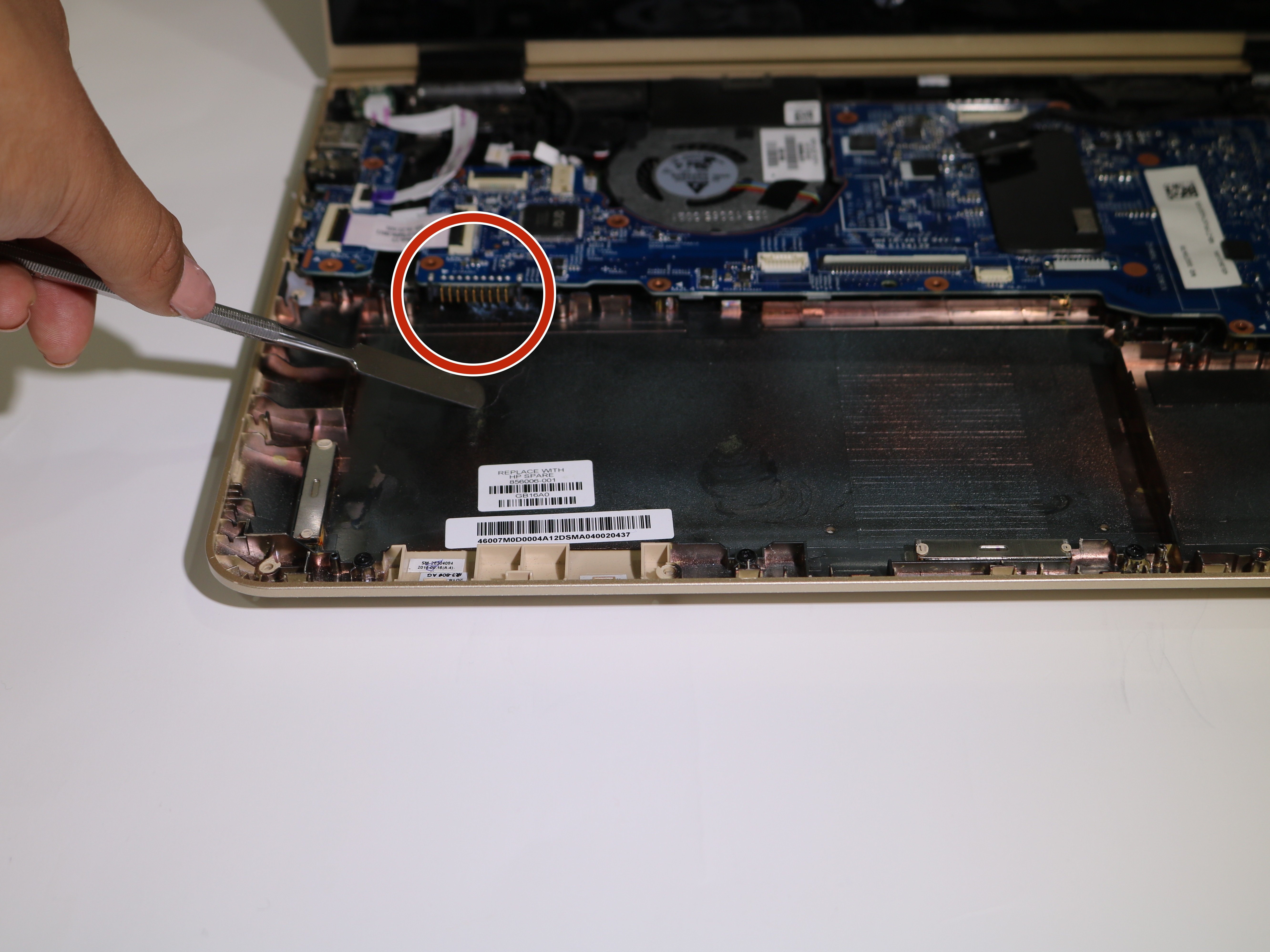
  • Gently lift the battery up and away from the casing.
  • Carefully remove the battery from its connecting port.