
FIXONIC
SellSavedMy Fixonic
Official iFixit API visual reference

OnePlus 5 Screen Assembly Replacement

For the official iFixit guide, follow this...

iFixit Library OnePlus 5 Moderate 30 minutes - 2 hours Guide 119999
Open the authorised source
Licensed iFixit integration

This attributed iFixit guide is displayed through Fixonic's recorded commercial API permission. iFixit remains the independent source and author of the procedure.

Guide overview

Before you begin

For the official iFixit guide, follow this link. This guide takes some time to complete and will not void your OnePlus 5's warranty. It is recommended to store the screws and parts together with their corresponding step in the guide to lower the chance of lost parts. No special skills are required for this guide.
Step 1

Repair step

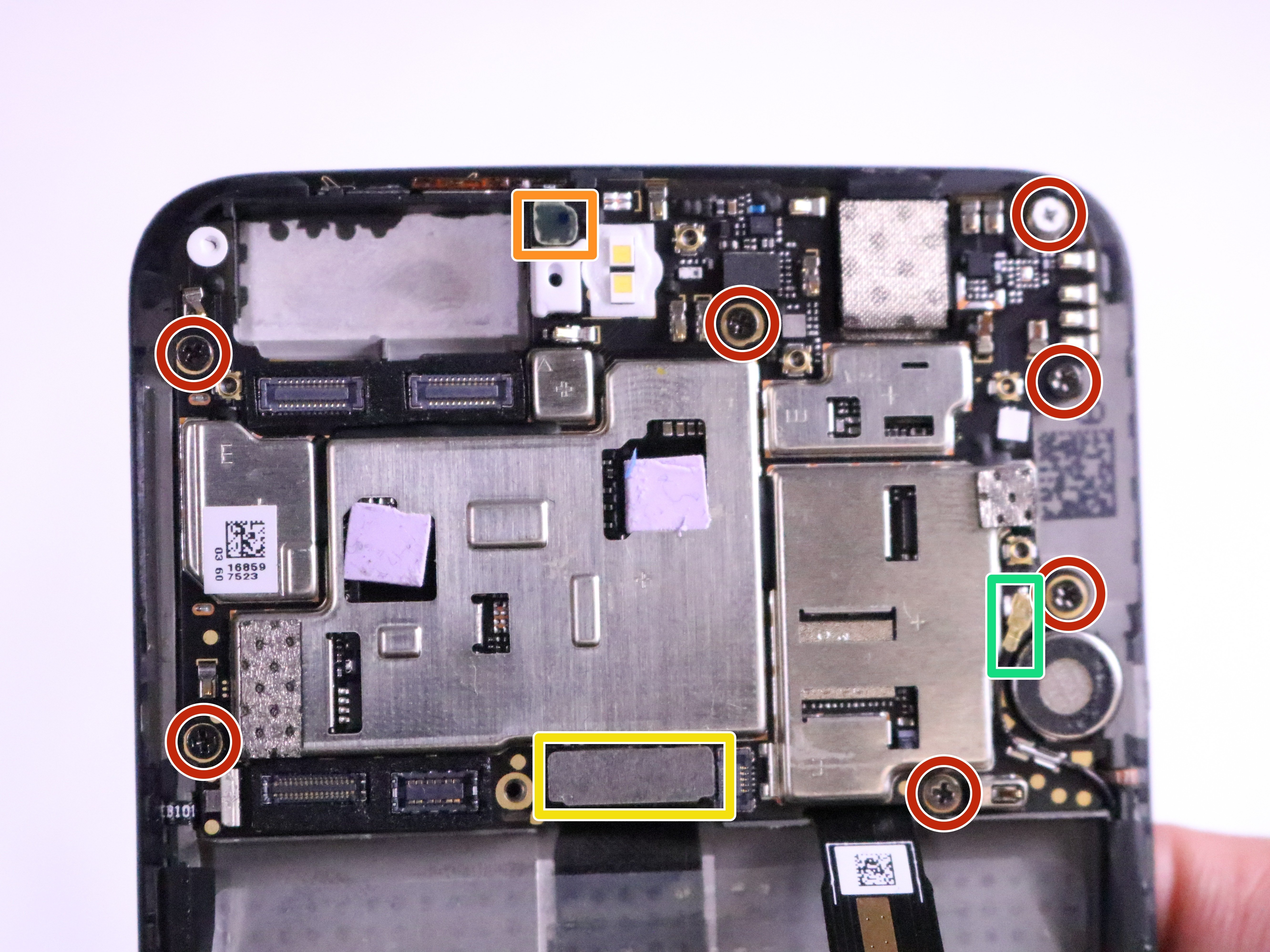
  • Remove the seven 1mm Phillips #0 screws by rotating screwdriver counter clockwise.
  • Remove the earpiece speaker connector located on the top of the motherboard using a nylon spudger by prying underneath it.
  • Remove the LCD screen connector located on the bottom of the motherboard using a nylon spudger by prying underneath it.
  • Disconnect the antenna wire located on the right side of the motherboard using a nylon spudger by prying underneath it.
  • The antenna wire will be clipped onto the motherboard so make sure it is fully unclipped before removing the motherboard.
Step 2

Repair step

  • Remove the motherboard by gently pushing the spudger underneath upper right hand corner of the motherboard and prying it out.