FIXONIC
SellSavedMy Fixonic
Official iFixit API visual reference

Lenovo G780 Optical Drive Replacement

This guide will demonstrate how to replace a...

iFixit Library Lenovo G780 Easy 5 minutes Guide 121809
Open the authorised source
Licensed iFixit integration

This attributed iFixit guide is displayed through Fixonic's recorded commercial API permission. iFixit remains the independent source and author of the procedure.

Guide overview

Before you begin

This guide will demonstrate how to replace a faulty optical drive on your Lenovo G780.

Step 1

Repair step

  • Turn off the computer.
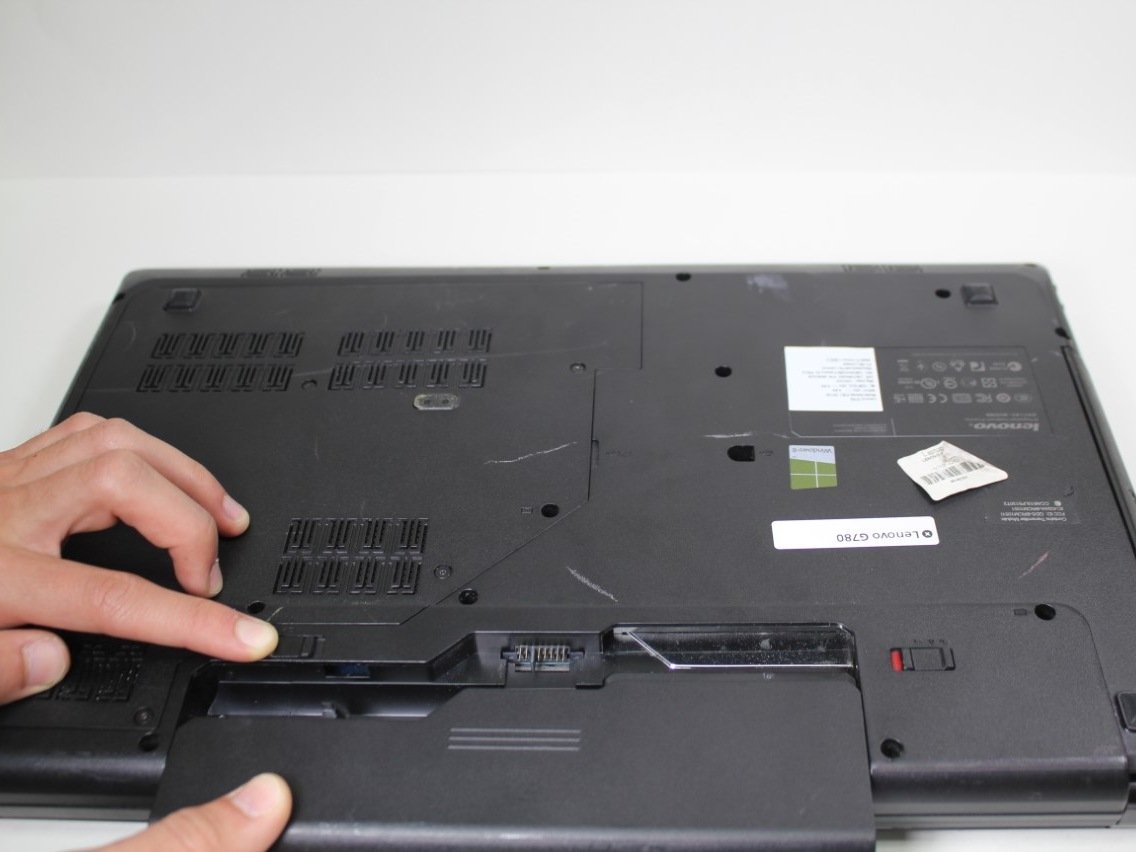
  • Slide the battery-lock switch on the bottom of the laptop to the unlocked position.
Step 2

Repair step

  • Hold the battery release switch in the unlocked position and remove the battery.
Step 3

Repair step

  • Remove the 8.5 mm holding screw using a Phillips #1 screwdriver.
Step 4

Repair step

  • Pull the optical drive from the device