FIXONIC
SellSavedMy Fixonic
Official iFixit API visual reference

Asus Rog GL552VW-DH71 Fan Replacement

This is a guide on how to remove or replace...

iFixit Library Asus Rog GL552VW-DH71 Moderate 30 minutes Guide 124158
Open the authorised source
Licensed iFixit integration

This attributed iFixit guide is displayed through Fixonic's recorded commercial API permission. iFixit remains the independent source and author of the procedure.

Guide overview

Before you begin

This is a guide on how to remove or replace your fan in the Asus Rog GL552VW-DH71 laptop. To do so you are going to need a few tools and some time to follow these steps to completion.

Step 1

Repair step

  • Flip the laptop upaward so the screen is facing towards the floor.
  • Using both hands, slide the locking slides outwards and then pull up on the battery.
Step 2

Repair step

  • Remove the nine 15.4 mm Phillips #00 screws located on the marked area.
  • Remove the four 8.7mm Phillips #00 screws from the hard drive mounting bracket.
  • Remove the hard drive bracket.
Step 3

Repair step

  • Flip the laptop so that the screen is face up and open the lid.
  • Using the plastic opening tools, slide them into the case between the keyboard.
  • Slowly move the opening tool around until the keyboard comes free .
  • Be careful and do not remove the keyboard yet. There is still a ribbon cable attaching it that we need to remove.
Step 4

Repair step

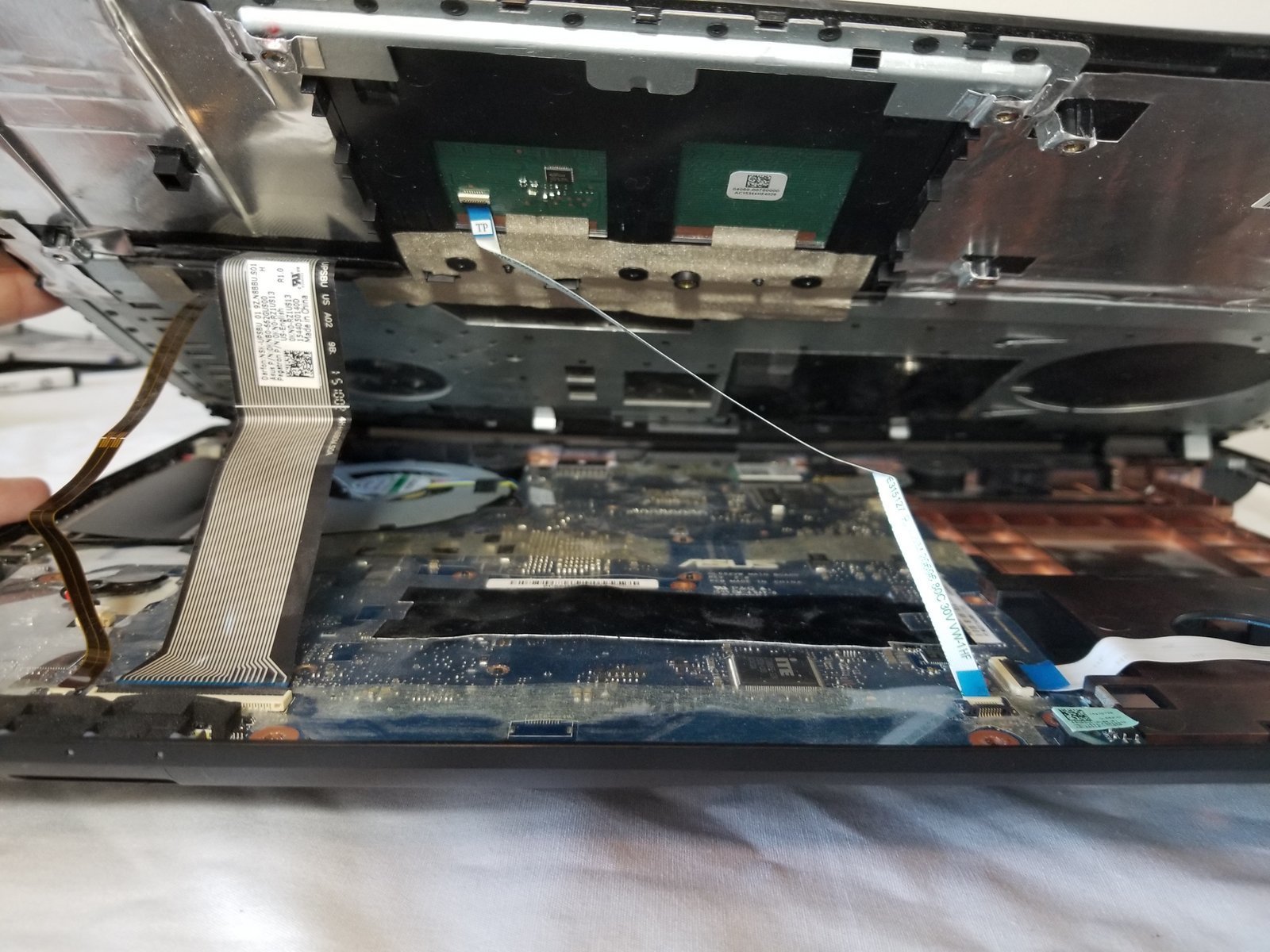
  • Remove the ribbon cables form under the keyboard. To do so, gently lift the latch and allow the connector to come free.
  • Make sure all the ribbon cables are removed before you move the keyboard to the side.
Step 5

Repair step

  • Remove the CD/DVD drive by sliding it out from the laptop.
Step 6

Repair step

  • Remove the three 6.5mm Phillips #00 screws from the fan.
  • Disconnect the power cable from the fan.
  • Remove the fan from the laptop.
  • Due to the location of the fan's power cable it can be hard to remove. Just take your time and it will come out.