
FIXONIC
SellSavedMy Fixonic
Official iFixit API visual reference

Dell Inspiron 15R 5537 Battery Replacement

If your Dell Inspiron 15R 5537’s battery is not...

iFixit Library Dell Inspiron 15R 5537 Easy 1 - 2 minutes Guide 126582
Open the authorised source
Licensed iFixit integration

This attributed iFixit guide is displayed through Fixonic's recorded commercial API permission. iFixit remains the independent source and author of the procedure.

Guide overview

Before you begin

If your Dell Inspiron 15R 5537’s battery is not holding a charge or unable to be charged then your battery is most likely bad and needs to be replaced. A properly functioning battery will supply your computer with ample charge to meet the range that was specified within the specs on the laptop. But after the battery has gone through a repeated amount of cycles it may begin to lose its ability to hold a charge. The first course of action would be to calibrate your battery and if the discharge rate is still really fast then a battery replacement might be the best option. A damaged battery can be very dangerous and cause a fire. If you notice the casing of your battery is cracked or damaged in any way, take the necessary precautions.
Step 1

Repair step

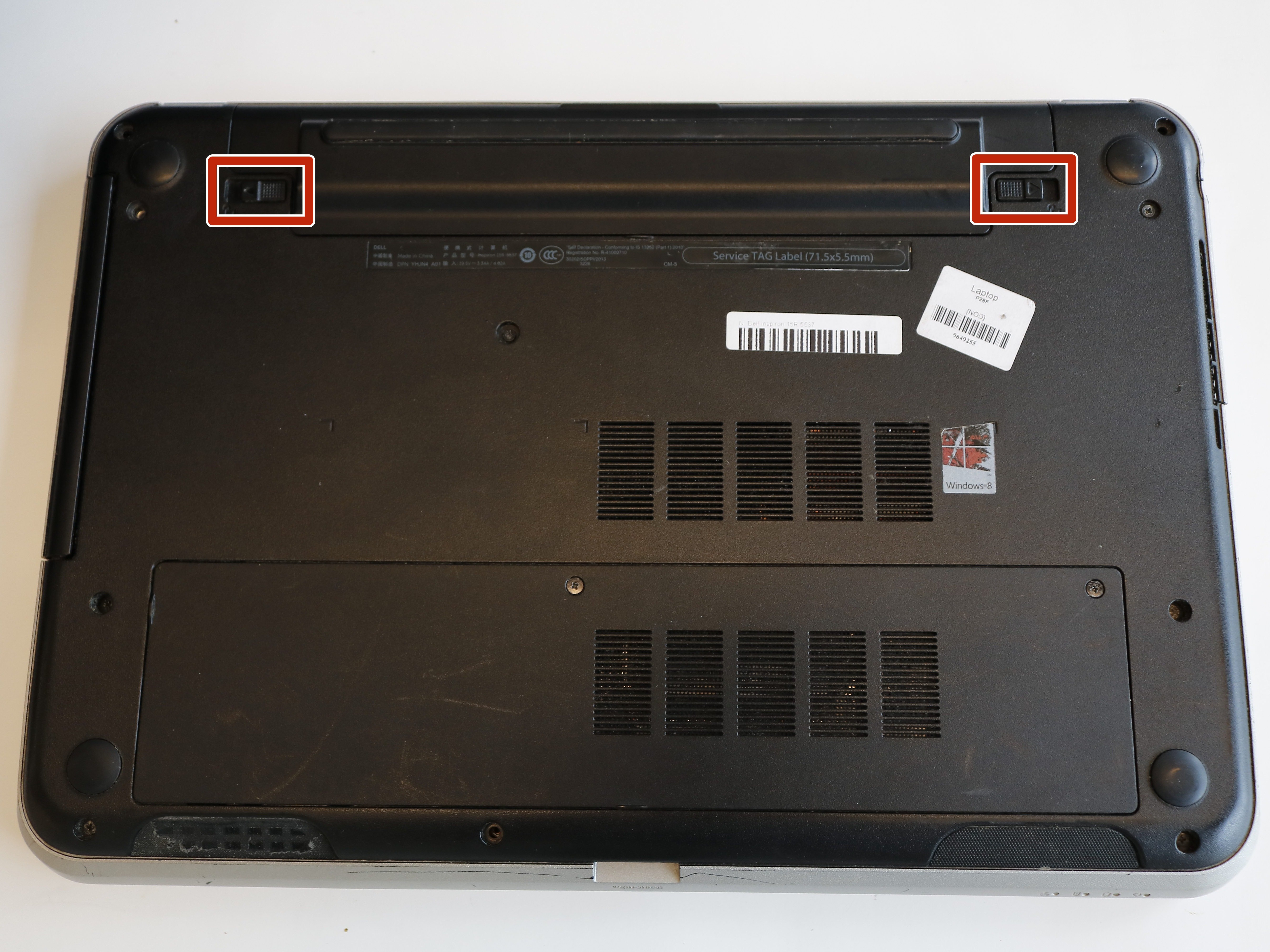
  • Before working inside your computer, read the safety information that shipped with your computer.
  • Close the display and turn over the computer to see the battery locking tabs.
Step 2

Repair step

  • Pull both of the locking tabs outwards until they both click to release the battery.
  • Pull the battery out by lifting it from the top and sliding it forward.