FIXONIC
SellSavedMy Fixonic
Official iFixit API visual reference

Sony VAIO VPC-EB33FM RAM Replacement

This guide will inform readers on how to safely...

iFixit Library Sony VAIO VPC-EB33FM Easy 3 - 5 minutes Guide 12709
Open the authorised source
Licensed iFixit integration

This attributed iFixit guide is displayed through Fixonic's recorded commercial API permission. iFixit remains the independent source and author of the procedure.

Guide overview

Before you begin

This guide will inform readers on how to safely uninstall the RAM components of the Sony VAIO VPC-EB33FM laptop.

Step 1

Repair step

  • Power down the laptop by pressing the power button.
  • Turn the laptop onto its backside.
Step 2

Repair step

  • To release the battery, hold both the release button and the unlock button at the same time.
Step 3

Repair step

  • Remove the battery out from the notch while continuing to hold the release button.
Step 4

Repair step

  • Remove the one screw with a Phillips #00 screwdriver.
  • The screw cannot be removed from the RAM casing cover.
Step 5

Repair step

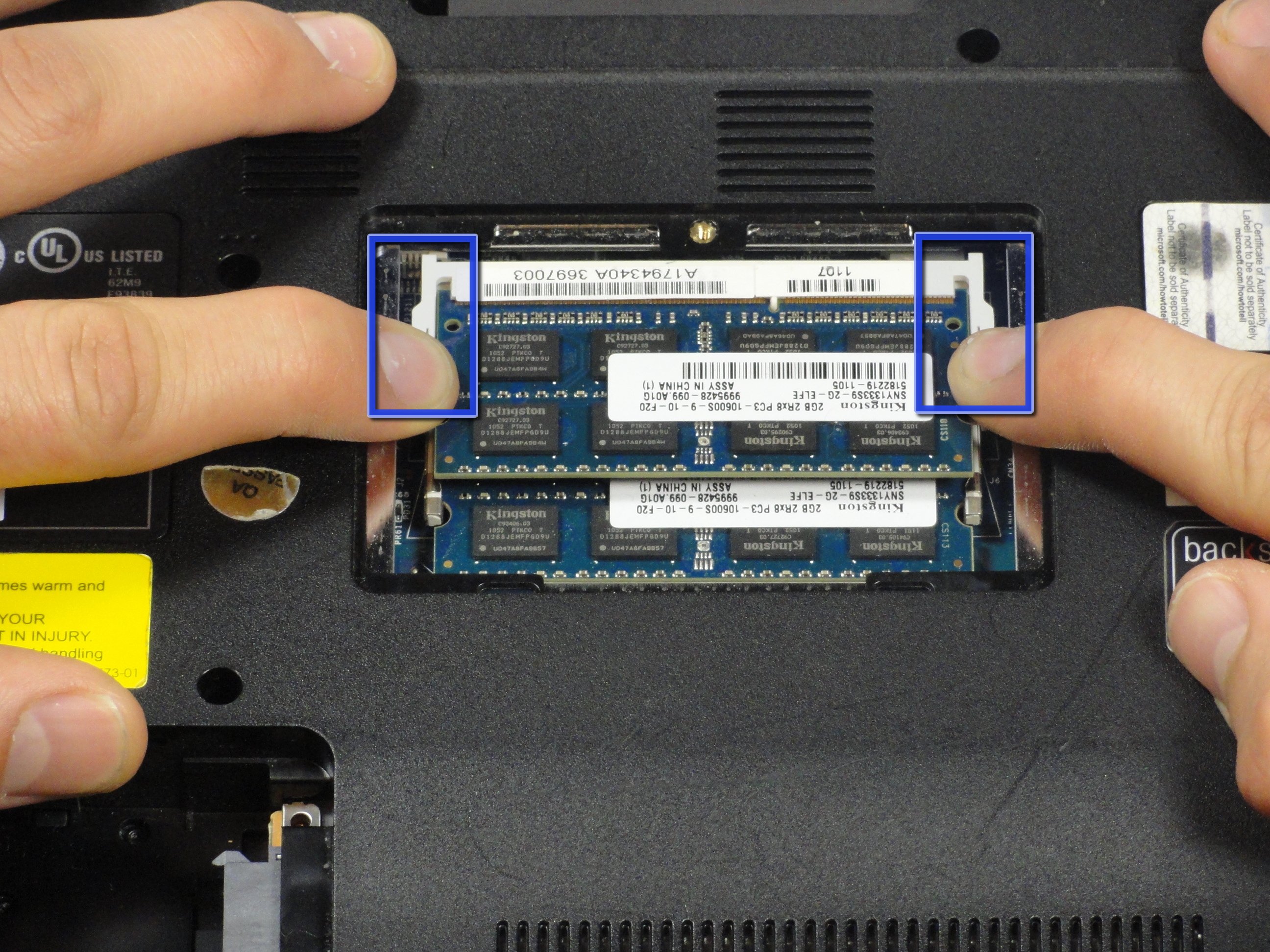
  • Pull the two retaining arms away from the center of the RAM chip.
  • The RAM will make a "pop" sound and the RAM stick will rise for ease of handling.
Step 6

Repair step

  • Pull the RAM stick out of its socket.
  • To remove the second stick of RAM, repeat steps six and seven.
  • When installing RAM, make sure sticks are firmly in place or the computer will not register them.