FIXONIC
SellSavedMy Fixonic
Official iFixit API visual reference

Panasonic VDR-D220 DVD Camera Front lens Element Replacement

Dropped your camera, or forgot to put the lens...

iFixit Library Panasonic VDR-D220 DVD Moderate 20 minutes Guide 127123
Open the authorised source
Licensed iFixit integration

This attributed iFixit guide is displayed through Fixonic's recorded commercial API permission. iFixit remains the independent source and author of the procedure.

Guide overview

Before you begin

Dropped your camera, or forgot to put the lens cover back on then your lens is damaged. Any scratches or chips in a lens will alter your most valuable moments and leave you with an imperfect image. This guide will show you how to restore the quality of camera you deserve.

Step 1

Repair step

  • Remove one 5mm screw on the bottom side of the camera with a Phillips #0 screwdriver.
Step 2

Repair step

  • Open the side port door.
Step 3

Repair step

  • Remove one 5mm screw inside the side port with your Phillips #0 screwdriver.
Step 4

Repair step

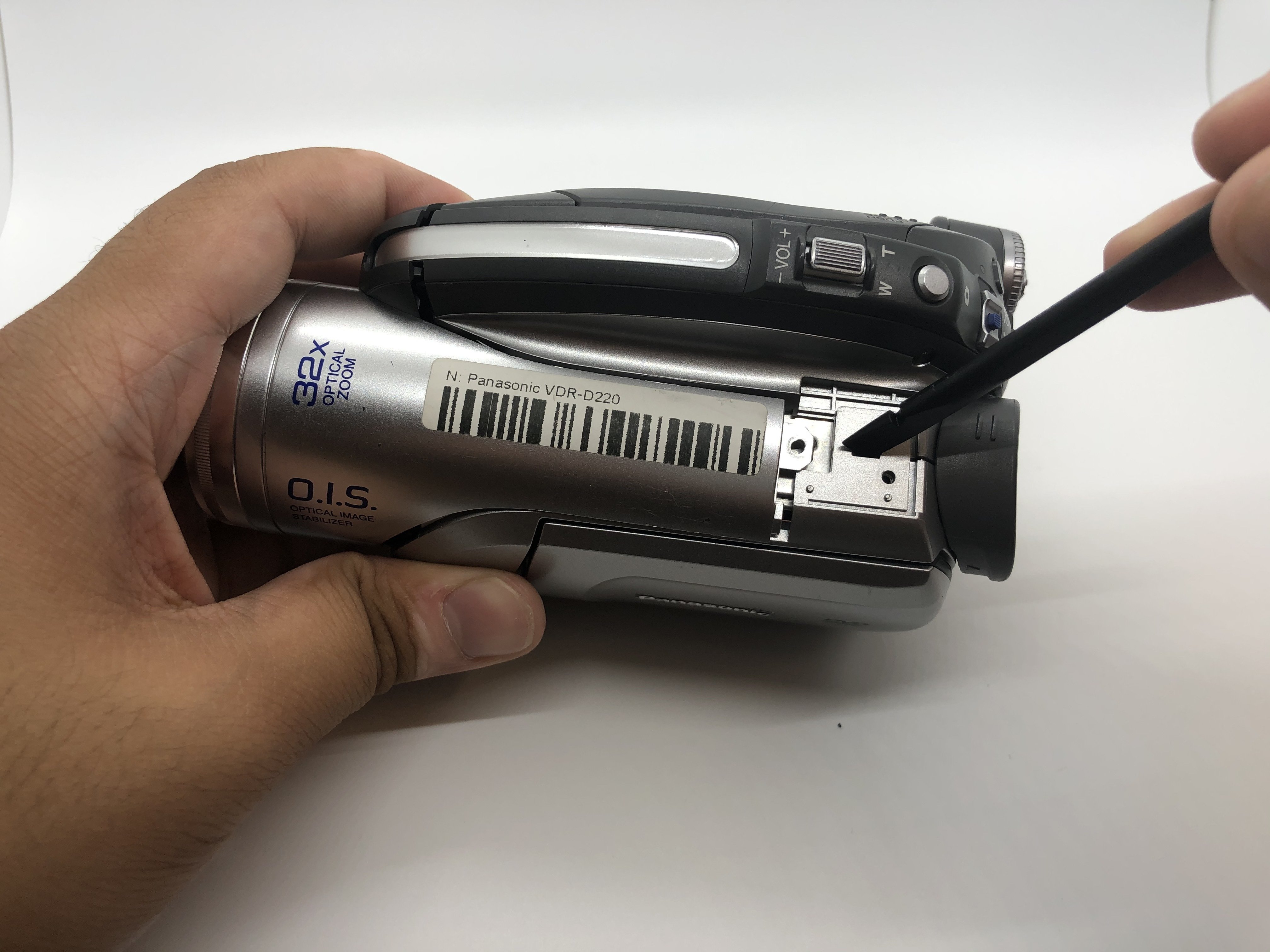
  • Using a plastic spudger, pry to disconnect the top-front part of the camera.
  • Slide the top portion of the camera forward revealing a ribbon cable.
Step 5

Repair step

  • Flip the camera on the right side.
  • Gently pull the front part from the main body to reveal the cables connecting them.
  • Do not pull too hard because of the ZIF connector cable.
  • Use your plastic opening tool to disconnect the connection point safely.
  • Press the tab with a plastic opening tool and then pull the ZIF connector to detach.
Step 6

Repair step

  • Look at the camera from the front side.
  • Remove four 5mm screws using a Phillips #0 screwdriver.
  • There are two 5mm screws on each side of the lens, for a total of four screws.
Step 7

Repair step

  • Pull the front element lens gently away from the camera.
  • In some cases the lens need not be replaced completely. Sometimes cleaning the lens with a microfiber cloth and isopropyl alcohol will alleviate blurry video issues.