FIXONIC
SellSavedMy Fixonic
Official iFixit API visual reference

Lenovo Touch Y70-70 Touchpad Replacement

This is a guide for the removal of the touchpad...

iFixit Library Lenovo Touch Y70-70 Moderate 25 - 30 minutes Guide 128412
Open the authorised source
Licensed iFixit integration

This attributed iFixit guide is displayed through Fixonic's recorded commercial API permission. iFixit remains the independent source and author of the procedure.

Guide overview

Before you begin

This is a guide for the removal of the touchpad in the Lenovo Touch Y70-70. The steps below will show a step by step process of how to take the laptop apart in a reasonable amount of time and also put it back together. The touchpad might need to be replaced in case of damage in the form of a scratch.

Step 1

Repair step

  • Flip the device so that the back cover is facing you.
  • Using the Phillips #0 screwdriver, remove 14 screws from the back of the device.
Step 2

Repair step

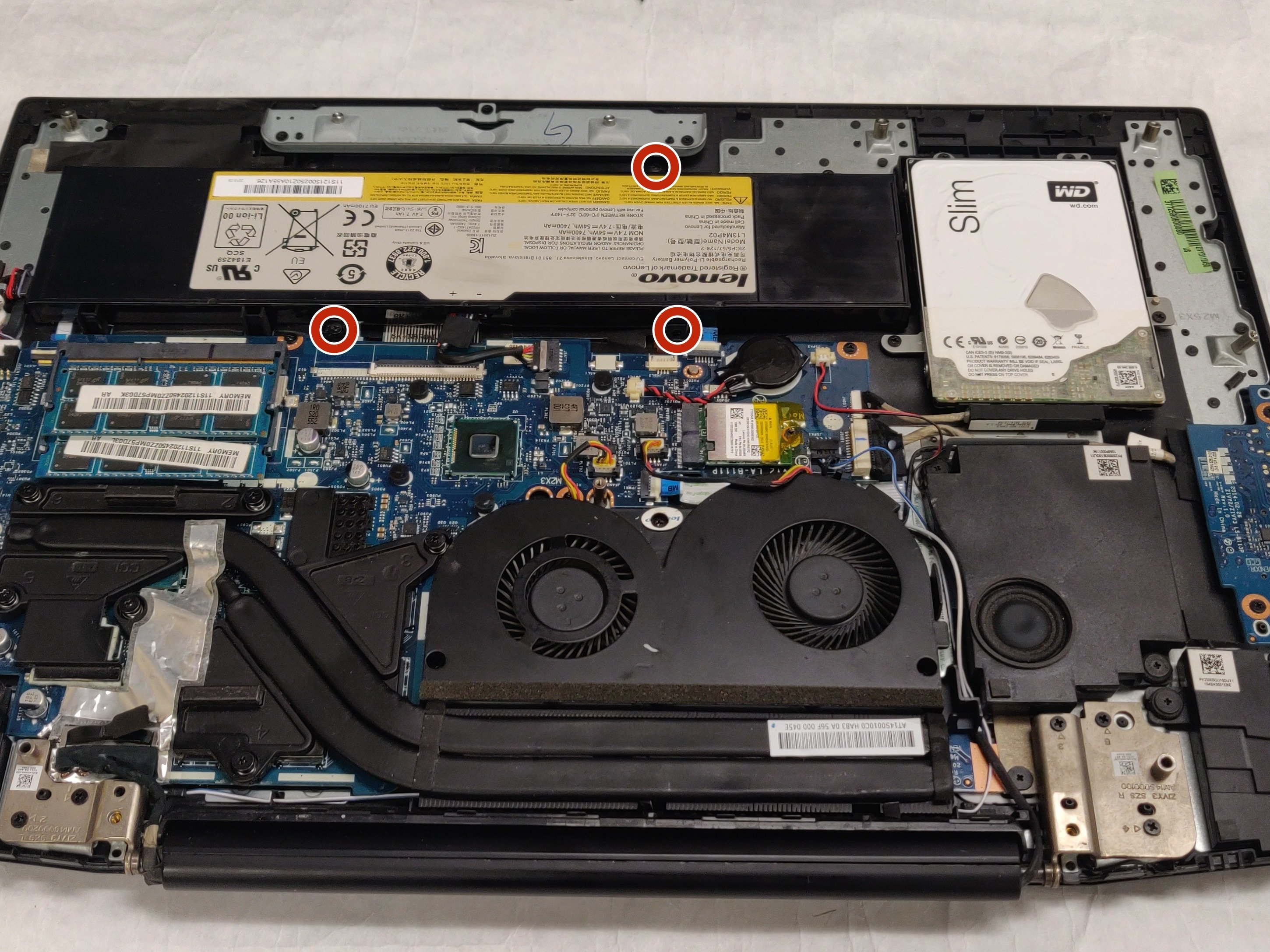
  • Using the Phillips #0 screwdriver, remove the three screws holding down the battery.
Step 3

Repair step

  • Using the Phillips #0 screwdriver, remove the metal reinforcement by removing the three screws.
Step 4

Repair step

  • Detach the cable connecting the touchpad to the motherboard.
Step 5

Repair step

  • Using the Phillips #0 screwdriver, remove the three screws holding down the touchpad.
  • Using the spudger, remove the touchpad from the laptop.