
FIXONIC
SellSavedMy Fixonic
Official iFixit API visual reference

Lenovo Yoga 11e Chromebook Keyboard Replacement

Attributed iFixit repair guide for Lenovo Yoga 11e Chromebook.

iFixit Library Lenovo Yoga 11e Chromebook Easy 20 - 40 minutes Guide 128744
Open the authorised source
Licensed iFixit integration

This attributed iFixit guide is displayed through Fixonic's recorded commercial API permission. iFixit remains the independent source and author of the procedure.
Step 1

Repair step

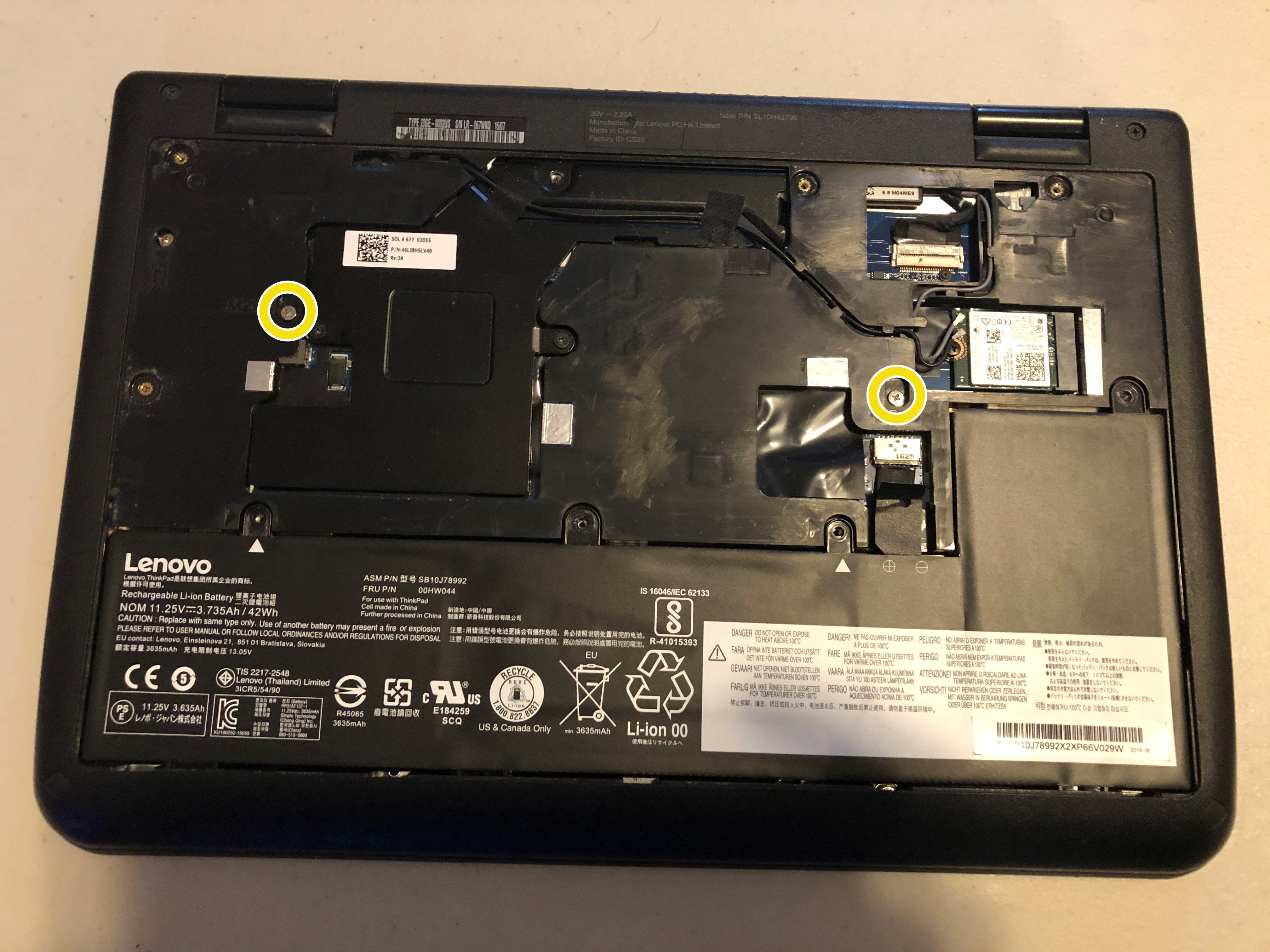
  • There will be 7 Philips head screws on the bottom which will need to be removed to gain access to the battery
  • NOTE: You may void your warranty completing this replacement
Step 2

Repair step

  • There are two screws that will need to be removed to access the keyboard.
Step 3

Repair step

  • Next, flip the laptop over and open it up. The keyboard can be easily removed by pushing it back from the front. I suggest using a jimmy tool to slip into the tiny gap to push it back.
  • Look closely at the two images you'll notice a slight gap at the bottom if you did this step correctly
Step 4

Repair step

  • Pull slightly up from the keyboard but NOT all the way, the ribbon cable is still connected to the motherboard
Step 5

Repair step

  • Use a plastic pry tool to lift up the plastic clip holding down the ribbon cable. Be very gentle with it so it doesn't break