
FIXONIC
SellSavedMy Fixonic
Official iFixit API visual reference

LG Watch Sport Band Replacement

A walk-through of replacing the band on an LG...

iFixit Library LG Watch Sport Moderate 15 - 30 minutes Guide 131767
Open the authorised source
Licensed iFixit integration

This attributed iFixit guide is displayed through Fixonic's recorded commercial API permission. iFixit remains the independent source and author of the procedure.

Guide overview

Before you begin

A walk-through of replacing the band on an LG Watch Sport. Each band side is sold separately and this guide can be used for both bands. Bands are available in gray or black.

Step 1

Workspace

  • Prep your workstation and open the new band.
  • NOTE the little PCB tab sticking out perpendicular to the band. That will insert into the watch base.
Step 2

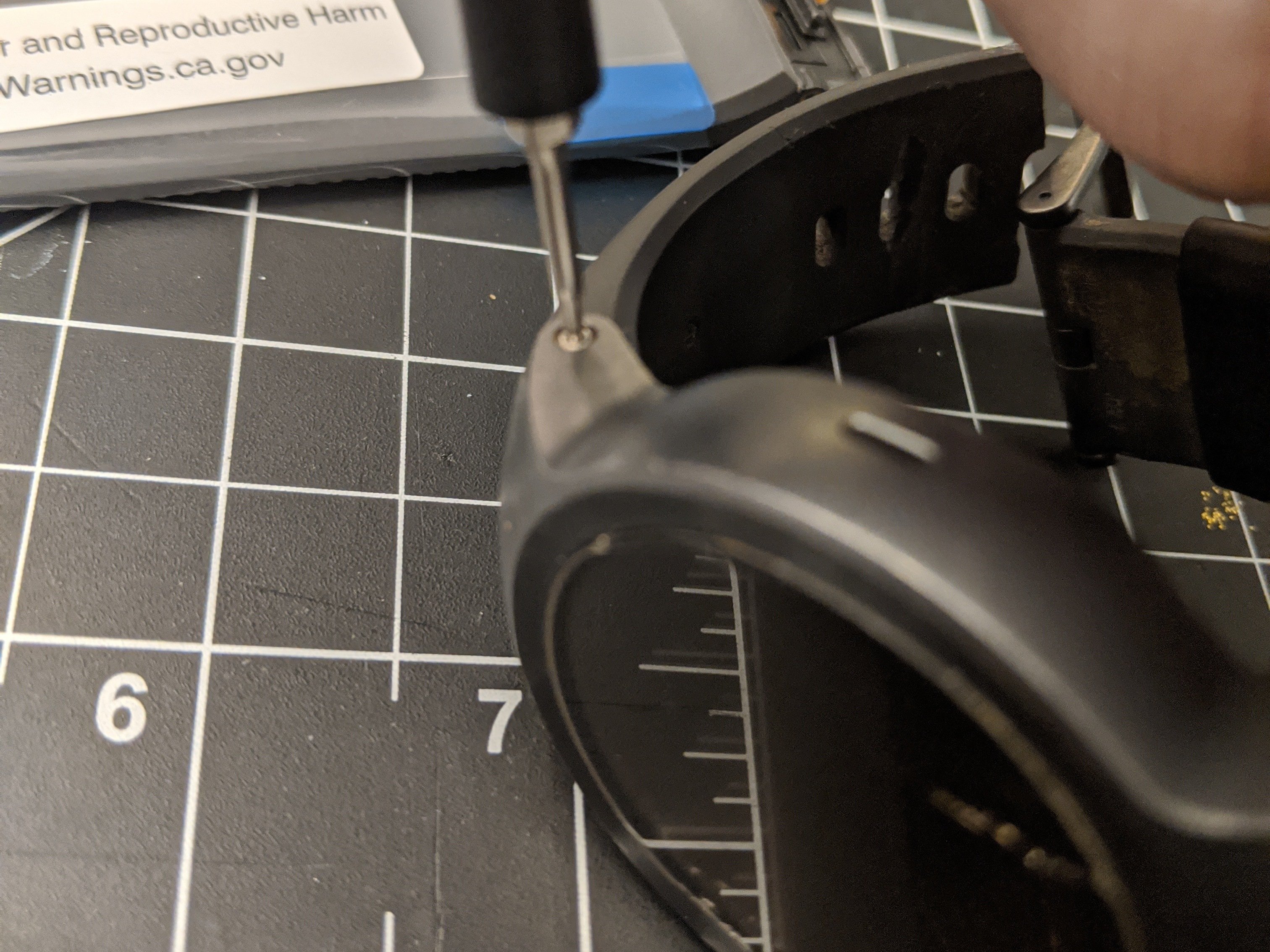
Remove Screws

  • Using your Torx 4 bit, carefully unscrew the 2 screws holding in the strap. Set screws aside for later (preferably in a magnetic tray).
Step 3

Detach Band

  • Now that the screws are out, slightly wiggle the strap while pulling straight out parallel to the watch base. (see 1st image)
  • It takes a little effort but you want to make sure you are pulling straight out and not bending so that you do not break off the little PCB tab that is sticking out of the end of the band.
  • Now is a good time to clean out any junk that may have accumulated between the base and band. Use a little bit of isopropyl alcohol and a swab to clean out any junk, if needed.
Step 4

Install new band

  • Holding the band perpendicular to the watch base, insert the PCB tab into the base while wiggling the band slightly.
  • You might have to push with a bit of force as you are wiggling, just be sure to push and hold straight to avoid snapping off the PCB tab.
  • Re-attach screws.
  • Bam! Good as new!