FIXONIC
SellSavedMy Fixonic
Official iFixit API visual reference

ASUS VivoBook Flip TP501U Battery Replacement

The battery stores the power needed to run the...

iFixit Library ASUS VivoBook Flip TP501U Moderate 10 - 15 minutes Guide 131877
Open the authorised source
Licensed iFixit integration

This attributed iFixit guide is displayed through Fixonic's recorded commercial API permission. iFixit remains the independent source and author of the procedure.

Guide overview

Before you begin

The battery stores the power needed to run the device. Batteries can age over time, decreasing in capacity, or even fail outright. Replacing the battery with a new one can solve this issue. This guide will walk you through the process of replacing the battery of the ASUS VivoBook Flip TP501U.

Step 1

Repair step

  • Open the laptop until it is flat and lay it screen down.
  • Remove eight 9.6mm Phillips #00 screws from the bottom of the laptop.
  • Remove two 4.8mm Phillips from the corners of the device.
Step 2

Repair step

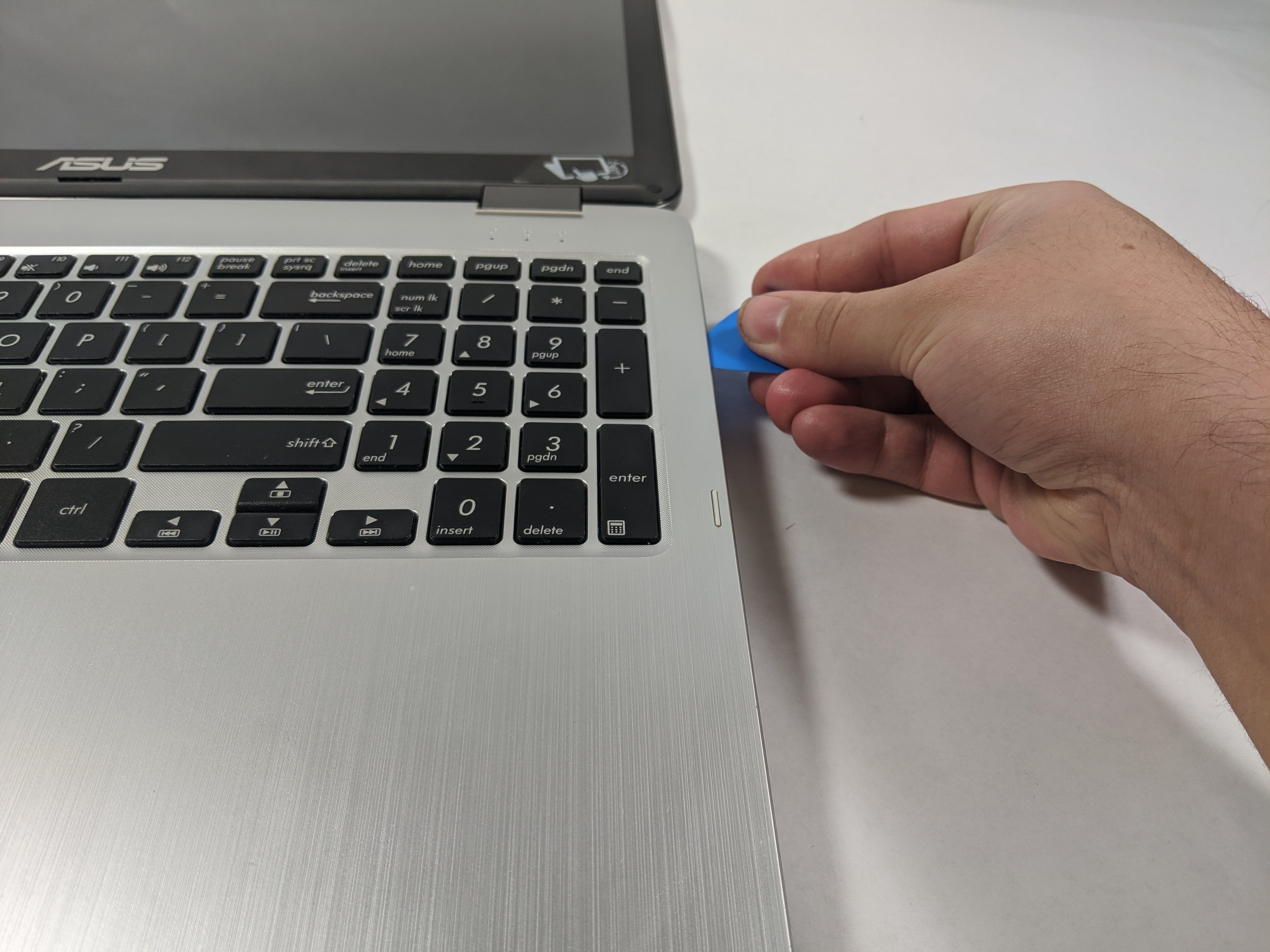
  • Turn the device face up.
  • Use the plastic Opening Pick to separate the keyboard panel from the chassis that was just unscrewed.
  • Pull the panel away from the chassis CAREFULLY, as there are ribbon cables attached between the keyboard and internal electronics.
Step 3

Repair step

  • With the keyboard panel pulled up, detach the two ribbon cables from the motherboard using the blue tabs on the cables.
  • Remove the keyboard panel completely.
Step 4

Repair step

  • Remove the white ribbon cable shown by pulling on the blue tab.
Step 5

Repair step

  • Remove the black cable found beneath the white ribbon cable that you just removed.
Step 6

Repair step

  • Disconnect the battery from the motherboard by unplugging the wire bundle shown.
Step 7

Repair step

  • Unscrew the 3/16 inch long screw that holds the battery to the chassis using a #00 Phillips Screwdriver.
  • Lift the battery from the chassis.