FIXONIC
SellSavedMy Fixonic
Official iFixit API visual reference

MacBook Pro 13" Retina Display Late 2012 Heat Sink Assembly Replacement

Prereq only.

iFixit Library MacBook Pro 13" Retina Display Late 2012 Moderate No estimate Guide 13379
Open the authorised source
Licensed iFixit integration

This attributed iFixit guide is displayed through Fixonic's recorded commercial API permission. iFixit remains the independent source and author of the procedure.

Guide overview

Before you begin

Prereq only.

Step 1

Repair step

  • Remove the following screws securing the heat sink to the logic board assembly:
  • One 2.4 mm Phillips #00 screw
  • One 3.4 mm T5 Torx screw
  • Four 2.7 mm T5 Torx screws
Step 2

Repair step

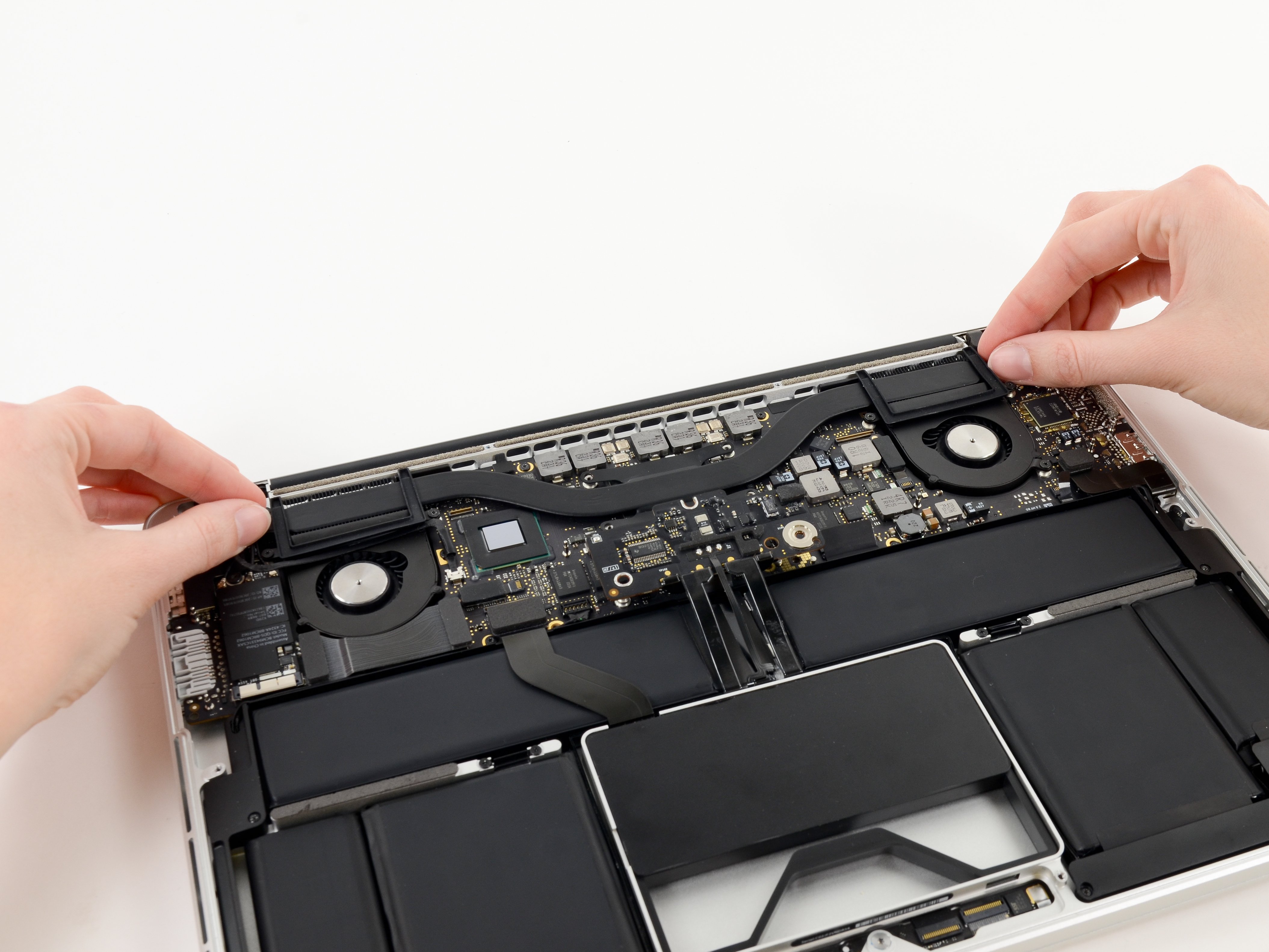
  • Lift and remove the heat sink up off the logic board assembly.
  • When reinstalling the heat sink, be sure to apply a new layer of thermal paste. If you have never applied thermal paste before, we have a guide that makes it easy.