FIXONIC
SellSavedMy Fixonic
Official iFixit API visual reference

NEC Turbo Express Disassembly

NEC Turbo Express Disassembly

iFixit Library NEC Turbo Express Easy 15 - 30 minutes Guide 136483
Open the authorised source
Licensed iFixit integration

This attributed iFixit guide is displayed through Fixonic's recorded commercial API permission. iFixit remains the independent source and author of the procedure.

Guide overview

Before you begin

NEC Turbo Express Disassembly

Step 1

Separate front/rear shells

  • Remove battery cover
  • Remove 6 PH0 screws
  • Do not attempt to separate the two halves
  • Disconnect the 2 FFC ribbon cables and wire connector
  • There's another ribbon cable, not shown in photo, next to the white one
  • You can now separate the two halves
Step 2

Disconnect TV tuner FFC cable

  • Disconnect FFC ribbon cable
Step 3

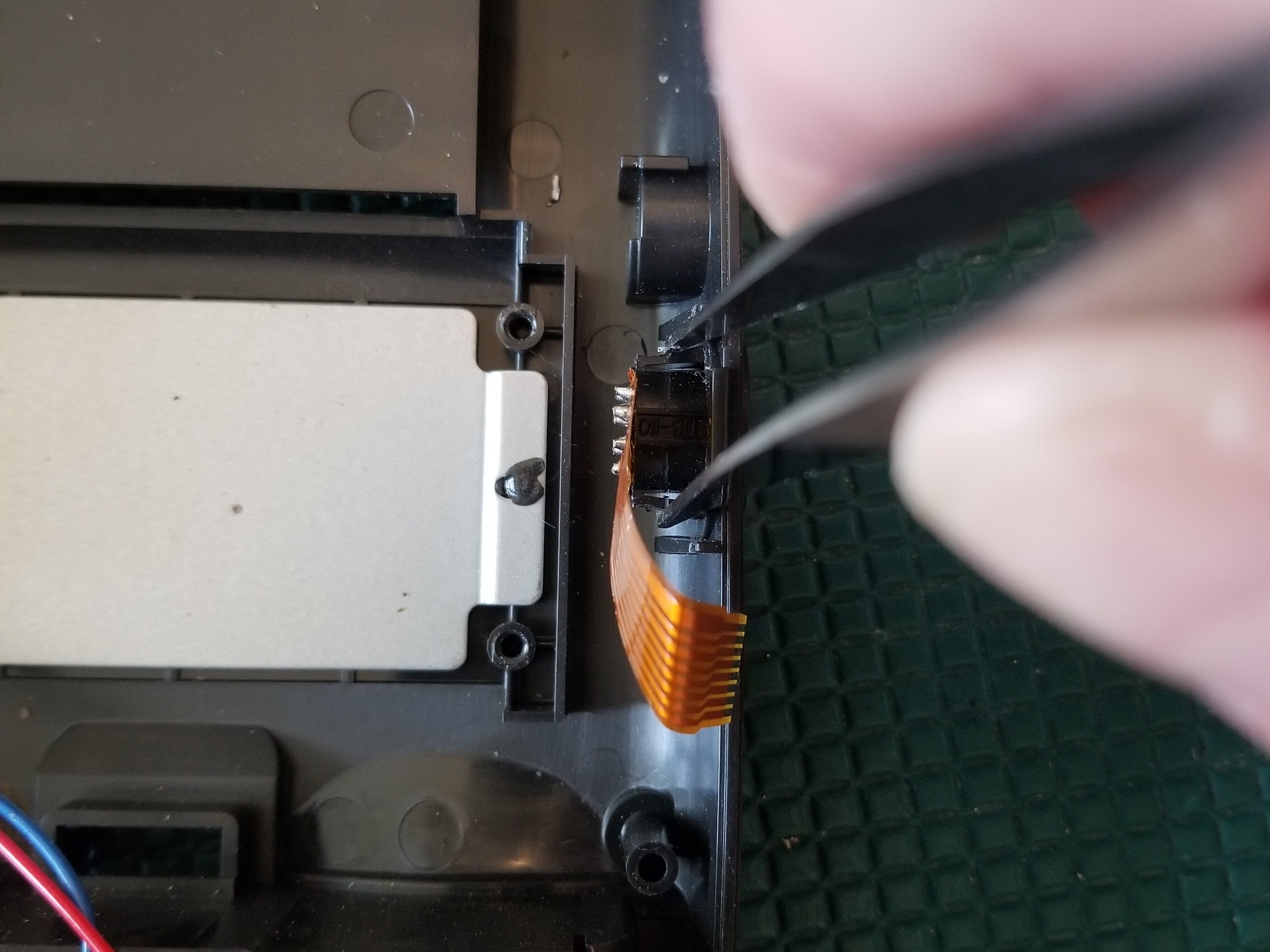
Remove TV Tuner Port

  • With a pair of tweezers, pinch the retaining tabs inward and push through the shell
  • This can be done with the rear motherboard still in place.
Step 4

Disconnect battery cable

  • Disconnect cable
Step 5

Disconnect battery cable

  • Remove tape
  • Keep it close to reuse during reassembly
Step 6

Remove rear PCB

  • Remove PH0 screw
  • Gently lift the PCB up
  • Remove 3 PH2 screws
  • You can now remove the entire rear PCB
Step 7

Disconnect speaker

  • Disconnect wire plug
Step 8

Remove front PCB

  • Remove 3 PH0 screws
  • You can now remove the front PCB
Step 9

Remove speaker

  • Remove 2 PH0 screws
  • You can now remove the speaker
Step 10

Remove screen

  • Remove 4 PH0 screws
  • You can now remove the screen