 FIXONIC
Official iFixit API visual reference
Open the authorised source
Huawei Honor 20 lite battery Replacement
Attributed iFixit repair guide for Huawei Honor 20 Lite.
iFixit Library Huawei Honor 20 Lite
Moderate
40 minutes - 1 hour
Guide 138669
Licensed iFixit integration
This attributed iFixit guide is displayed through Fixonic's recorded commercial API permission. iFixit remains the independent source and author of the procedure.


removing the back cover

undoing the screws


- place the back cover side by side with the rest of he phone. being careful a the fingerprint scanner cable is on the back of the phone
- take out all the screws in the bottom part of the phone and gently lift off, away from the phone.
- unclip the ribbon cable.
top screws
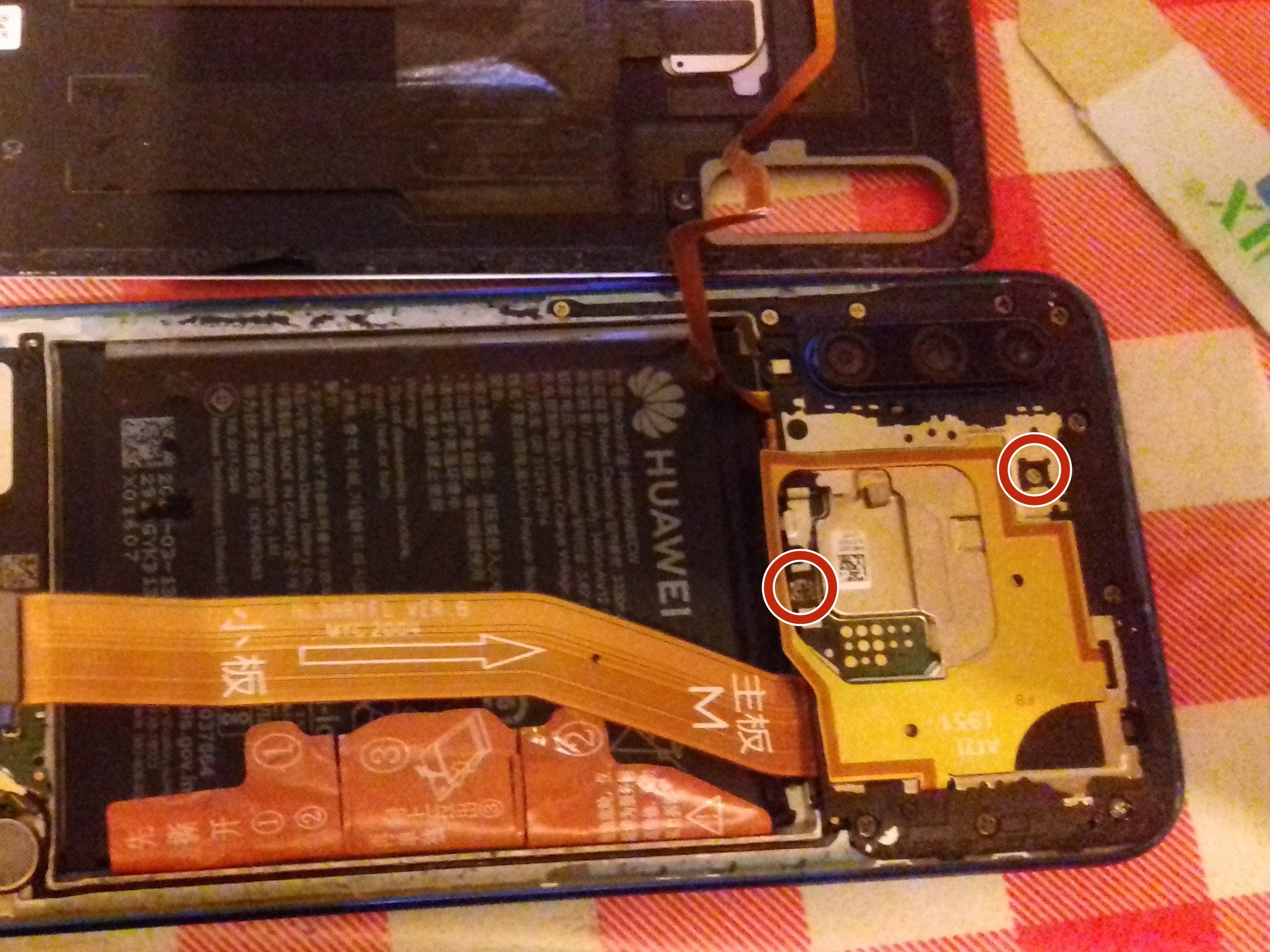
- next repeat the same process along the top part. (be careful with the cameras, the cover should just unclip without much effort.)
- be careful of the 2 screws circled. these need to come out as well.
pulling battery tabs

battery removal

- when you pull tab 3, the battery should hinge away from you and then pull towards you .
insert new battery
No step image supplied by iFixit.
- insert a new battery and repeat the steps backwards.