
FIXONIC
SellSavedMy Fixonic
Official iFixit API visual reference

Toshiba Satellite A205-S4577 Speaker Cover Replacement

The speaker cover, located above the keyboard,...

iFixit Library Toshiba Satellite A205-S4577 Moderate 5 - 10 minutes Guide 14019
Open the authorised source
Licensed iFixit integration

This attributed iFixit guide is displayed through Fixonic's recorded commercial API permission. iFixit remains the independent source and author of the procedure.

Guide overview

Before you begin

The speaker cover, located above the keyboard, can be removed by following these simple steps.
Step 1

Repair step

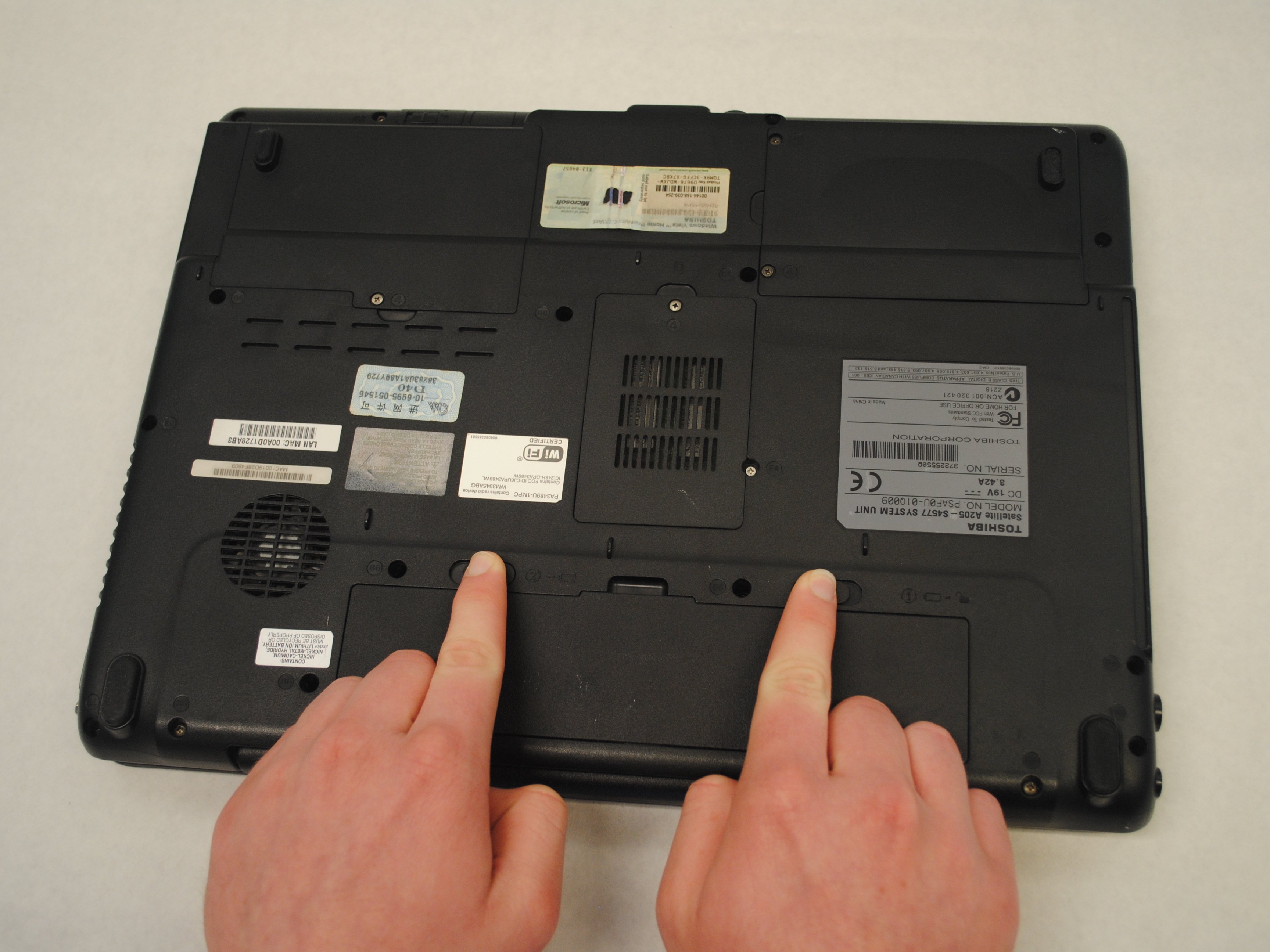
  • Locate the two sliding locks indicated in the photo.
  • Slide the right lock (labeled "1") to the right. It will remain in the unlocked position.
  • Slide the left lock (labeled "2") to the left and hold it in place.
Step 2

Repair step

  • While holding the left lock, place your finger in the indentation next to the battery and lift the battery out.
Step 3

Repair step

  • Remove the four screws indicated in the photos using a Phillips 00 Screwdriver. Left to right: 6mm button-head, 3mm flat-head, 6mm button-head, 6mm button-head.
Step 4

Repair step

  • With your hands, grasp the speaker cover on the edge nearest to the screen.
  • Pry the speaker cover upward.
Step 5

Repair step

  • Remove the speaker cover. Your laptop will look like this photo when the speaker cover has been removed.