FIXONIC
SellSavedMy Fixonic
Official iFixit API visual reference

Conair True Glow Lighted Mirror LED Bulb Replacement

Use this guide to replace a faulty or shattered...

iFixit Library Health And Personal Care Easy 2 - 5 minutes Guide 140287
Open the authorised source
Licensed iFixit integration

This attributed iFixit guide is displayed through Fixonic's recorded commercial API permission. iFixit remains the independent source and author of the procedure.

Guide overview

Before you begin

Use this guide to replace a faulty or shattered light bulb in your Conair True Glow Lighted Mirror (model TGBE104XCLED). The light bulb is a piece of hardware that is used to convert electricity into light, consisting of a source of illumination enclosed within a transparent or translucent shell, typically having a rounded shape. For this device, use an all-purpose fluorescent 8W (watt) LED light bulb. If your bulb is shattered, make sure to wear proper clothing and eyewear before beginning this guide.

Step 1

Repair step

  • Unplug and remove batteries to make sure the ring light does not turn on while repairing.
Step 2

Repair step

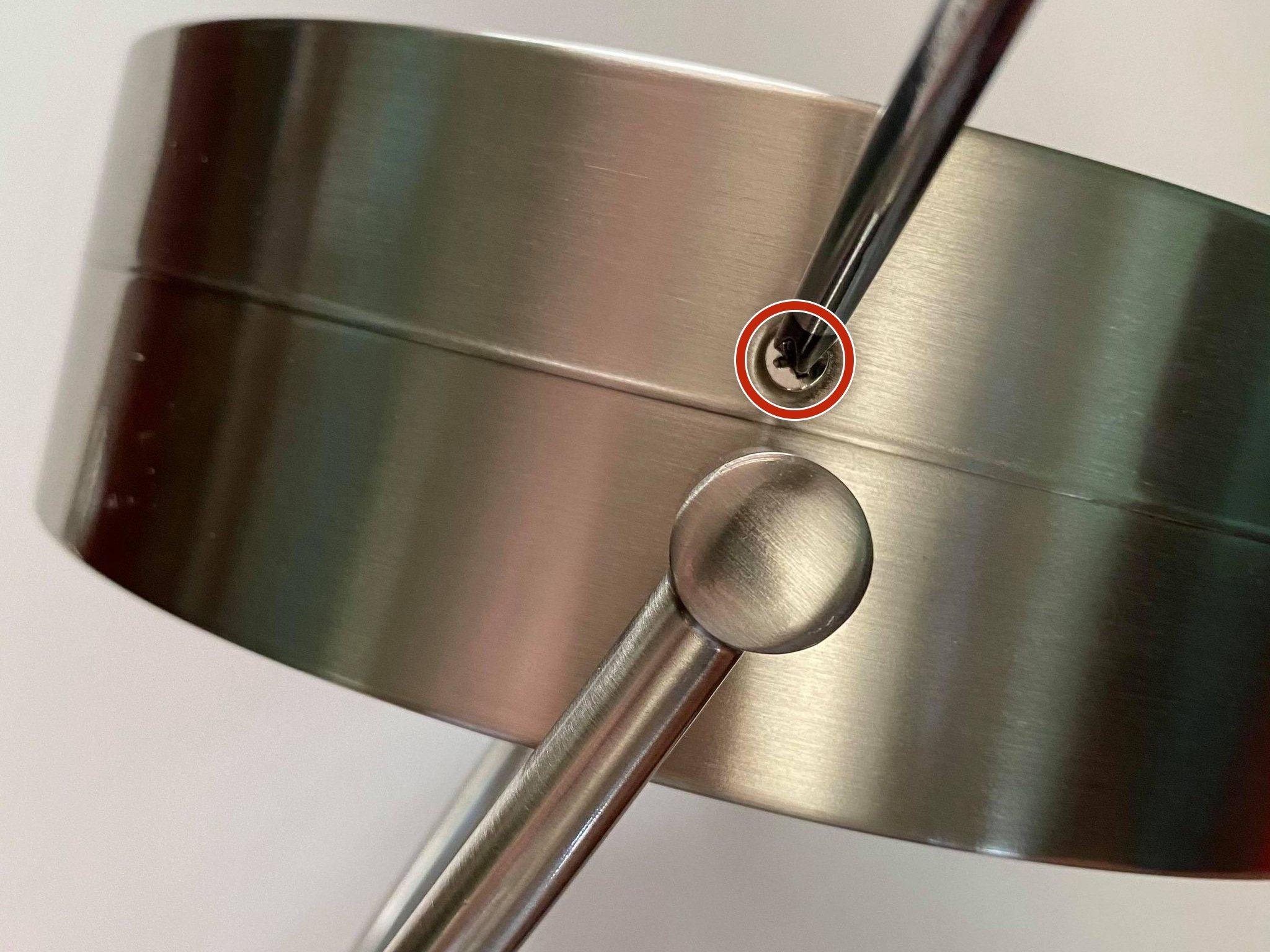
  • Remove the two 2 mm screws on the side of the ring mirror (one on each side) using a Phillips #00 screwdriver.
Step 3

Repair step

  • Push the cover towards you and slide away from the rest of the mirror.
Step 4

Repair step

  • Using your hands, gently unscrew the old LED light bulb in a counter-clockwise direction.
Step 5

Repair step

  • Use your hands to screw in the new LED light bulb in a clockwise direction.
Step 6

Repair step

  • Take the cover and push it back down in place.
Step 7

Repair step

  • Screw in the two 2 mm screws on each side of the mirror using a Phillips #00 screwdriver.
Step 8

Repair step

  • Plug the mirror in and reinsert batteries to turn it on.
Step 9

Repair step

  • Enjoy your fixed LED ring mirror light!