FIXONIC
SellSavedMy Fixonic
Official iFixit API visual reference

why! WDi7SSD Replace processor (CPU)

Follow these instructions to replace the...

iFixit Library why! WDi7SSD Moderate No estimate Guide 141248
Open the authorised source
Licensed iFixit integration

This attributed iFixit guide is displayed through Fixonic's recorded commercial API permission. iFixit remains the independent source and author of the procedure.

Guide overview

Before you begin

Follow these instructions to replace the processor (CPU) with an Intel i7 3770S processor or a more powerful processor.

Step 1

Repair step

  • Make sure the computer is disconnected from the power source.
  • Flip the computer over.
  • Remove the six screws with a 2 mm Allen key.
  • Carefully remove the back panel, as well the left and right panel.
Step 2

Repair step

  • Now flip up the base panel to which all components are attached.
Step 3

Repair step

  • Loosen the 4 PH2 Phillips screws of the heat sink.
  • Now remove the heat sink.
Step 4

Repair step

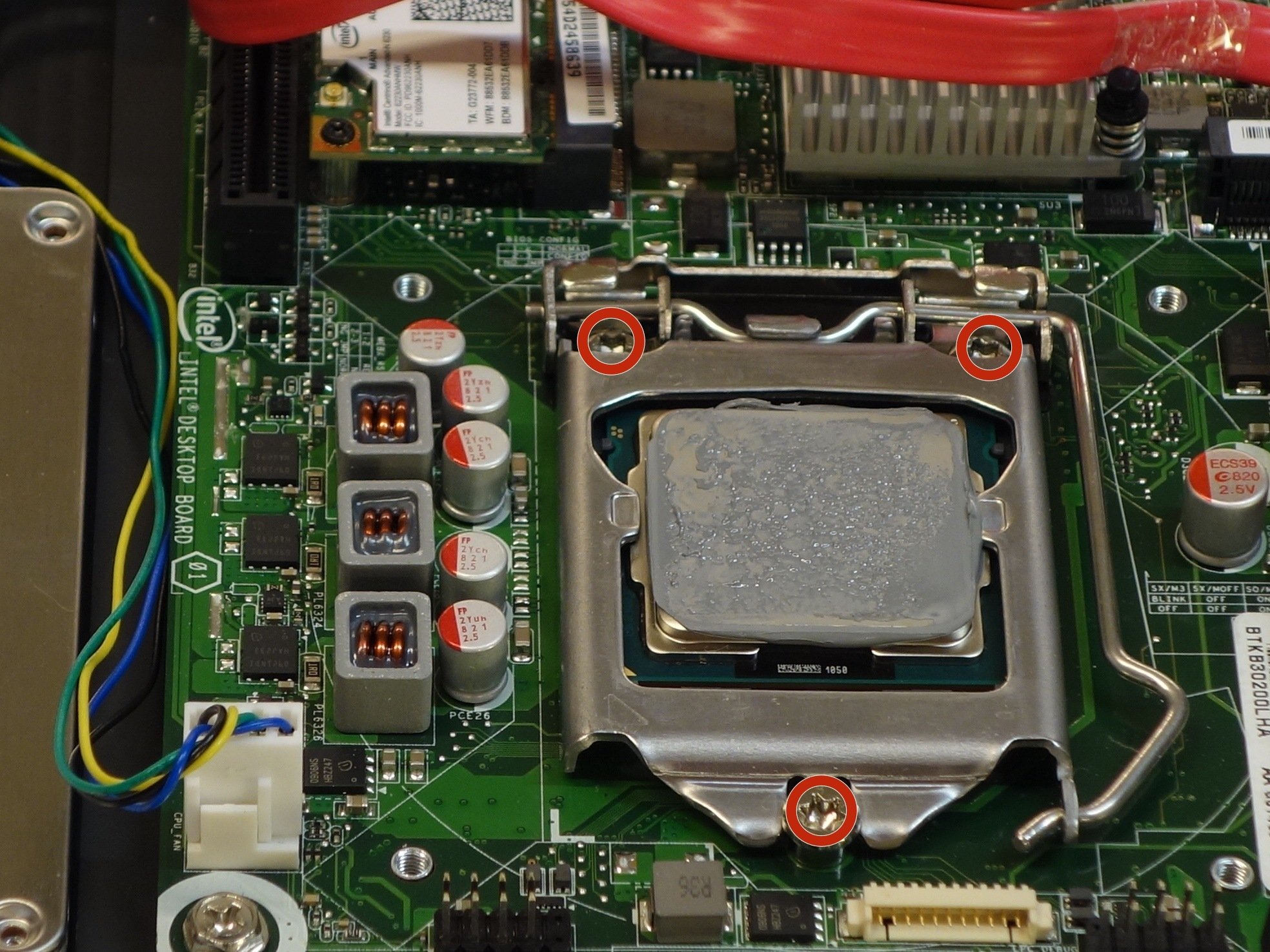
  • Use the screwdriver to unscrew the three PH2 slotted screws to release the CPU holder.
  • Press down the spring on the right side of the CPU and pull it carefully to the side.
  • Put the CPU aside.
  • To remove the thermal paste, you can use isopropanol. The thermal paste must be completely removed from the heatsink and CPU.