FIXONIC
SellSavedMy Fixonic
Official iFixit API visual reference

How to Fix a Damaged VHS Tape

VHS tapes have currently been surpassed by...

iFixit Library VCR Moderate 10 - 15 minutes Guide 141950
Open the authorised source
Licensed iFixit integration

This attributed iFixit guide is displayed through Fixonic's recorded commercial API permission. iFixit remains the independent source and author of the procedure.

Guide overview

Before you begin

VHS tapes have currently been surpassed by other forms of video, such as CDs or digital storage on computers or smartphones. Since they are no longer manufactured, VHS tapes that contain movies, home videos, or any other media can be permanently lost and unviewable if they are damaged. This guide will show you how to fix a damaged VHS tape so most of the video can be viewed again, or converted to a modern digital format for safekeeping.

Step 1

Repair step

  • Remove the screws at the bottom of the VHS case using a Phillips #0 screwdriver.
Step 2

Repair step

  • Lift open the cover of the VHS.
Step 3

Repair step

  • Remove the top cover of the VHS case.
Step 4

Repair step

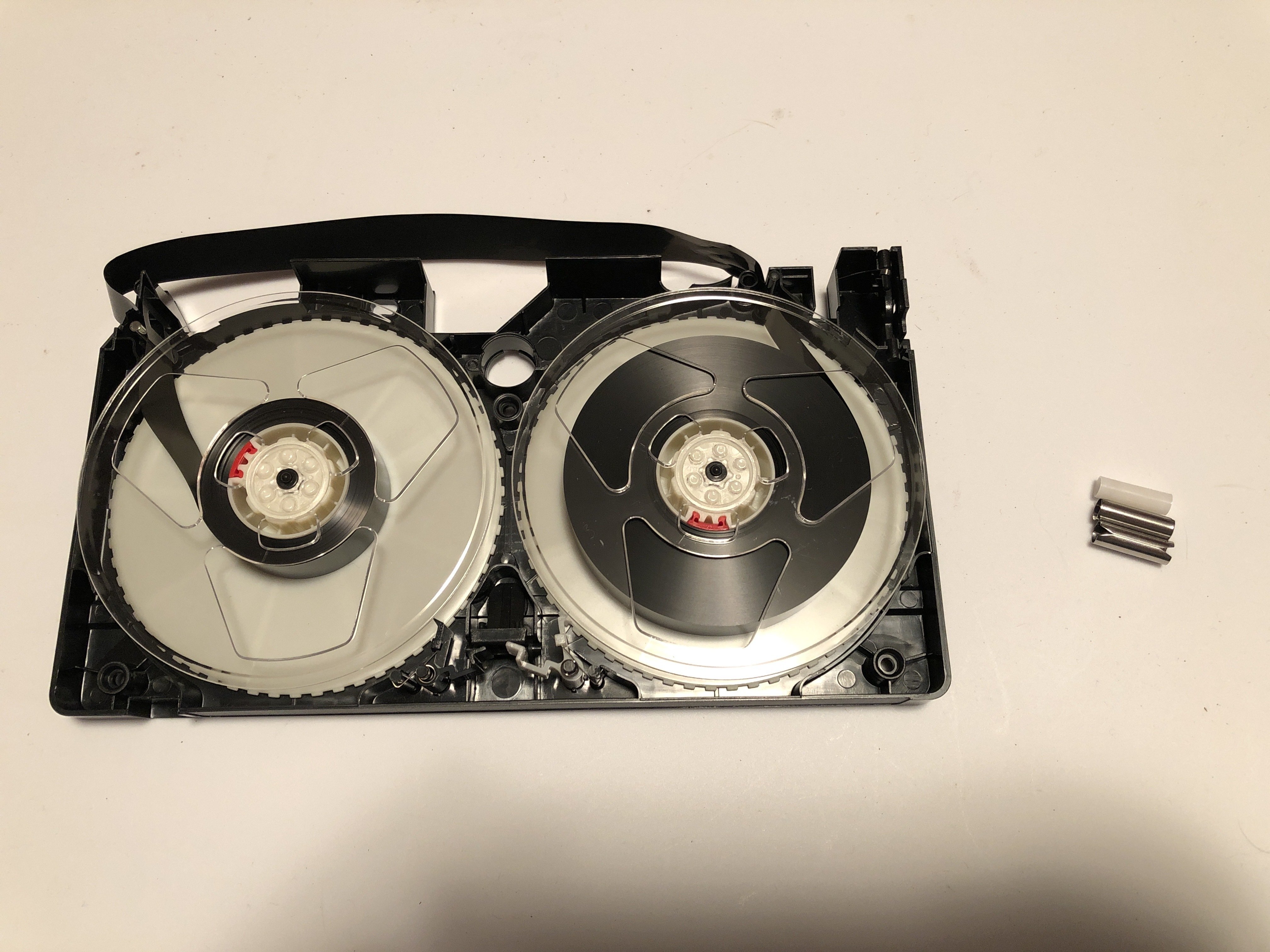
  • Replace any rollers that accidently fall out of the VHS case.
Step 5

Repair step

  • Unroll the video tape from each side of the VHS, running it through the rollers the correct way. Do this until you reach the damaged parts of the tape.
Step 6

Repair step

  • Cut out the wrinkled and damaged parts of the VHS tape using scissors.
Step 7

Repair step

  • Hold the undamaged parts of the tape over each other as evenly as possible.
Step 8

Repair step

  • Cut the overlapping portion of the tape at an angle.
Step 9

Repair step

  • Apply scotch tape to the dull side of the two matching halves of the VHS tape.
  • Potential for device damage: Do not wrap the scotch tape around the other side of the VHS tape.
Step 10

Repair step

  • Cut excess scotch tape to match the size of the VHS tape as precisely as possible.
Step 11

Repair step

  • Wind the loose VHS tape back into the case.
Step 12

Repair step

  • Replace the cover back on top of the VHS case.
Step 13

Repair step

  • Reinsert the screws through the bottom of the VHS tape.