
FIXONIC
SellSavedMy Fixonic
Official iFixit API visual reference

Fuijifilm X20 Viewfinder Replacement

After following along with one of the existing...

iFixit Library Fujifilm X20 Moderate No estimate Guide 143153
Open the authorised source
Licensed iFixit integration

This attributed iFixit guide is displayed through Fixonic's recorded commercial API permission. iFixit remains the independent source and author of the procedure.

Guide overview

Before you begin

After following along with one of the existing disassembly guides, you can additionally replace the viewfinder of the X20. It’s fairly straightforward, but requires one point of attention which is to fully extend the lens before installing the new viewfinder. If you don’t, the viewfinder will screw on fine, but you’ll snap a guide pin on the moving lens in the viewfinder when moving the lens from off to 28mm. Note: images are from a Fujifilm X10, but the steps are the same for the X20, which will only have some additional ribbon wires coming from the viewfinder.
Step 1

Removing the existing viewfinder

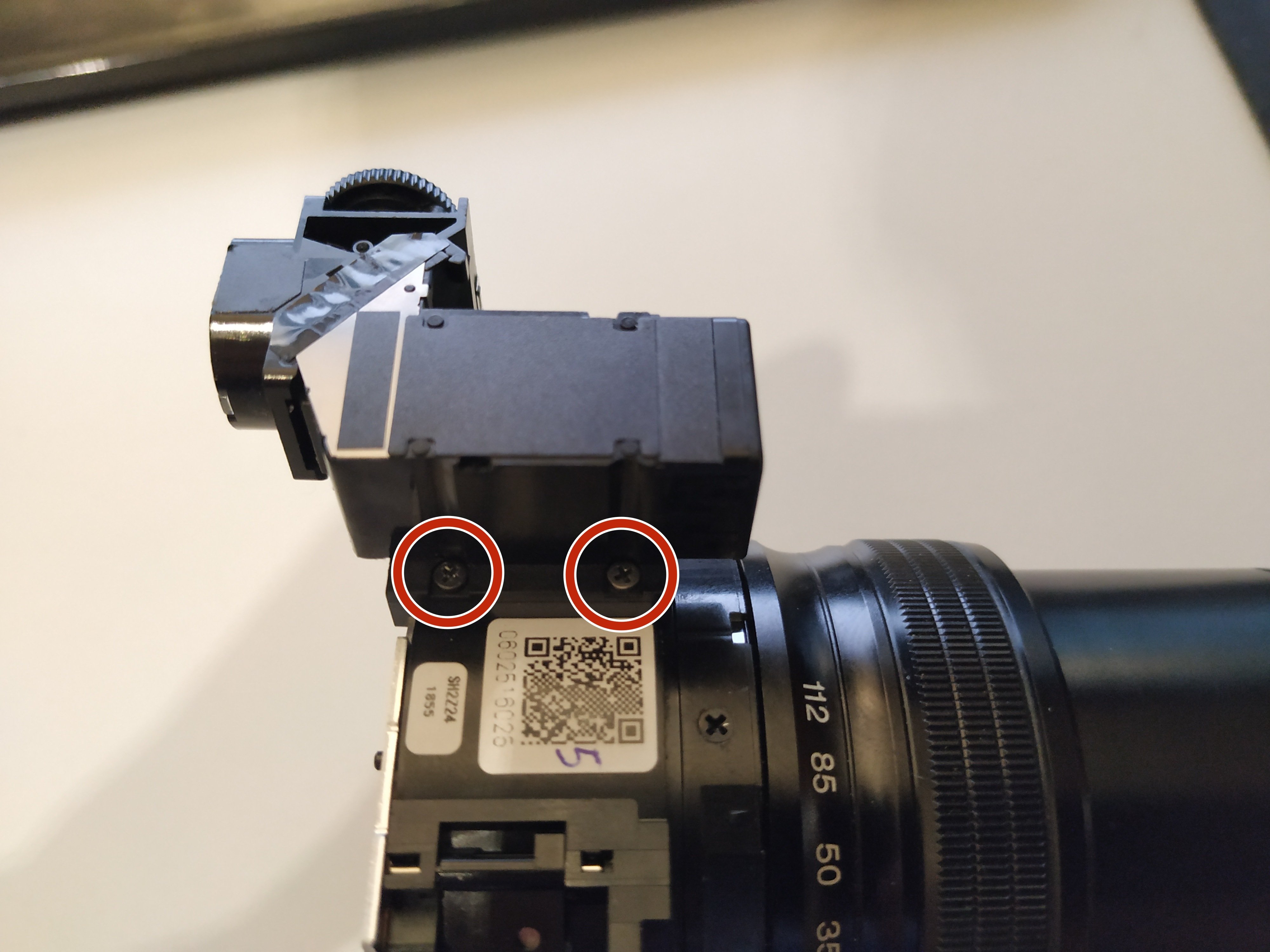
  • Using a small Philips screwdriver remove the 2 screws at the side of the viewfinder.
  • With a pair of tweezers or an X-acto knife, remove the piece of tape on the other side of the viewfinder.
Step 2

Installing a new viewfinder

  • Before installing a new viewfinder, fully extend the lens as shown in the picture.
  • For reference, the 2nd picture shows the tracks for the guiding pins of the viewfinder in this position.
  • You can then mount the viewfinder and follow step 1 in reverse to wrap up the replacement.