FIXONIC
SellSavedMy Fixonic
Official iFixit API visual reference

LG Chocolate 3 Front Faceplate Replacement

Use this guide to replace the front faceplate...

iFixit Library LG Chocolate 3 Moderate 45 minutes Guide 14523
Open the authorised source
Licensed iFixit integration

This attributed iFixit guide is displayed through Fixonic's recorded commercial API permission. iFixit remains the independent source and author of the procedure.

Guide overview

Before you begin

Use this guide to replace the front faceplate of your LG Chocolate 3. Be patient in removing adhesive and mindful of fragile parts.

Step 1

Repair step

  • Use the plastic opening tool to lift the front faceplate from the device.
  • The faceplate has adhesive in multiple areas. Loosen the faceplate around all of the edges first to make it easier to remove.
Step 2

Repair step

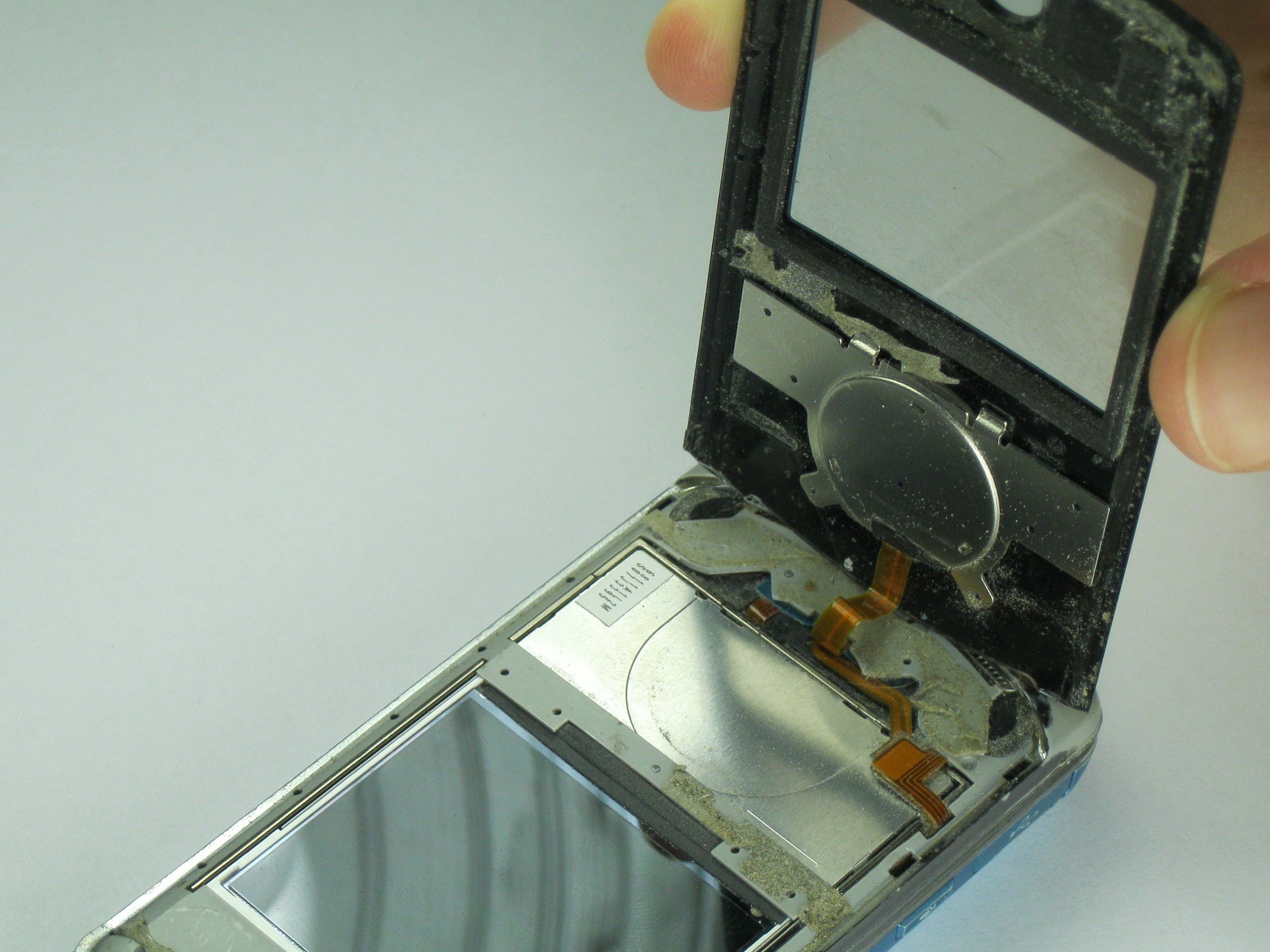
  • The scroll wheel has an orange display data cable attached which may rip from excessive force.
  • Lift the front faceplate up gently.
Step 3

Repair step

  • Be careful not to rip the orange display data cable or drop the scroll wheel on the LCD screen.
  • Use the flat end of the spudger to pry the scroll wheel from the faceplate.
Step 4

Repair step

  • Separate the front faceplate from the device completely.