
FIXONIC
SellSavedMy Fixonic
Official iFixit API visual reference

2002-2006 Toyota Camry Key Fob Battery Replacement

This guide goes step-by-step on how to replace...

iFixit Library 2002-2006 Toyota Camry Very easy 5 - 10 minutes Guide 145786
Open the authorised source
Licensed iFixit integration

This attributed iFixit guide is displayed through Fixonic's recorded commercial API permission. iFixit remains the independent source and author of the procedure.

Guide overview

Before you begin

This guide goes step-by-step on how to replace your fob battery for a 2002-2006 Toyota Camry. A key fob (or simply fob) is a small security device that is usually used to lock and unlock doors. A fob is an electronic device and like all electronic devices, it requires a power source. The power source for a fob is the battery. After some amount of time, you may notice that the range at which the fob works is less than what it used to be or that it sometimes is not locking/unlocking your vehicle at all. Often this is caused by a battery that is dead or almost dead. Replacing a dead battery should return the fob’s function. Replacing the battery in the fob requires no specific skills and no tools are required. The only required materials are a lithium coin battery. If you are having difficulty separating the two pieces of the fob from each other, a spudger could be used to help.

Step 1

Repair step

  • Purchase a new lithium coin battery. You can find it at your local hardware store.
  • The battery has a "+" positive side (textured surface) and a "–" negative side (smooth surface).
Step 2

Repair step

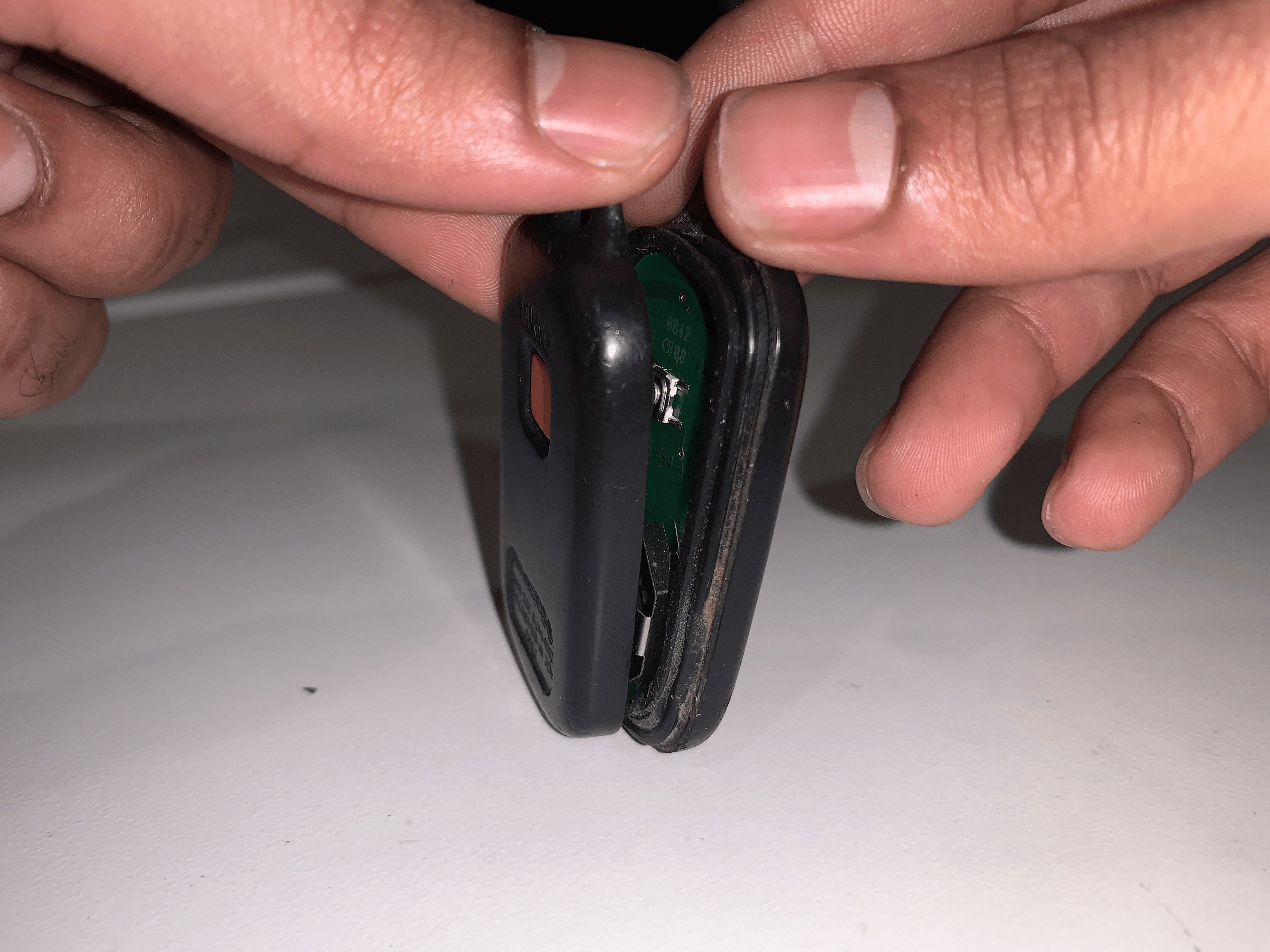
  • Use your hands or a spudger to separate the key fob into two pieces.
Step 3

Repair step

  • Identify which part of the FOB holds the battery.
  • You will not need the other part of the fob until the end.
Step 4

Repair step

  • Remove the battery from the fob by releasing it from the holder using a spudger or by hand.
  • Be careful that you don't break the contacts when removing the battery.
Step 5

Repair step

  • Insert the new battery by pushing it down.
Step 6

Repair step

  • Reassemble the fob, using your hands to press the two parts together.