FIXONIC
SellSavedMy Fixonic
Official iFixit API visual reference

Cisco Meraki MC74-HW Sensor Cover Replacement

If the plastic sensor cover on your Cisco...

iFixit Library Cisco Meraki MC74-HW Moderate 20 minutes Guide 146448
Open the authorised source
Licensed iFixit integration

This attributed iFixit guide is displayed through Fixonic's recorded commercial API permission. iFixit remains the independent source and author of the procedure.

Guide overview

Before you begin

If the plastic sensor cover on your Cisco Meraki MC74-HW phone holder is damaged or missing, use this guide to replace it. The phone sensor cover is necessary so the phone covers the sensor and the device realizes that it needs to end the call. If this component is not working properly, calls may not end when the phone is placed back into its holder. There are no special skills necessary to complete this repair. Make sure to unplug the device from all power before performing this repair.

Step 1

Repair step

  • Extend the stand as far away as possible from the device.
  • Remove all four 3 mm Hex 2 screws from the stand.
  • A bit with a flexible extension may be needed to remove these screws.
Step 2

Repair step

  • Lift the stand off the device.
Step 3

Repair step

  • Insert a plastic spudger between the back housing cover and the sensor cover piece.
  • Work your way slowly around the edges of the device until all the clips have been unclipped.
  • Do not insert any tool recklessly into the device or you might damage wires and connections.
Step 4

Repair step

  • Separate the back housing cover from the device completely.
Step 5

Repair step

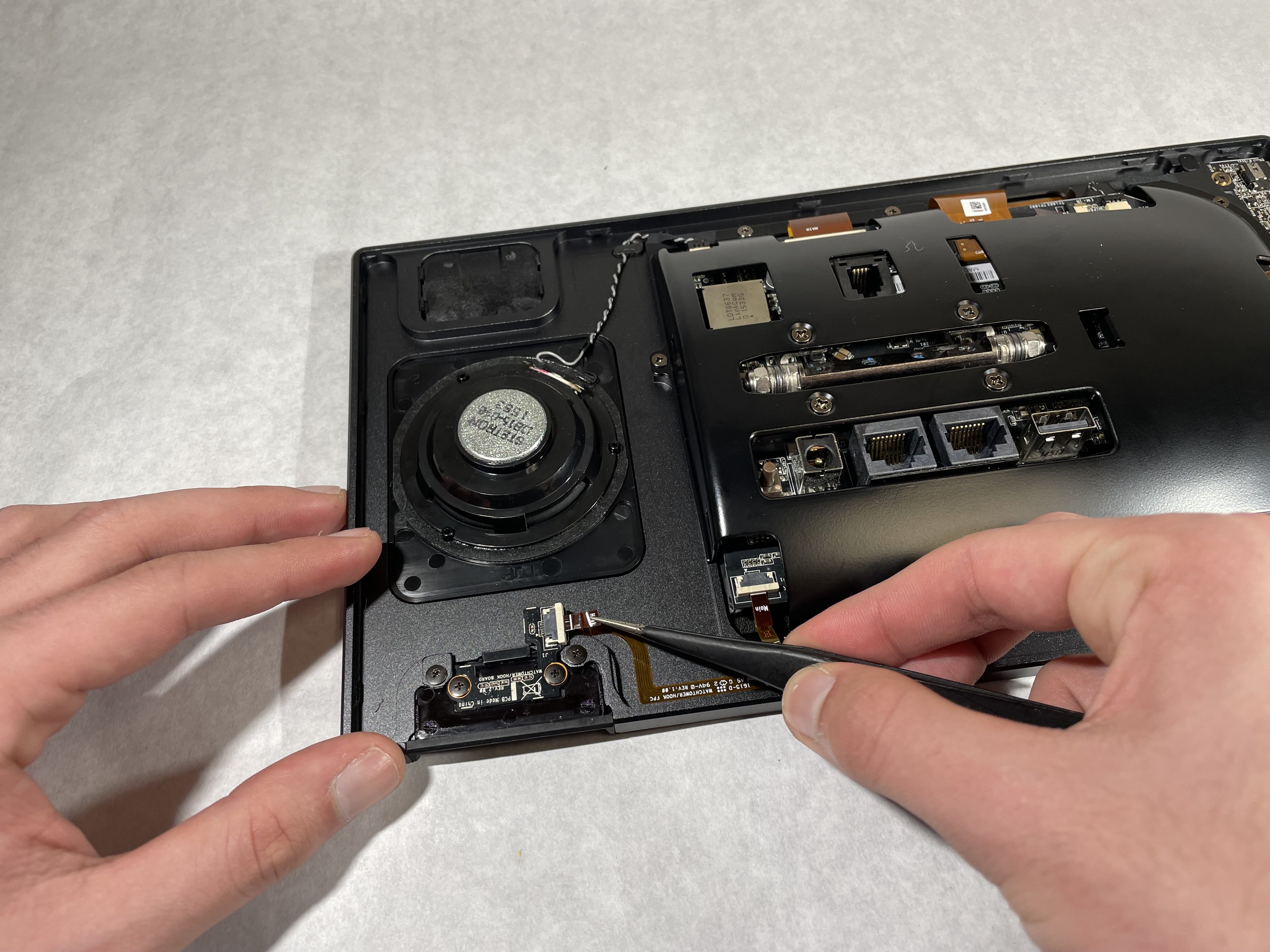
  • Disconnect the ribbon from the phone sensor board using a pair of reverse tweezers.
  • Electronic ribbons are very fragile, so pull slowly to disconnect them.
Step 6

Repair step

  • Remove the two 1.2 mm screws holding the phone sensor using a Phillips #0 screwdriver.
  • Carefully lift the phone sensor to remove it from the device.
Step 7

Repair step

  • Remove the two 1.2 mm screws using a Phillips #0 screwdriver.
  • Remove the sensor cover.