FIXONIC
SellSavedMy Fixonic
Official iFixit API visual reference

Microsoft Surface Pro 5 Right Speaker Replacement

This guide will go over how to remove the right...

iFixit Library Microsoft Surface Pro 5 Difficult 2 - 3 hours Guide 147381
Open the authorised source
Licensed iFixit integration

This attributed iFixit guide is displayed through Fixonic's recorded commercial API permission. iFixit remains the independent source and author of the procedure.

Guide overview

Before you begin

This guide will go over how to remove the right speaker on the Microsoft Surface Pro 5, also known as the Microsoft Surface Pro (2017). The iOpener is used in this guide, but a hair dryer or heat gun could also be used. See instructions for the iOpener here.

Step 1

Repair step

  • Pry up the large metal cover next to the right speaker using the nylon spudger.
Step 2

Repair step

  • Remove the Torx T4 3mm screw.
  • Remove the Torx T5 6mm screw.
Step 3

Repair step

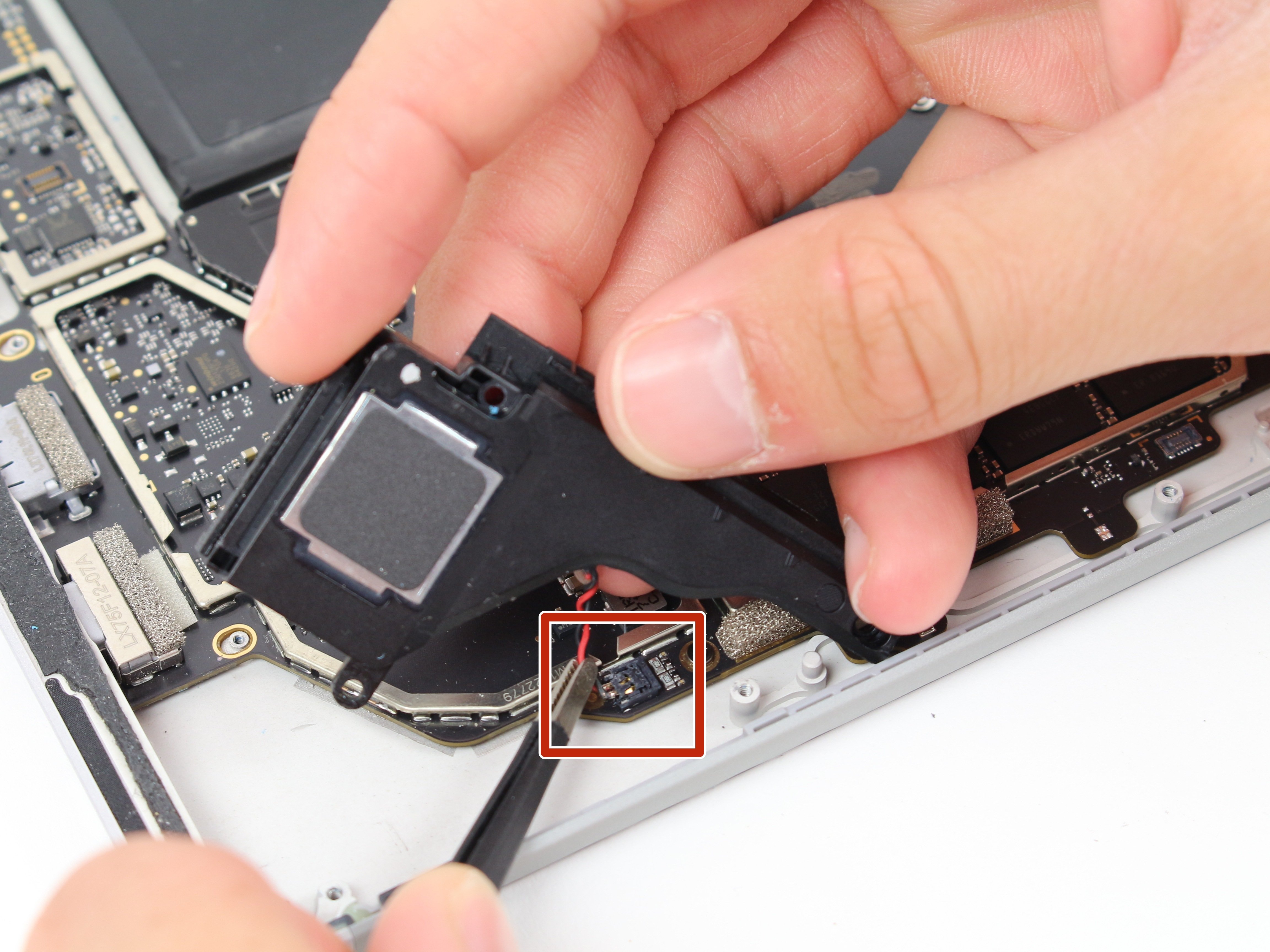
  • Lift up the right speaker being careful not to pull out the cable that is still connected.
Step 4

Repair step

  • Grab the black and red cable on the bottom using tweezers.
  • Lift the black and red cable out of its port.
Step 5

Repair step

  • Remove the right speaker from the device.