FIXONIC
SellSavedMy Fixonic
Official iFixit API visual reference

How to Fix Apple Mighty Mouse Power Button

Attributed iFixit repair guide for Apple Mighty Mouse.

iFixit Library Apple Mighty Mouse Easy 5 - 10 minutes Guide 148284
Open the authorised source
Licensed iFixit integration

This attributed iFixit guide is displayed through Fixonic's recorded commercial API permission. iFixit remains the independent source and author of the procedure.

Step 1

Finding the switch

  • Firstly flip your mouse upside down and find the power switch. It is located just above the Apple logo and looks like a sliding door.
Step 2

Switching off the mouse

  • Slide the power switch to the off position or until it fully covers the optical sensor.
Step 3

Opening the battery door

  • Locate the clip holding the battery cover on the mouse and use a sputter or your nail to push it aside to allow the door to spring up.
  • This can take a few attempts especially if your mouse is well used and trying different approaches may get it to open up. For mine I had to slightly push the door down to open it.
  • Once the door pops up remove it but keep it close.
Step 4

How the switch works

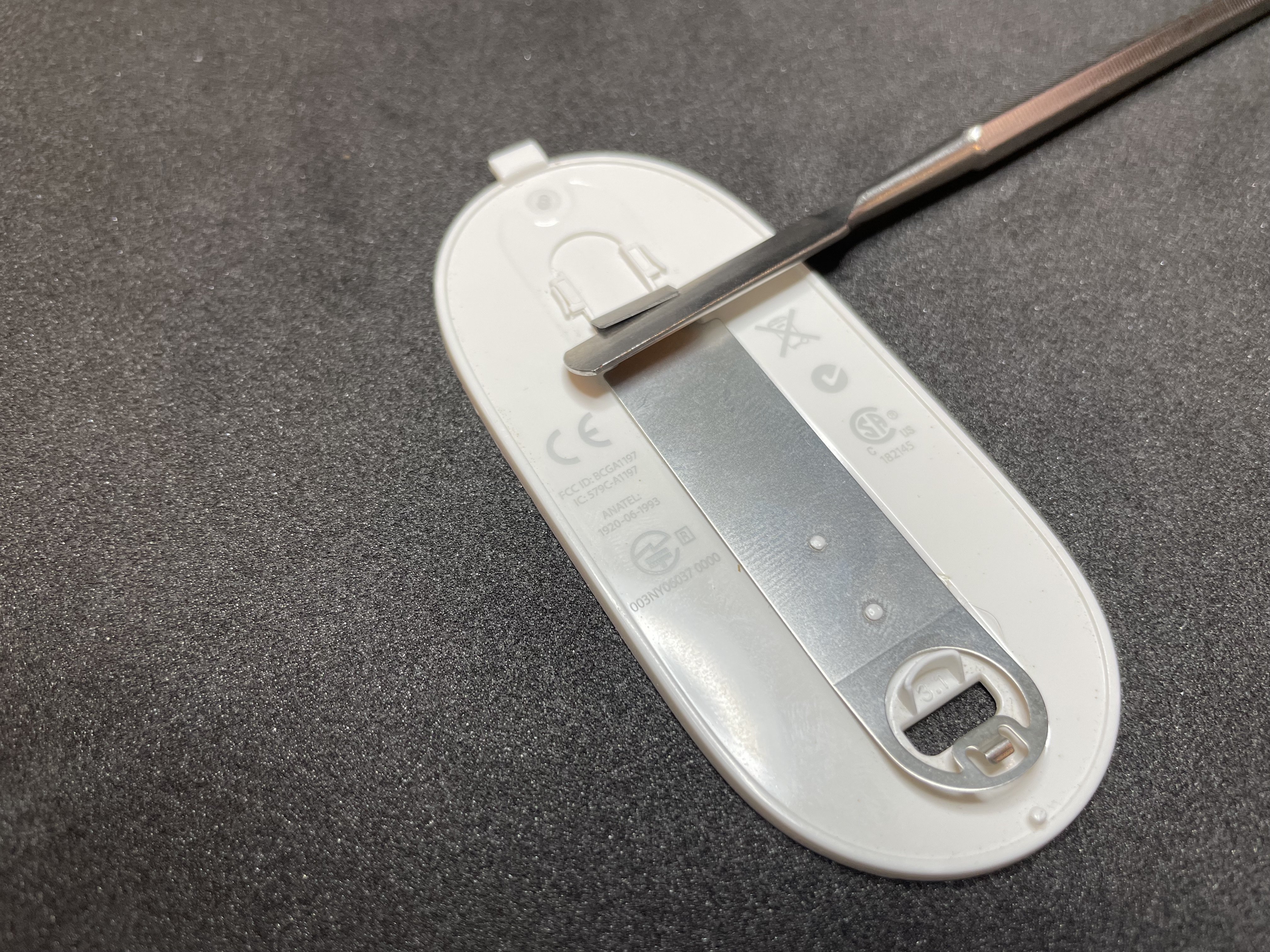
  • The Mighty Mouse's on off switch works by the plastic slider on the door pushing down a bent piece of metal to then press a button on the main chassis of the mouse. (photo 1)
  • Over time the metal (photo 2) can bend to far down and not press the chassis button (photo 3) .
Step 5

Bending the metal back to shape.

  • To fix this issue take a hard flat tool, a metal pry tool works well for this and pry up on the bent piece. If your battery door had issues popping open you can give the round bend piece (photo 3) the same treatment but don't put as much force as you could damage it.
  • Once it is raised a bit put the mouse back together to see if it works again or needs further prying. If there are still issues after a few bending attempts try cleaning the chassis side button and make sure it is pressing in. (photo 3, step 4)