FIXONIC
SellSavedMy Fixonic
Official iFixit API visual reference

HP Envy TouchSmart 4-1215dx Motherboard Replacement

This is a complete guide that will direct you...

iFixit Library HP Envy TouchSmart 4-1215dx Moderate 10 - 25 minutes Guide 148365
Open the authorised source
Licensed iFixit integration

This attributed iFixit guide is displayed through Fixonic's recorded commercial API permission. iFixit remains the independent source and author of the procedure.

Guide overview

Before you begin

This is a complete guide that will direct you in removing and replacing the motherboard of an HP Envy TouchSmart 4-1215dx. The motherboard typically houses the important components such as the CPU, GPU, connectors for the network card, and RAM slots. It plays a huge part in supplying power to every part of the computer. If you have tried replacing other components and your laptop still is not functioning, it's possible that the board is damaged and may need replaced.

Step 1

Repair step

  • Remove the thirteen Phillips #0 screws.
Step 2

Repair step

  • Pull the panel up and off to remove from the laptop.
Step 3

Repair step

  • Unplug the battery from the motherboard.
Step 4

Repair step

  • Remove the three Phillips #0 screws from the battery.
  • Pull the battery out of the laptop.
Step 5

Repair step

  • Unplug the fan from the motherboard.
Step 6

Repair step

  • Remove the four Phillips #0 screws holding in the fan.
  • Pull out the fan.
Step 7

Repair step

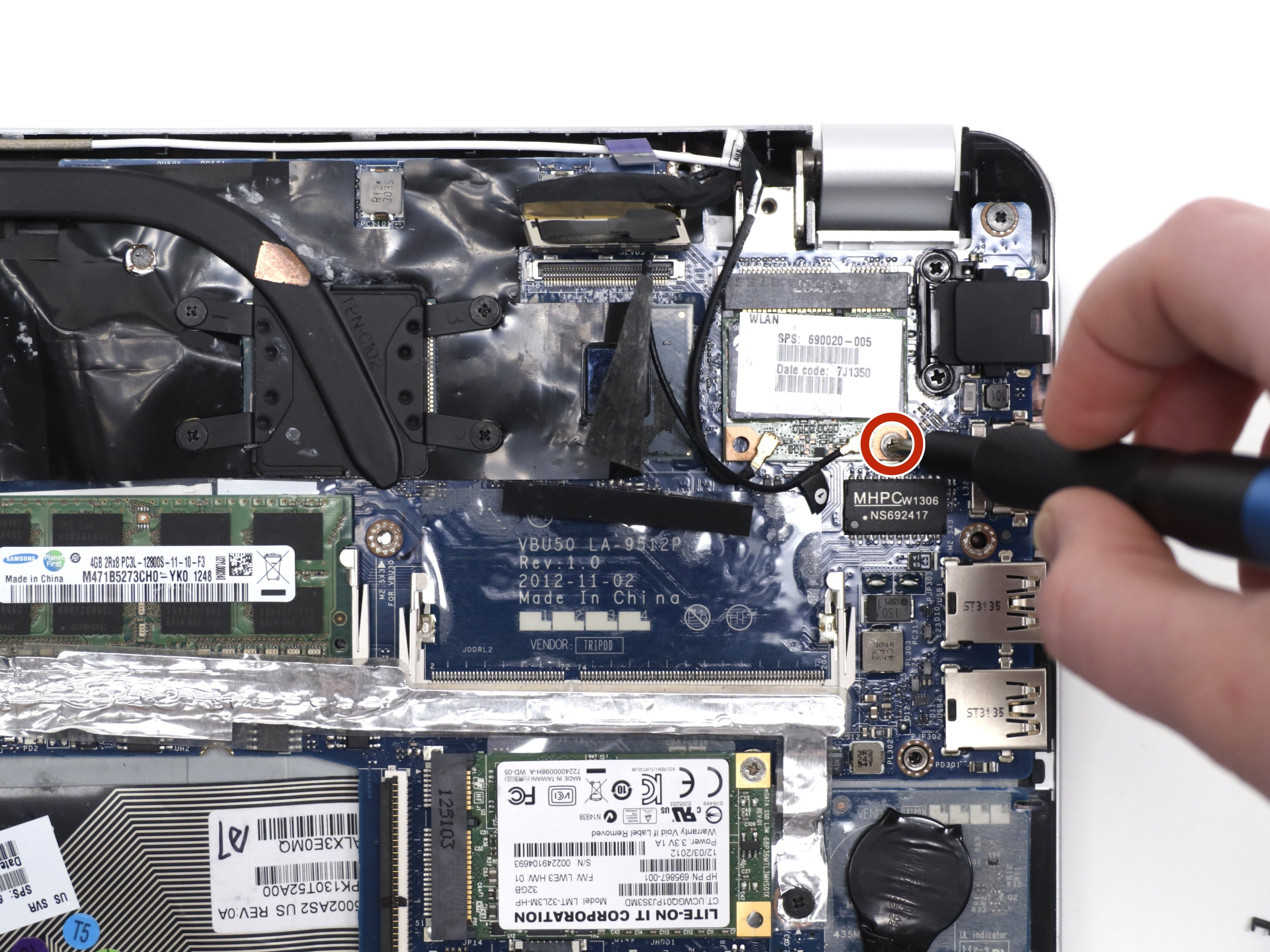
  • Remove the single screw from the Wi-Fi card using a Phillips #0 screwdriver.
  • Pull the Wi-Fi card out of its slot.
Step 8

Repair step

  • Remove four screws from the heat sink using a Phillips #0 screwdriver.
Step 9

Repair step

  • Gently lift the heat sink from the motherboard.
Step 10

Repair step

  • Remove the remaining from the motherboard with a Phillips #0 screwdriver.
Step 11

Repair step

  • Disconnect the remaining cables from the motherboard by gently tugging on the pull tabs or the edges of the connectors that sit in the terminals.
Step 12

Repair step

  • Gently lift the motherboard from the housing to remove it from the laptop.