FIXONIC
SellSavedMy Fixonic
Official iFixit API visual reference

Acer Chromebook C720-2844 Battery Replacement

Use this guide to replace the battery for the...

iFixit Library Acer Chromebook C720-2844 Easy 4 - 5 minutes Guide 148988
Open the authorised source
Licensed iFixit integration

This attributed iFixit guide is displayed through Fixonic's recorded commercial API permission. iFixit remains the independent source and author of the procedure.

Guide overview

Before you begin

Use this guide to replace the battery for the Acer Chromebook C720 - 2844. The battery powers the device so that it can operate without an external power source. Faulty battery signs include: Faster power loss than usual, does not power on at all, fails to power on without external power source. Before referring to this guide be sure to look at the troubleshooting page to ensure the battery is the problem. If the battery looks swollen, refer to safety measures to prevent a fire caused by a potentially punctured battery. Be sure to completely power off and unplug the device before beginning replacement.

Step 1

Repair step

  • Flip to the back cover of the laptop.
  • Remove the 1 cm Phillips #00 screws on the back cover.
  • Use pry tools to remove the back cover.
Step 2

Repair step

  • Take out your Phillips #00 screwdriver.
  • Remove the 1 cm screws of the battery. There are two of screws, one is on the left of the battery and the other is on the right. (circled in red).
Step 3

Repair step

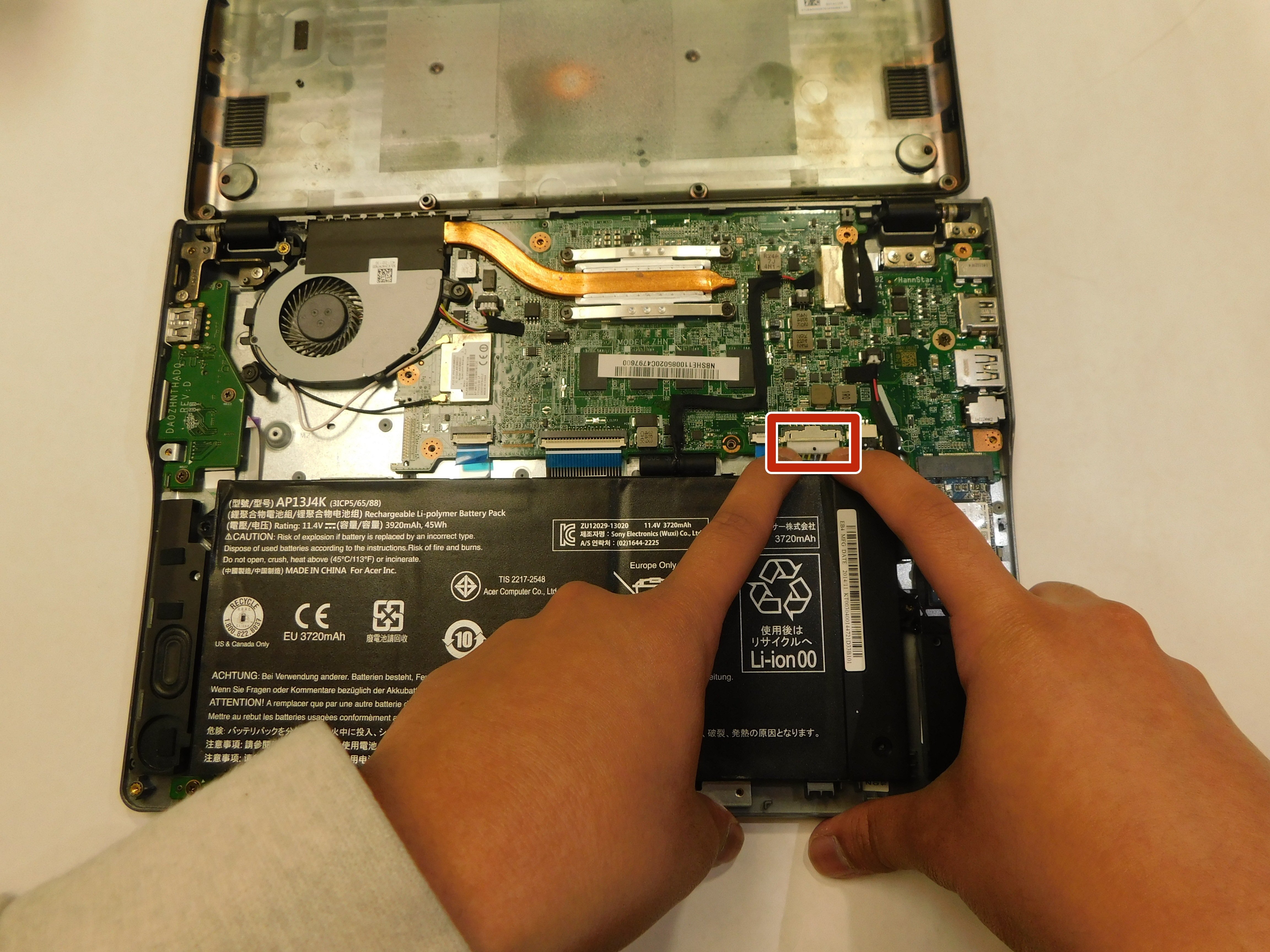
  • Unplug the battery from the motherboard by pulling the bundled cable connector free.
  • Lift the top part of battery.
  • Slide the battery forward to remove it completely from the motherboard.