FIXONIC
SellSavedMy Fixonic
Official iFixit API visual reference

HP EliteBook Folio 1020 G1 Solid State Drive Replacement

If your drive has some cells that are corrupted...

iFixit Library HP Elitebook Folio 1020 G1 Moderate 10 minutes Guide 149396
Open the authorised source
Licensed iFixit integration

This attributed iFixit guide is displayed through Fixonic's recorded commercial API permission. iFixit remains the independent source and author of the procedure.

Guide overview

Before you begin

If your drive has some cells that are corrupted or is failed to hold any data, that it must be replaced. This is a guide to replacing the solid state drive of your computer. In order to replace it, the back cover of the laptop must be removed to expose the screw which secures the solid state drive. Please remember to power down your computer and unplug it to avoid any power surges or shorts. Failing to power down and disconnect the power cable may result in further harm to the laptop or even yourself, so precautions must be taken.

Step 1

Repair step

  • Use a TR8 Torx screwdriver to remove:
  • Six 5.3 mm screws
  • Four 3.3 mm screws
Step 2

Repair step

  • Use a nylon spudger to gently pry the lower case up and off.
Step 3

Repair step

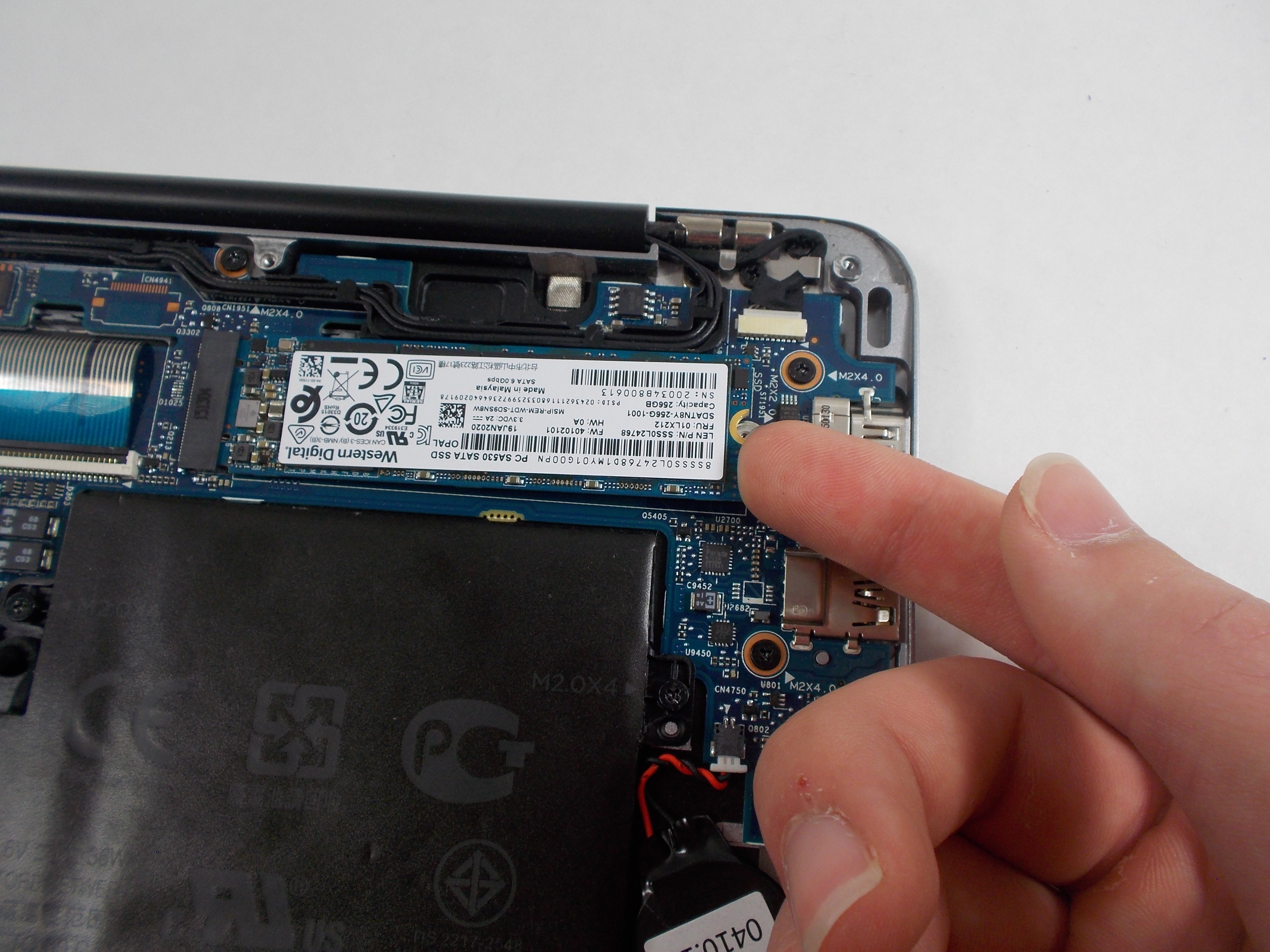
  • Use a Phillips #1 screwdriver to remove the single 1.8 mm screw that secures the SSD to the board.
Step 4

Repair step

  • Lift the SSD slightly and then pull away from the port and remove.