 FIXONIC
Official iFixit API visual reference
Open the authorised source
Acer Chromebook C720-2844 Touch Pad Replacement
Attributed iFixit repair guide for Acer Chromebook C720-2844.
iFixit Library Acer Chromebook C720-2844
Moderate
15 - 20 minutes
Guide 149408
Licensed iFixit integration
This attributed iFixit guide is displayed through Fixonic's recorded commercial API permission. iFixit remains the independent source and author of the procedure.


Repair step

Repair step
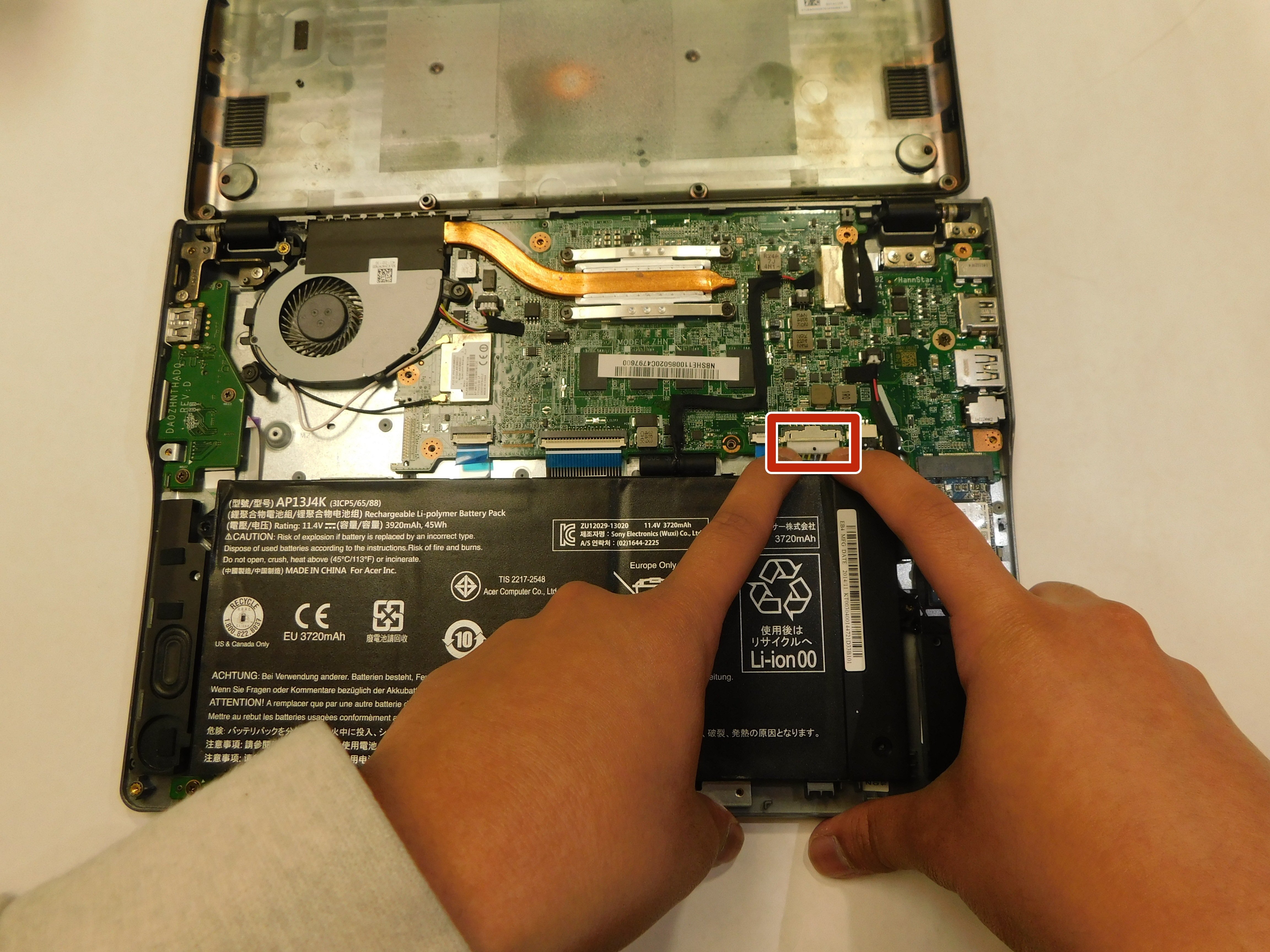
- Unplug the battery from the motherboard by pulling the bundled cable connector free.
- Lift the top part of battery.
- Slide the battery forward to remove it completely from the motherboard.
Repair step

- Lift white tab holding connector.
- Pull from blue tab to disconnect.
Repair step

Repair step

Repair step

- Remove the tape securing the touchpad to the shell.
Repair step

- Lift and remove touchpad.