FIXONIC
SellSavedMy Fixonic
Official iFixit API visual reference

HP Omen 15 2020-2021 RAM Replacement

This guide will help you replace or upgrade...

iFixit Library HP Omen 15-5002xx Easy 20 minutes Guide 151018
Open the authorised source
Licensed iFixit integration

This attributed iFixit guide is displayed through Fixonic's recorded commercial API permission. iFixit remains the independent source and author of the procedure.

Guide overview

Before you begin

This guide will help you replace or upgrade your RAM on your HP omen 15 2020 and 2021 models.

Step 1

Preparation

  • Make sure the laptop is completely turned off. To properly turn it off, hold the power button for a few seconds until it turns off.
  • Unplug everything from the computer(USB, HDMI, Charger).
  • It's always preferable to use an anti-static strap or mat.
Step 2

Removing screws

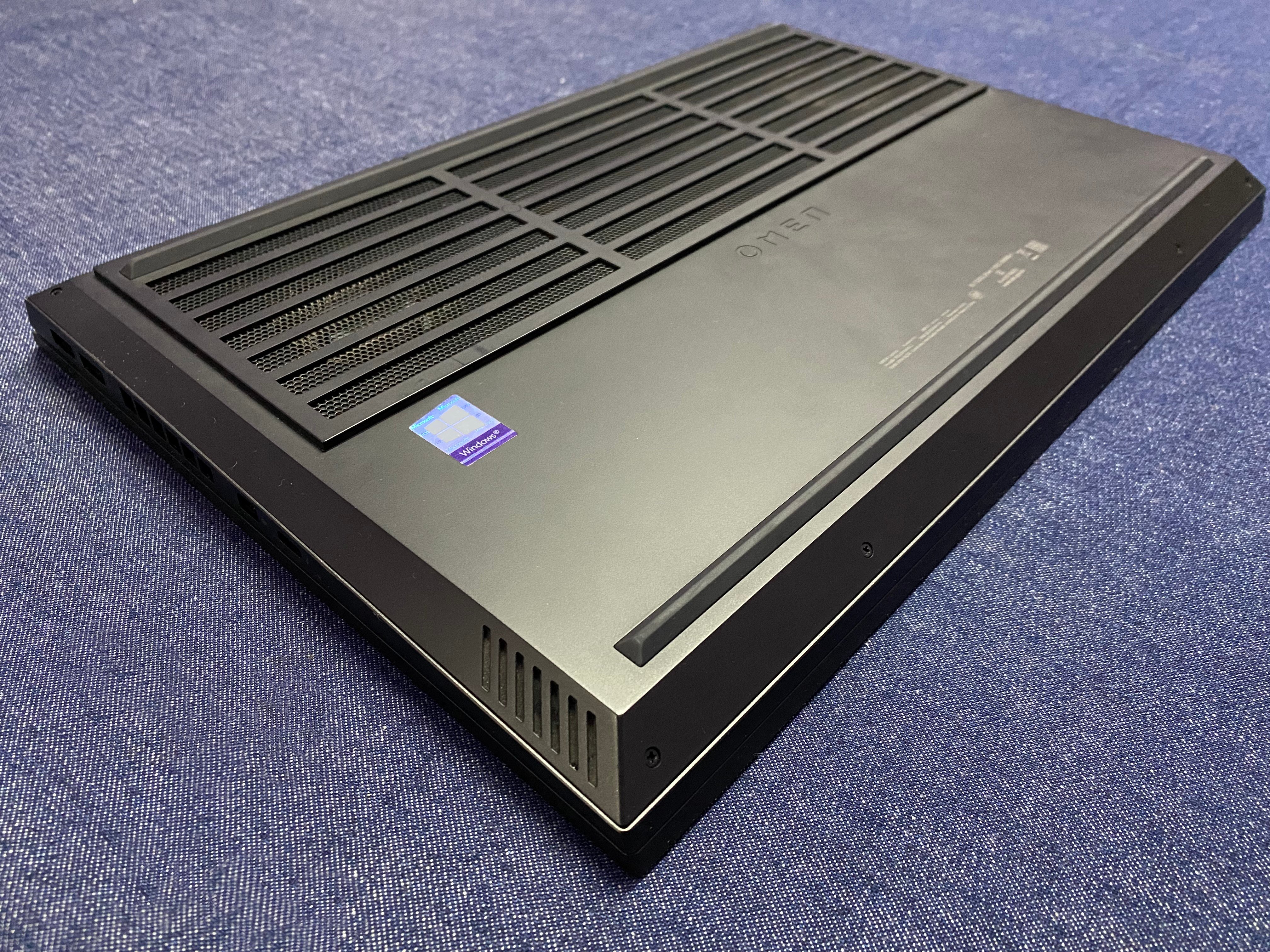
  • Put your laptop on a soft surface (preferably a mouse mat but never on a carpet) so as not to scratch the lid.
  • Flip the laptop like in the picture and locate the 8 screws (4 in the front and 4 in the back).
  • Don't forget that the 4 front screws are shorter than the 4 back screws.
Step 3

Removing the back cover

  • Use a pry tool to remove the cover by going slowly around the laptop.
Step 4

Removing the RAM

  • Locate the RAM.
  • Put your fingers on the two silver parts and push to the side. The RAM should pop out like in the picture.
Step 5

Installing the new RAM

  • When putting the new ram, make sure it lines up well. If it's taking too much force to insert then it's probably going in the wrong way.
Step 6

Reassembly

  • Put back the bottom panel and make sure to screw the short screws in the front and the long ones in the back.
Step 7

Make sure everything works

  • To make sure everything is working properly follow this video: https://www.youtube.com/watch?v=9SYIvE67...