
FIXONIC
SellSavedMy Fixonic
Official iFixit API visual reference

Dell Inspiron M531R-5535 CD Drive Replacement

Use this guide to replace the CD drive in your...

iFixit Library Dell Inspiron M531R-5535 Easy 2 minutes Guide 155694
Open the authorised source
Licensed iFixit integration

This attributed iFixit guide is displayed through Fixonic's recorded commercial API permission. iFixit remains the independent source and author of the procedure.

Guide overview

Before you begin

Use this guide to replace the CD drive in your Dell Inspiron M531R-5535 laptop. Replacing the CD Drive will fix any issues caused by an old or faulty CD Drive. The drive is one of the easiest part to replace on the laptop. Make sure to power off your laptop completely and disconnect from any external power source prior to beginning the process.
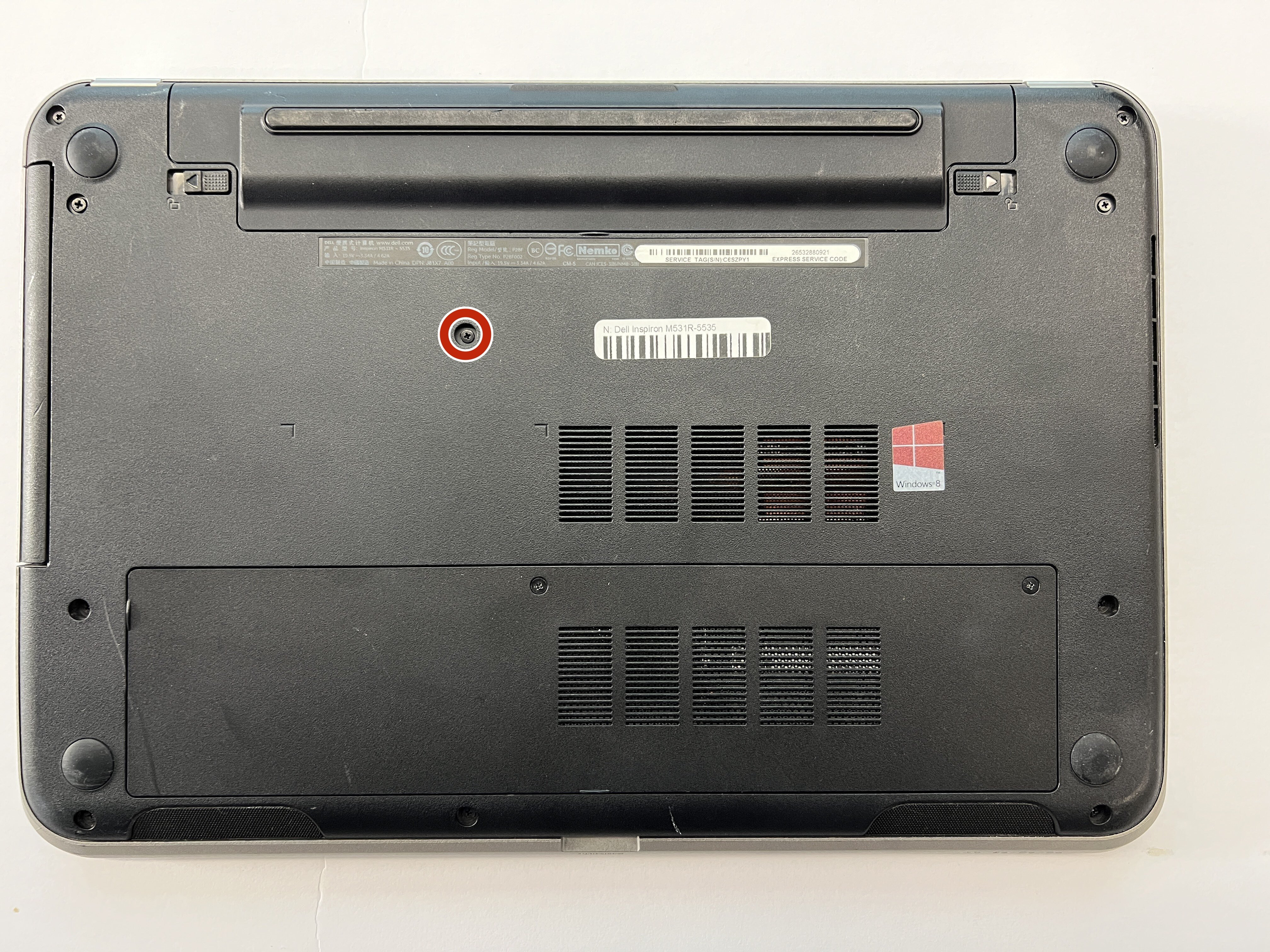
Step 1

Repair step

  • Flip the laptop over to its backside.
  • Unscrew the 3.6mm Phillips #1 screw.
Step 2

Repair step

  • Slide the CD Drive out.