 FIXONIC
Official iFixit API visual reference
Open the authorised source
Apple TV 3rd Generation Status LED Replacement
Attributed iFixit repair guide for Apple TV 3rd Generation.
iFixit Library Apple TV 3rd Generation
Moderate
10 - 15 minutes
Guide 15815
Licensed iFixit integration
This attributed iFixit guide is displayed through Fixonic's recorded commercial API permission. iFixit remains the independent source and author of the procedure.


Repair step

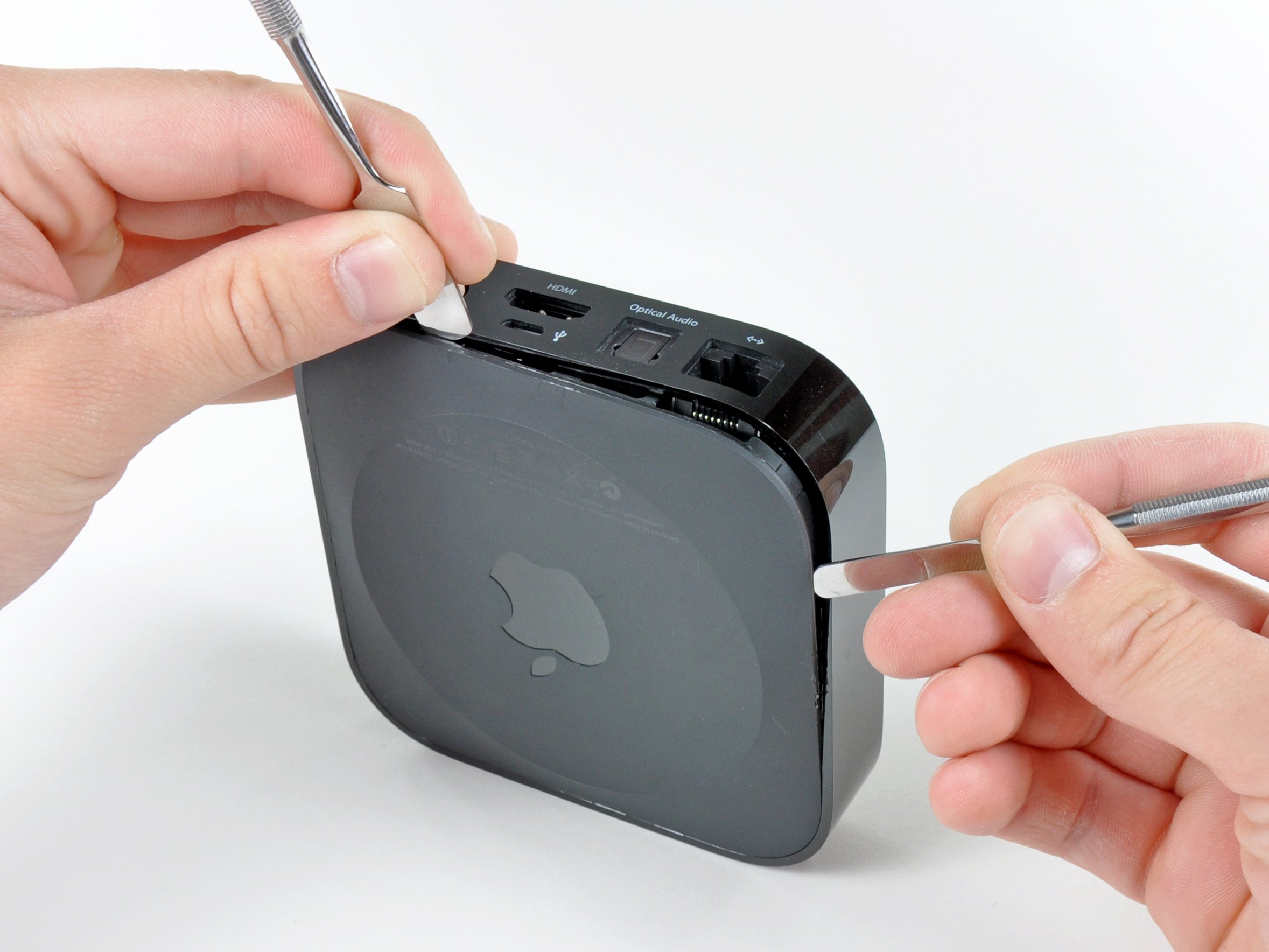
- Continue releasing the last plastic clips with your hands taking care not to break any of the plastic elements attached to the base.
Repair step


Repair step

Repair step

- Before you remove completely the power supply, unscrew the T6 screws on each side of the socket.
- You may now be able to remove the power supply with a spudger.
- Do not pull the wires to remove the power supply. The connector is fragile.
- The rating of the power supply is 3.4V at 1.75A, which is identical to the 2nd Gen Apple TV's 5.95 watts.
