FIXONIC
SellSavedMy Fixonic
Official iFixit API visual reference

Kids Digital Watch Battery Replacement

Replace the battery in a kid's digital watch.

iFixit Library Kids Digital Watch Moderate 5 - 15 minutes Guide 158999
Open the authorised source
Licensed iFixit integration

This attributed iFixit guide is displayed through Fixonic's recorded commercial API permission. iFixit remains the independent source and author of the procedure.

Guide overview

Before you begin

Replace the battery in a kid's digital watch.

Step 1

Remove Watch Bands

  • Using a twisting and pulling motion, remove the straps from the watch.
Step 2

Unscrew Backplate

  • Remove the four (4) screws on the backside of the watch with the small Philips head screwdriver.
Step 3

Remove Backplate

  • Remove the backplate carefully using your hands.
Step 4

Remove Circuit Protector Plate

  • Remove using tweezers the circuit protector plate that is uncovered once the backplate is removed.
Step 5

Removing Screw Near the Blue Component

  • With the tiny Philips head screwdriver, unscrew and remove the screw closest to the blue component.
Step 6

Removing Screw Near the Yellow Component

  • Now remove the screw on the other side of the battery near the yellow circuit component.
Step 7

Remove the Battery Protector Plate

  • Using tweezers carefully remove the battery protector plate.
Step 8

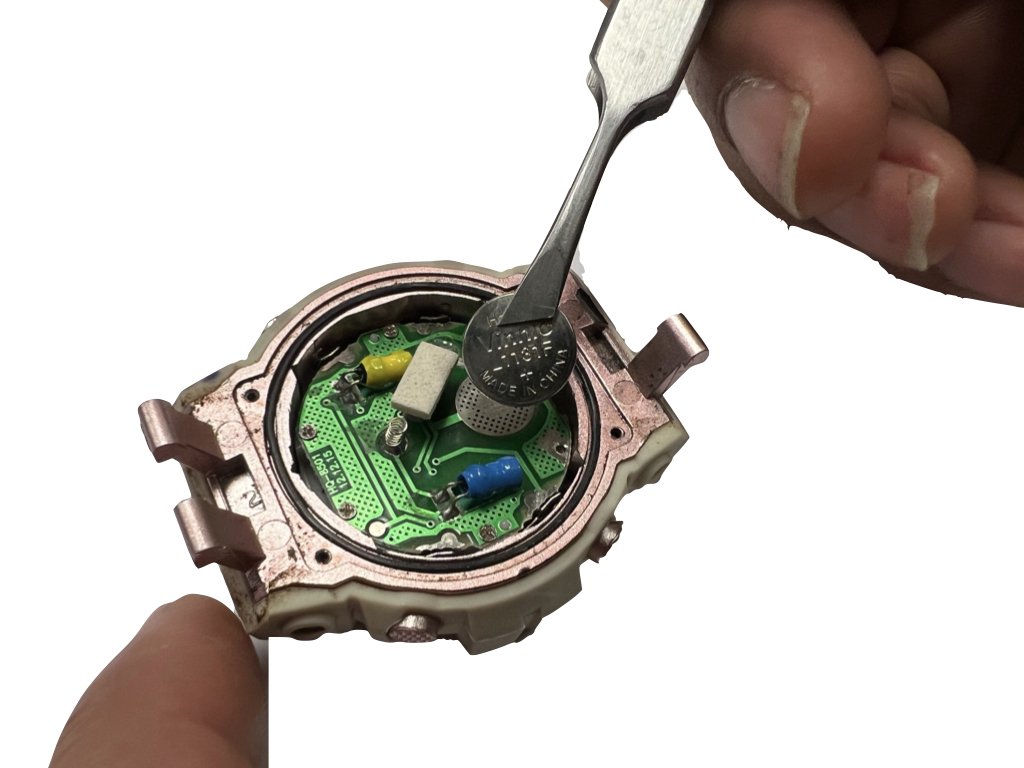
Remove Battery

  • Remove the old battery from your watch.
Step 9

Insert New Battery

  • Insert your new battery onto the circular component with your tweezers.
  • Ensure the positive and negative sides of your battery are oriented correctly.