FIXONIC
SellSavedMy Fixonic
Official iFixit API visual reference

Epson ET-2750 error message 034004

This guide shows you how to fix error code...

iFixit Library Epson ET-2750 Moderate 1 hour Guide 160583
Open the authorised source
Licensed iFixit integration

This attributed iFixit guide is displayed through Fixonic's recorded commercial API permission. iFixit remains the independent source and author of the procedure.

Guide overview

Before you begin

This guide shows you how to fix error code 034004 on your Epson ET-2750 printer. This error is often incorrectly displayed as a paper jam, although there is no paper jam. You can rectify the error with simple mechanical interventions.

Step 1

Preparation

  • Switch off the printer and disconnect the power plug to avoid electric shock.
  • Open the printers front cover by lifting it up.
Step 2

Checking the print head position

  • Verify that the print head is on the right side of the printer. If not, the printer has not completed its job and the error is still present.
Step 3

Moving the gears manually

  • The print head must be moved to approximately the center, or briefly switch on the printer and disconnect it from the power supply as soon as the head is in the center.
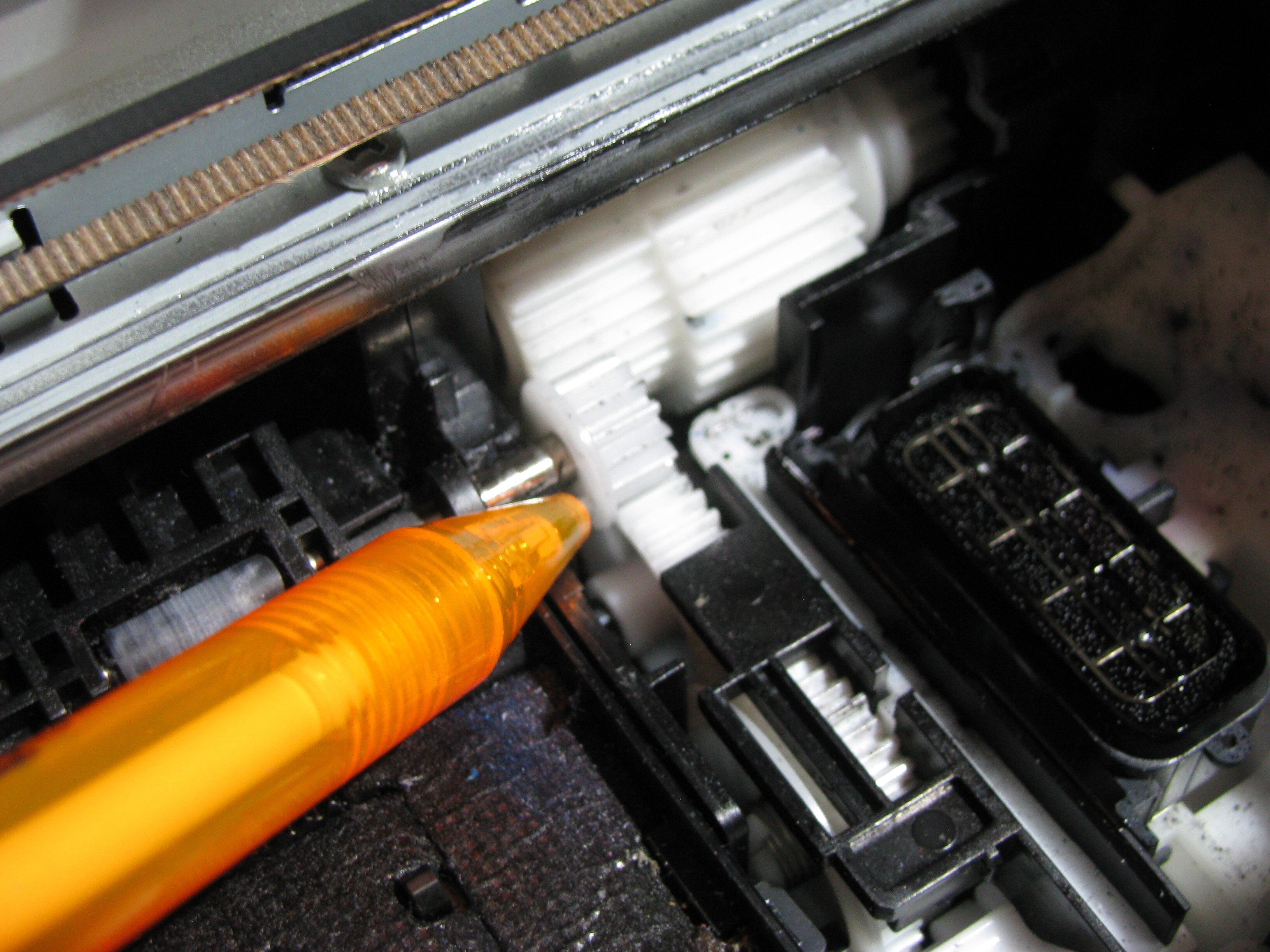
  • Check the printer on the right-hand side, where the print head should normally be. You can now see white cogwheels at the bottom right.
  • Turn the middle gear wheel carefully with a wooden stick about one turn further. Turn the cogwheel on the upper side a few teeth backwards.
Step 4

Restart the printer

  • Close the printer cover.
  • Reconnect the printer to the power supply and turn it on.
Step 5

Error check

  • After the boot process, the print head should move all the way to the right to its start position and the error should be corrected. Why did this error occur?...maybe the last paper was pulled out too quickly