
FIXONIC
SellSavedMy Fixonic
Official iFixit API visual reference

Thrustmaster T3PA Pedal Spring Replacement

This guide applies to all of the pedals of the...

iFixit Library Thrustmaster T3PA Pedals Moderate 5 - 10 minutes Guide 161757
Open the authorised source
Licensed iFixit integration

This attributed iFixit guide is displayed through Fixonic's recorded commercial API permission. iFixit remains the independent source and author of the procedure.

Guide overview

Before you begin

This guide applies to all of the pedals of the T3PA. I only used the gas pedal as an example.
Step 1

Repair step

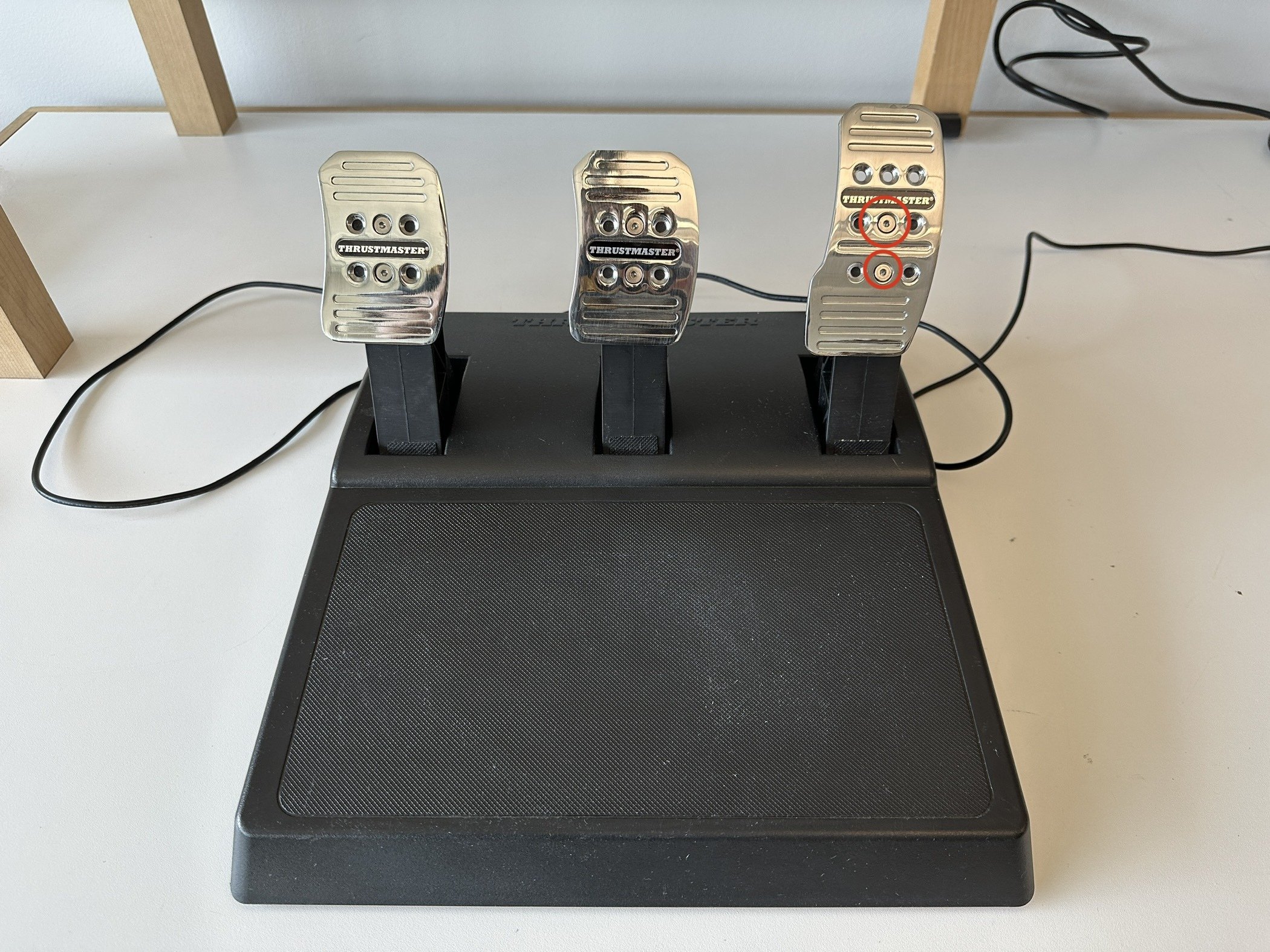
  • Start by removing the screws in the pedal that you are changing with a Torx t10H screwdriver.
Step 2

Repair step

  • Remove the 14 Screws on the back with a PH2 Phillips head screwdriver and carefully pop it off.
  • (DO NOT COMPLETELY PULL IT OFF BECAUSE OF WIRES, INSTEAD UNPLUG IT)
Step 3

Repair step

  • Once open, remove the 6 screws holding the pedal in place with the same PH2 screwdriver. Then pull out the pedal.
  • NOTE: DO NOT UNSCREW THE MIDDLE SCREW, IT KEEPS THE SPRING IN PLACE.
Step 4

Repair step

  • Once it has been removed, pull the pedal forward and simply remove the spring.
  • NOTE: BE CAREFUL WITH THE GREASE, WASH YOUR HANDS ONCE YOU HAVE TOUCHED IT, DO NOT TOUCH YOUR EYES OR FACE WITH IT ON YOUR HANDS.